-

Originally Posted by
Yakumo
knoppix@ttyp0[knoppix]$ sudo lspci -v
00:00.0 Host bridge: Intel Corp. 82850 850 (Tehama) Chipset Host Bridge (MCH) (rev 02)
Subsystem: Asustek Computer, Inc.: Unknown device 8030
Flags: bus master, fast devsel, latency 0
Memory at f8000000 (32-bit, prefetchable) [size=64M]
Capabilities: [a0] AGP version 2.0
I have now tried turning off plug and play OS in the bios, and changing APIC to PIC (only options)
ide-scsi : hdd : unsupported command in request que (0)
ldm_validate_partition_table() : Disk read failed.
Ok, now, I tried to f*ck with my BIOS settings (AmiBIOS on ECS K7S5A, I'm poor you know until I was getting the same problem that you got there with knoppix 3.3 (latest version); it actually boots fine with acpi enabled on my system and some research of mine brought up that acpi is more commonly known to cause trouble on laptops. BUT, theres an option called "I/O APIC" and when I enable that one, I am getting the same exact problem that you have there; there kernel fails to initialize IDE devices on the second controller and just hangs there with that cute little penguin in the upper corner... So I disabled that one again for obvious reasons
I was looking through the changelogs but couldn't find anything that might have caused this, besides kernel upgrades that is, and I am quite sure that APIC is causing trouble here!
A little background info; "ibm-compatible" have had programmable interrupt controllers (PIC) for ages but those are limited to 14 interrupts (IRQs) assigned by the BIOS. Nowadays, with modern operating systems and a huge variety of hardware available (just like your mobo; all kinds of stuff on one circuit board) you'd be running out of IRQs very quickly (sure, multiple devices can share one IRQ but you don't want that, for performance reasons.) so APICs were invented; unlike PICs they allow more than 14 IRQs to be used but require the OS to do low level IRQ assignment. Logically, "stupid" or rather OSes with incomplete APIC code like DOS and Linux don't work very well then. Anyway, your lspci output does not show an IRQ assigned on your IDE controller, thats probably why you're having problems accessing hdc (harddisk) and hdd (cd burner I assume) and of course the partition table cannot be read then.
So please look at your BIOS again and see if you can find something like "I/O APIC" or whatever option neccessary! And in case you need to free up IRQs then, just rip out the SATA controller (only if removable pci, its not supported by linux 2.4.x anyway!
Besides I'm wondering what [size=64M] stands for; if ram is meant with that try to specify with the "mem=512M" (with capital M!!!) bootoption!
Similar Threads
-
By Matabus in forum Hdd Install / Debian / Apt
Replies: 3
Last Post: 06-27-2005, 06:30 AM
-
By ps56k in forum Hardware & Booting
Replies: 0
Last Post: 02-10-2005, 10:27 PM
-
By nishtya in forum Hdd Install / Debian / Apt
Replies: 10
Last Post: 03-12-2004, 02:13 AM
-
By bureado in forum Hardware & Booting
Replies: 3
Last Post: 12-29-2003, 05:56 AM
-
By boehmb in forum General Support
Replies: 3
Last Post: 10-18-2003, 10:50 PM
 Posting Permissions
- You may not post new threads
- You may not post replies
- You may not post attachments
- You may not edit your posts
-
Forum Rules

Major Brand 8 GB PC3L-12800 (DDR3-1600) 2Rx8 DDR3L Laptop Memory RAM
$10.99

Corsair CMK32GX4M2B3000C15 Vengeance LPX DDR4 3000mhz Memory Kit - 32GB (2x16GB)
$164.95
Team Group T-Create Expert RAM 32gb (2 x 16gb) 6000 Mhz DDR5 Desktop Memory Modu
$399.95
G.SKILL Ripjaws ddr4 2400 32gb ram F4-2400C15Q-32GRR
$129.00
SK Hynix 128GB (4 x 32GB) PC4-2400T DDR4 ECC Server Memory HMA84GR7MFR4N-UH
$649.95
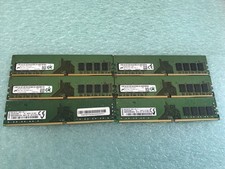
48GB(6 x 8GB) Mixed Brand PC4-2666V DDR4 Desktop UDIMM RAM - R1051A
$129.95
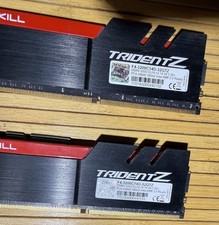
G.Skill Trident Z 32GB (2x16GB) DDR4-3200 CL14 RAM F4-3200C14D-32GTZ
$179.99
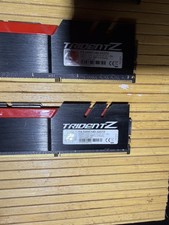
G.Skill Trident Z 32GB (2x16GB) DDR4-3200 CL14 RAM F4-3200C14D-32GTZ
$179.99

LOT OF 23 Ram Sticks-Corsair Vengeance CMZ8GX3M2A1600C9 4GB (4GBx23=92GB Total)
$129.99
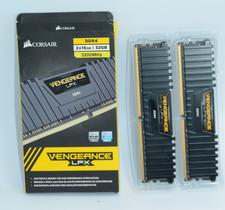
Corsair Vengeance LPX 32GB (2x16GB) RAM DDR4 3200MHz
$175.00



 Reply With Quote