


 Reply With Quote
May be, there is some way to resolve this problem in "expert" mode?
But I'm not expert, I'm beginner. Many years ago I use UNIX on IBM mainframe, and forget all... And Unix for S/370 - it is not Linux...


I disable IDE0 channel in BIOS. I disable ZIP (but BIOS report about ATAPI device on IDE1 slave). Situation is same. And series of messages about "bad command in queue" present too.
Tomorrow I will try to phisically disconnect ZIP, but it too lazy...
May be, there is some way to resolve this problem in "expert" mode?
But I'm not expert, I'm beginner. Many years ago I use UNIX on IBM mainframe, and forget all... And Unix for S/370 - it is not Linux...
Ok, which device do these error messages refer to now ?Originally Posted by Igor
What do you mean in "what device"? In message? "hdd". And messages from "lvm" about unable to read partition table.
But I don't undestand a simple thing. Yes, there are a problem in work with one device. All OS can resolve this problem, for example - logically disconnect this device. Why Linux dead on this simple problem?
And! After this series of error messages initialization continued! My devices detected, apm manager detected and loaded, AGP bridge detected (IMHO chipset known for Knoppix). I do not see any messages about old NIC... It is not in PnP mode... May be problem in this?
Yes, that's what I meant. So it is still seeing the zip drive but we got rid of the hda & hdb messages, right ?
One thing you could try before disconnecting the zip drive if you haven't tried it already is put a disk in the zip drive.
I try insert before boot and ZIP, and floppy. Situation not changed. And I not see turn to ZIP and floppy. Lamp not indicate any activity.
See my edited message above.
Oh, I thought you meant it continues to display the same errors all the time. If it just dumps a bunch of them and then continues I guess the problem might be somewhere else, sorry.
One more suggestion before I log off tonight: "knoppix 2" (trying to boot into console mode only, no GUI)
See my first message - system hang after message "AGP bridge detected" or "Skip detection AGP" (if "knoppix noagp" or "failsafe")
It was my first try after unsuccess booting - boot in text mode. When I try "knoppix 2" situation is same, without any difference.
 Posting Permissions


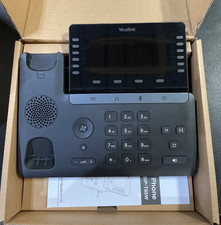
Yealink T48S VoIP/SIP Phone, 2 x Gigabit Ports PoE 7" Color SIP-T48S | TESTED
$34.95

Grandstream VoIP Phone Adapter ATA 1-Line Black Ethernet (RJ-45) Micro USB
$27.07
$153.99

Poly CCX 400 Desktop Business Media Phone VoIP 2200-49700-019
$49.99

Yealink SIP-T33G IP Phone 4-LineSpeakerphone VoIP Desk Phone Black w/ Power Sply
$25.00
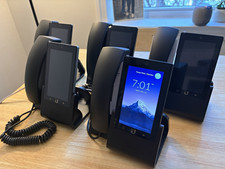
Ubiquiti UniFi Talk UVP-Touch VoIP IP Phone PoE Touchscreen Tested Reset
$64.99
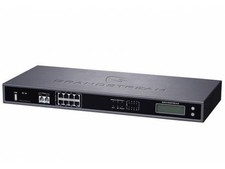
Complete Office VoIP System: Grandstream UCM6208 IP PBX + (14) GRP2614 Wi-Fi IP
$800.00

Grandstream WP810 Portable Cordless Wi-Fi IP Phone
$49.28

Yealink MP54 - VoIP Phone - Black Teams phone Android POE WIFI Bluetooth
$49.95

DELL PRO SMART DOCK SD25 (MPN:210-BRQC)
$290.00