-
cdrom
feel real stupid posting this Q but here it goes. just installed knoppix, installation went well, however trying to use kscd to play some music while working through linux. kscd cannot detect the cdrom and try as i have i can't get it to mount. the /dev/cdrom has the right perms. and /etc/fstab has the cdrom listed, must be missing something simple. thanks for ur help.
-
Senior Member
registered user
Well you cannot mount an audio disc as it has no fuilesystem on it, nor is it necessary. You may have /dev/cdrom and/or /cdrom in fstab but is that the correct device?
cdrecord -scanbus
or
cat /proc/scsi/scsi
On my system /dev/cdrom is a symlink to /dev/scd0
ls -al /dev/cdrom
I don't use Kscd but perhaps try XMMS: Open>File and enter /dev/cdrom
-
cdrom
thxs for ur quick reply. checked the link it is there to the cdrom and scd0, also tried xmms with the same result. the dvd mounted and then couln't umount had to restart to get it out.
something is screwy here and i can't figure it out, but my multimedia is inoprable.
-
cdrom
rickenacherus, additionally the cat /proc cmd points to the right h/ware cdrom(toshiba).
the ls -al cmd links the /dev/cdrom to /dev/scd0.
-
You may want to open your pc to see if there's an audio cable to connect the cdrom to the sound card. IIRC, Windows uses the IDE-bus istead to play audio cd's! I have a Toshiba DVD-rom too and although XMMS (or any other linux cd player) claimed to play the CD I couldn't hear any sound from it at all, until I invested 50 cents in this tiny little cable
-Marek
-
cdrom
this post is meant for emdee. thxs for ur reply. I've tried ricken.... suggestion( pls see my posts)
the cat and ls -al cmds yielded good info. i have configured the sound and it works my problem remains mount of the cd rom. i've made some changes in the /etc/fstab file to no avail and now i wonder if that's even setup properly, do u have a template of it? or urs that works, the only changes i made were to the cdrom lines. whenever i mount /mnt/cdrom i get the message "no medium found". i am still w/o access to the cd rom. thxs for any suggestions, but since i conf. the sound card and it works i don't think that's the problem. i am using a kds laptop, piii.
-
The best tool for creating fstab templates is probably the knoppix live-cd itself! Just boot the cd and copy the fstab file over to your linux partition.
-
Senior Member
registered user
Re: cdrom

Originally Posted by
ivansv1
this post is meant for emdee. thxs for ur reply. I've tried ricken.... suggestion( pls see my posts)
the cat and ls -al cmds yielded good info. i have configured the sound and it works my problem remains mount of the cd rom. i've made some changes in the /etc/fstab file to no avail and now i wonder if that's even setup properly, do u have a template of it? or urs that works, the only changes i made were to the cdrom lines. whenever i mount /mnt/cdrom i get the message "no medium found". i am still w/o access to the cd rom. thxs for any suggestions, but since i conf. the sound card and it works i don't think that's the problem. i am using a kds laptop, piii.
You should be using mount /dev/cdrom /cdrom as root to mount the device and should have changed the mount point in the /etc/fstab to this. The /mnt/cdrom points to the wrong device (/mnt/auto/cdrom) which does not exist.
-
Junior Member
registered user
cdrom
thxs toemdee and stephen. i'll try these.
-
Junior Member
registered user
Similar Threads
-
By Stapper in forum General Support
Replies: 0
Last Post: 02-18-2005, 10:05 PM
-
By NewbieEd in forum Hardware & Booting
Replies: 3
Last Post: 05-15-2004, 12:35 PM
-
By fasttech in forum General Support
Replies: 1
Last Post: 02-16-2004, 04:07 PM
-
By Nils_ in forum General Support
Replies: 3
Last Post: 12-30-2003, 12:36 AM
-
By Koga in forum General Support
Replies: 3
Last Post: 01-11-2003, 12:07 PM
 Posting Permissions
- You may not post new threads
- You may not post replies
- You may not post attachments
- You may not edit your posts
-
Forum Rules


Western Digital HUS726T4TAL5204 4TB 7.2K SAS 12Gb/s 3.5" 512e HDD NetApp X375A
$64.00

DELL 2TB Enterprise HDD (7200RPM, 3.5", SATA III, 128MB Cache) HUS722T2TALA600
$49.95

HDD 3.5" SATA Hard Drive with Windows 10/Win 11 64x Installed Legacy
$35.00

Seagate ST8000NM0075 Enterprise Capacity 3.5 HDD 8TB SAS Hard Drive 8TB EXOS
$184.99

Dell ST6000NM0034 1HT27Z-150 NWCCG 6TB SAS 3.5 7.2K ENTERPRISE SERVER DRIVE
$68.99

Western Digital Blue (7200RPM, 3.5", SATA III, 64MB Cache) 1TB HDD
$19.90

Seagate ST3000NM0005 HDD 3TB SATA 6Gb/s 7.2K 3.5" 512 b/s
$59.00
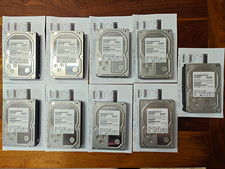
Hitachi Ultrastar 3TB 7200RPM 3.5in SATA III 6Gb/s - enterprise-grade hard drive
$49.00

HUS726060ALA640 HGST Ultrastar 6TB SATA 6Gbps 7.2K 3.5" Hard Drive OF21860
$129.99

Western Digital 1TB 3.5" SATA III 7200RPM Desktop Hard Drive
$34.99



 Reply With Quote