

 Reply With Quote
I too am absolutely miffed about the origin of the KDE menus. Can a script be used on the remaster to copy in the menu settings at boot time? Or is there a definitive source which can be modified to customise the menu entries?


It's that time again... time to find out where the heck the kmenu comes from!!! It's not /etc/skel/.kde/applnk and its not /usr/share/applnk because my kmenu looks very different than the kmenu would look if it was derived from those files. COuld it possibly come from root's home?
I really can't live without tweaking the look of my remaster, but it really blows when things that I uninstalled with apt still show up in my kmenu even after I've deleted them from the kmenu and deleted /etc/skel and then stuck my ramdisdk configs into /etc/skel.
I'm working out of a 3.2 remaster and its been apt-get upgraded to testing distribution and undergone numerous other changes such that I'm surprised that it still works at all.
Anyway, kmenu... /me shrugs
The other thing is that konqueror loves to complain about missing libs- kdelibc_konq_la or something pretty close to that.... This pops up when used as a file browser. I'll post the exact error when I get home later. I googled it and got a page of results, but no file to download or package to install. Nothing really debian-specific came up either. Functionality is fine, but I don't need error messages popping up when noobs start browsing their files graphically. Has anyone tried installing an alternate file browser? I've never tried myself and am wondering just what I'd have to edit. To be honest I wouldn't mind blowing konqueror away entirely, not a bit.
Edit: here's what konqueror spits out when I try to adjust its Settings > Configure konqueror:
There was aThere was an error loading module
'.hidden/filebehavior.desktop'
The diagnostics is:
Library files for "libkcm_konq.la" not found in pathsn error loading module
'.hidden/filebehavior.desktop'
The diagnostics is:
Library files for "libkcm_konq.la" not found in paths
I too am absolutely miffed about the origin of the KDE menus. Can a script be used on the remaster to copy in the menu settings at boot time? Or is there a definitive source which can be modified to customise the menu entries?
I tried the following already with no luck-
wrote a script to run at end of boot sequence for run level 2.
The script did the following-
delete /home/knoppix
make a new /home/knoppix
cp and chown files in /etc/skel to new /home/knoppix, including an .xinitrc file
startx
So I had a text mode boot that would absolutely make sure my modified confiog files were being used and would then jump to graphical mode.... it was kind of nice for one thing- I could log out of KDE and go back to text mode instead of it automatically shutting down. Then I could start another Xsession or change window managers with .xinitrc if I wanted.
HOWEVER, MY KMENU WAS STILL MESSED UP!!!
What this means to me is that when kde starts it updates ite menus, or that it's grabbing a skeleton config from somewhere other than /ets/skel.
Perhaps because I apt-get removed instead of apt-get -force removed packages and because I failed to delete those directories that were not empty which contained leftover config files, that KDE's menu-updating script thinks software that is uninstalled is still there?
Hmmm, now that I write it all out I think maybe I know where to look to disable KDE menu-updating. Then I could edit the hdd-install scripts to re-enable it if the OS is HDD-installed....
By all means keep the ideas flowing- this issue really bugs me.
arkaine23: read this: http://alioth.debian.org/docman/view...-one-file.html
and then also note script knoppix-somethingmenus which does some neat magic to menus.
Hope it helps.
 Posting Permissions


OPNsense pfSense 8-Core Atom C3758 2.2GHz 8GB DDR4 64GB SSD 8x NIC QAT AES VPN
$145.00

pfSense Firewall 16-Core Atom C3958 8GB DDR4 RAM 64GB SSD 8x 1Gbe QAT AES-NI VPN
$184.99

OPNsense pfSense 16-Core Atom C3958 16GB ECC RAM 512GB SSD 8-Port QAT AES-NI VPN
$298.00

NETGEAR ProSafe 8-Port Gigabit VPN Firewall FVS318G NEW IN BOX
$69.99

Fortinet FortiGate 60F FG-60F P24286-03-13 Network Firewall Security Appliance
$155.75

Palo Alto PA-220 Next-Gen Firewall 520-000309-00J
$40.00

OPNsense Firewall VPN QAT 8-Core Atom C3758 2.20GHz 16GB DDR4 128GB SSD 8xNIC
$175.00
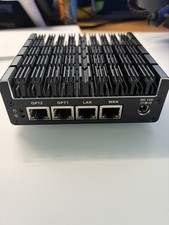
Protectli Vault FW4C-0-8-120 - 4 port, Quad Core, 8GB RAM, 128GB
$180.00

SonicWall TZ280 Firewall 03-SSC-6933 Advanced Edition 3YR NEW SEALED
$999.99
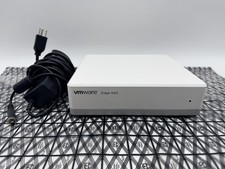
OPNsense Firewall Router VMware Edge 640 Atom C3758 32GB ECC RAM 256GB SSD 10Gbe
$284.99