

 Reply With Quote
bump....
this seems like it should be fairly simple to do.. I just have no clue what to do.
Knoppix does not include XFree86Setup, and I did not seem to be able to get xf86config to configure correctly...


I am getting a bit peeved with knoppix.... my 2 problems, cant save settings, (not too important) and cant change screen resolutions. I am stuck at 800x600. The CTRL+ALT <=/-> trick only magifies the screen, rather than actually changing the resolution. I used xf86config and nothing changes. I am a linux newbie, and would like some help with that in mind.
thanks everyone.
bump....
this seems like it should be fairly simple to do.. I just have no clue what to do.
Knoppix does not include XFree86Setup, and I did not seem to be able to get xf86config to configure correctly...
--Did you try boot: ' fb1024x768 ' or any other cheat codes? What video card and monitor are you using?
Originally Posted by god
[quote="Dave_Bechtel"]--Did you try boot: ' fb1024x768 ' or any other cheat codes? What video card and monitor are you using?
I used all the cheatcodes I could get my hands on...
I am using a Dell ultrasharp 17 inch (1702 FP) with an nvidia 4200 card. I need the code "knoppix xmodule=vesa" to even get a picture, the standard "nv" modules appear to not work in combination with my monitor, (manual says vesa mode only accepted)
Thanks for any help, in advance....
[quote="god"]Have you tried installing the nvidia drivers from nvidia themselves? They work really well, and they are easier to install than i thought originally. A friend told me I had to recompile the kernel, which i have yet to do successfully.... but I have no problem following nvidias instructions on their website. I actually get better resolution and graphics than with the nv drivers.
I am planning on getting those drivers as soon as i get a harddrive install going. Thanks though.
I'm linux newbie, I'M REALLY IRRITATE WITH 800x600 resolution. HEEEEELLLLPPPPPPPPPPPPP!!!!!!!!!!!!!!!!!
I tried all ways from this topic to change my screen resolution to 1024x768 (at least).
I tried using fb=1280x1024, FAILED!!!
I installed nvidia driver, I runcan't continue because of error in compiling kernel. What's the problem????Code:./NVIDIA-Linux-x86-1.0-7667-pkg1.run
I'm using SAMSUNG SYNCMASTER 551V on nVidia GeForce 4 MX 440 64MB of RAM. on ASUS A7V8X-x, using AMD Athlon.
HELP me change my resolution. I tried god's way, It failed.
The correct "cheatcode" is simply "fb1280x1024" (there is no equal sign).
kirol wrote:Well, I always see "F2" or "F3" when boot options is prompted. I'm sure I wrote "fb1024.." WITHOUT equal sign. But, still no luck on me.The correct "cheatcode" is simply "fb1280x1024" (there is no equal sign).
Now I install it on my harddrive. I hope it resolution can be changed, like what I did on earlier version on Knoppix (3.6), but it didn't happen on this version.
Let me get it simpler for you to help me solve this. I have typed "how to install nvidia linux driver" on Google, and it points me to here:
http://www.knoppix.net/forum/viewtopic.php?t=10329
Can someone help me simplifyng those action?
I downloaded "NVIDIA-Linux-x86-1.0-7667-pkg1.run" from NVIDIA website, I followed the instruction in README.txt, but it failed in recompiling kernel. When I typedIt was looking for compiling module, or somewhat, and it said it could not find it, so it had to recompile it, then, it returned to error. HELP ME.Code:./NVIDIA-Linux-x86-1.0-7667-pkg1.run
Ran into a similar problem after I installed the nVidia drivers.
Stuck with no video option but 800x600
This seemed work for me running KNOPPIX 5.1.1 DVD with a problematic nVidia Ge Force 3 Ti 200
First downloaded the appropriate driver from the nVidia site. The latest wouldn't work with my older card so
I dropped back to the next one in the archives (there's a link in the lefthand box.).
Opened Konsole and su to root.
Did an init 2 to exit the XServer. ( first mounted the drive hde5 where the driver file is located)
did cd /mnt/hde5
The correct syntax for the driver installation in my case was:
sh NVIDIA-Linux-x86-1.0-9631-pkg1.run
Navigated thru the onscreen questions and it ended up compiling and installing the module.
Process is more or less automated.
After this was done, did an init 5 to restart the XServer.
Went to K-MENU ->KNOPPIX-> Utilities-> Choose/Restart Desktop.
Chose to restart KDE
At this point I had the same problem described above.
800x600 was the only option available.
Ran across a post in Ubuntu Forums that was a fix for me.
Here goes... I did it slightly differently than the post described so will edit and mod accordingly
------------------------------------------------------------------------
Open Konsole and su to root.
1) Backup your configuration file
cp /etc/X11/xorg.conf /etc/X11/xorg.conf_backup
2) How to reconfigure Xorg
Notice that auto detection of devices works best if Xorg is not running. Therefore it's recommended to stop X before reconfiguring this will put you to text only mode / command line:
/etc/init.d/gdm stop (or kdm for KDE)
3) You can do the whole X configuration process by entering:
dpkg-reconfigure xserver-xorg
(Just follow the prompts... if it turns out wrong - just redo it!)
4)To start Gnome/KDE again:
/etc/init.d/gdm start (or kdm for KDE)
---------------------------------------------------------------------------
After this, I did the K-MENU ->KNOPPIX-> Utilities-> Choose/Restart Desktop.
Choose to restart KDE
I seem to have the NVDIA driver installed and running and I have quite a few resolution options
available.
Right now I am at 1024x768 16 bit resolution.
The whole process takes a lot less time than it did for me to type this in !!!
Hope this helps.
 Posting Permissions


(New) AMD Ryzen 7 5700X 8 Core 16 Thread AM4 Unlocked 3.4 GHz CPU OEM Tray
$174.99

Intel Core i9-9900K SRG19 3.60GHz 16MB 8-Core LGA1151 B Grade CPU Processor
$175.00
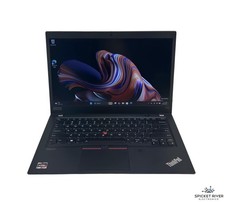
Lenovo ThinkPad T14S Gen 1 8-Core 4750U 1.70 GHz 512 GB SSD 16 GB RAM Win11Pro
$240.00

Dell Optiplex 7050 Micro Core i5-7500 8 GB RAM 256GB SSD Microsoft Windows 11
$89.99

Intel Xeon E5 - 2667V2 / SR19W 3.30GHz 25MB 8-Core CPU Socket LGA2011
$30.00

AMD Ryzen 7 9700X 8-Core 16-Thread 40MB Cache Socket AM5 9000 Series Processor
$245.99
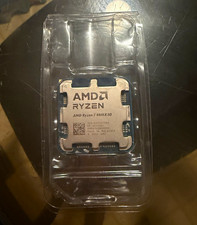
AMD Ryzen 7 9800X3D 8-Core 4.7GHz AM5 CPU Processor 96MB L3 8MB L2
$350.00

Microsoft Surface Go 2 Laptop Core i5 1135G7 2.4GHz 8GB 128GB SSD
$179.99

HP Z420 Pro Workstation PC Xeon E5-2660 8-Core 64GB RAM Quadro K5000 128GB SSD
$249.00

DELL Optiplex 780 SFF CORE2DUO 3.0GHz 8GB RAM 250GB HDDDVDRW NO OS
$99.99