-
Ran into a similar problem after I installed the nVidia drivers.
Stuck with no video option but 800x600
This seemed work for me running KNOPPIX 5.1.1 DVD with a problematic nVidia Ge Force 3 Ti 200
First downloaded the appropriate driver from the nVidia site. The latest wouldn't work with my older card so
I dropped back to the next one in the archives (there's a link in the lefthand box.).
Opened Konsole and su to root.
Did an init 2 to exit the XServer. ( first mounted the drive hde5 where the driver file is located)
did cd /mnt/hde5
The correct syntax for the driver installation in my case was:
sh NVIDIA-Linux-x86-1.0-9631-pkg1.run
Navigated thru the onscreen questions and it ended up compiling and installing the module.
Process is more or less automated.
After this was done, did an init 5 to restart the XServer.
Went to K-MENU ->KNOPPIX-> Utilities-> Choose/Restart Desktop.
Chose to restart KDE
At this point I had the same problem described above.
800x600 was the only option available.
Ran across a post in Ubuntu Forums that was a fix for me.
Here goes... I did it slightly differently than the post described so will edit and mod accordingly
------------------------------------------------------------------------
Open Konsole and su to root.
1) Backup your configuration file
cp /etc/X11/xorg.conf /etc/X11/xorg.conf_backup
2) How to reconfigure Xorg
Notice that auto detection of devices works best if Xorg is not running. Therefore it's recommended to stop X before reconfiguring this will put you to text only mode / command line:
/etc/init.d/gdm stop (or kdm for KDE)
3) You can do the whole X configuration process by entering:
dpkg-reconfigure xserver-xorg
(Just follow the prompts... if it turns out wrong - just redo it!)
4)To start Gnome/KDE again:
/etc/init.d/gdm start (or kdm for KDE)
---------------------------------------------------------------------------
After this, I did the K-MENU ->KNOPPIX-> Utilities-> Choose/Restart Desktop.
Choose to restart KDE
I seem to have the NVDIA driver installed and running and I have quite a few resolution options
available.
Right now I am at 1024x768 16 bit resolution.
The whole process takes a lot less time than it did for me to type this in !!!
Hope this helps.
Similar Threads
-
By boge in forum Hardware & Booting
Replies: 5
Last Post: 09-02-2004, 11:33 PM
-
By brainstorm in forum The Lounge
Replies: 0
Last Post: 04-08-2004, 06:49 AM
-
By mheight in forum General Support
Replies: 1
Last Post: 03-15-2004, 12:54 PM
-
By dale_c in forum General Support
Replies: 6
Last Post: 09-02-2003, 06:06 PM
-
By ndori in forum Laptops
Replies: 1
Last Post: 06-24-2003, 01:03 PM
 Posting Permissions
- You may not post new threads
- You may not post replies
- You may not post attachments
- You may not edit your posts
-
Forum Rules


Dell Poweredge R630 2x Xeon E5-2680 v3 2.5ghz 24-Cores / 64gb / Raid / 2x 1Tb
$374.99

Dell EMC PowerEdge R440 Xeon silver 4215 2.5GHz 16 GB ram 2x 550W PSU No HDD
$275.00

Dell PowerEdge R530 2x E5-2630v4 H330 iDRAC8 Port Card Riser No PSU/RAM/HDD
$99.99

Dell PowerEdge R730XD 28 Core Server 2X Xeon E5-2680 V4 H730 32GB RAM No HDD
$378.93

Dell Poweredge R630 2x Xeon E5-2680 v3 2.5ghz 24-Core | HBA330 | No RAM or HDD
$149.99

Dell Poweredge R730xd 12LFF 2*2660v4 4*1Gbe h730 2x 750W Server CTO
$248.00

Dell PowerEdge C4130 1U AI GPU Server | 2x E5-2690 v3 | 64gb Ram | 2x 1600W
$524.99

Dell PowerEdge R640 10SFF 2x Gold 6140 2.3GHz 36-Cores 64gb H730p 2x Trays
$599.99

Dell Poweredge R630 2x Xeon E5-2680 v3 2.5ghz 24-Cores | 32gb | HBA330 | 2x 1...
$324.99
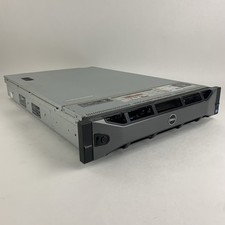
Dell PowerEdge R720 Server 2x Xeon E5-2670 2.6 GHz 64 GB RAM No OS No HDD Read-
$239.95



 Reply With Quote