

 Reply With Quote
I finally figured it out - somewhat.
I edited the syslinux.cfg and added vga=normal to the append line. Once it enters a higher vid mode the text is unreadable.


I have found that remastering under VMware to be the fastest way for me to experiment. However I have one small problem. When I boot to Knoppix (CD or HD installed) and then switch over to vc2 (CTRL-ALT-F2) the terminal fonts are microscopic and doubled left to right with half of the X window's contents still showing underneath. Obviosly the vid mode is not right after jumping to X and back to text. What I don't know is how to fix the vid mode so the console is usable. I can usually peck keys carefully and chroot, mount proc and startx but if any errors pop up I'm lost and must start over cause the fonts are unreadable.
Anyone know how to reset the vid mode under VMWare without screwing the pooch on the 1st or 2nd X session? Something like the old DOS mode co80 command?
I notice that Windows VM's text screen also tear the screen up when switching to graphics mode so it must be a VMWare specific problem.
I finally figured it out - somewhat.
I edited the syslinux.cfg and added vga=normal to the append line. Once it enters a higher vid mode the text is unreadable.
 Posting Permissions


Commodore 128 C128 Computer FOR PARTS / REPAIR Untested Missing Key No Cords
$149.99

TeensyROM+ TR+ v0.4 Cartridge for C64/128 - w/ Case & 32GB SD Preloaded
$89.50

Commodore OS USB | Bootable LIVE + Install | The Ultimate Gaming Linux OS | NEW
$11.99

Commodore 64 Dead Test & Diagnostic Cartridge & Test Harness Set - USA seller
$39.99

Commodore 64 Serial Cable 6PIN DIN 1541 1571 C64 128 C128 Disk Drive Printer USA
$10.49

Commodore 64 PC with Model 1541 Diskette Drive and Flight Simulator II *READ*
$199.99

Commodore 1541 Emulator PI1541 HAT with ROTARY, OLED screen, USA Seller
$29.99
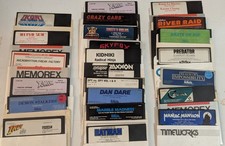
Commodore 64/C64 23 Original Games (Untested /As Is ,no returns )Maniac Mansion
$115.00
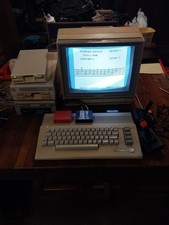
$550.00
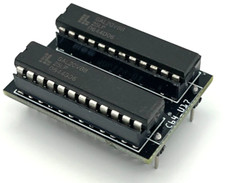
Commodore PLA Replacement MOS 906114-01 / PLS100 for C64, SX 64 High Quality USA
$12.99