-
Pressing CTRL-ESC will bring up the KDE System Guard application. This is as close to Task Manager as you are likely to get, and even has a nice highlight the app and press the [kill] button action. Hope that helps.
Wasn't trying to appear unhelpful in previous post, just imparting a little history/reminescing on some of the problems I had with that particular keystroke combination. ;>
Incidentally I only found out the CTRL-ESC combination by a fluke the other day (I admit to not having looked at the keystroke mappings in Knoppix, I spend most time on the command line). The mouse wasn't working on a server that we were trying to boot Knoppix on, so I started pressing key combinations to see whether I could get to the KDE menu. CTRL-ESC brings up the Win32 program menu so I tried that, and up popped System Guard. ALT-F1 was the combination I really wanted BTW to bring up the KDE menu. Unfortunately my server didn't boot correctly because it needed megaraid.o, guess I'll need to remaster or modprobe it in after the fact.
Similar Threads
-
By TRow in forum MS Windows & New to Linux
Replies: 4
Last Post: 01-03-2005, 05:36 AM
-
By jimbob in forum The Lounge
Replies: 6
Last Post: 10-26-2004, 04:18 PM
-
By TyphoonMentat in forum Customising & Remastering
Replies: 1
Last Post: 07-28-2004, 01:36 AM
-
By CrashedAgain in forum Customising & Remastering
Replies: 3
Last Post: 07-14-2004, 04:03 PM
-
By champagnemojo in forum Hdd Install / Debian / Apt
Replies: 6
Last Post: 02-12-2004, 06:53 PM
 Posting Permissions
- You may not post new threads
- You may not post replies
- You may not post attachments
- You may not edit your posts
-
Forum Rules

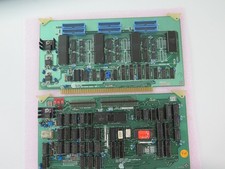
Vintage Rare California Computer Systems Boards for Altair IMSAI S-100 Systems
$275.00
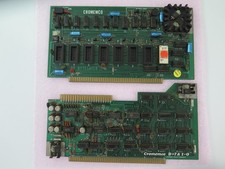
Vintage Rare Cromemco Boards for Altair IMSAI S-100 Systems
$225.00
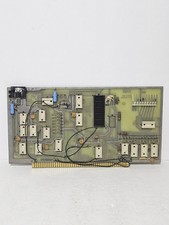
MITS 88 SIOB Serial-TT, An Single Serial I/O Port S-100Board For the Altair 8800
$189.95
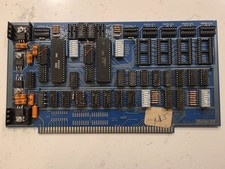
SSM IO-4 S100 I/O Interface Board 2-Serial 2-Parallel Altair IMSAI Untested
$119.99
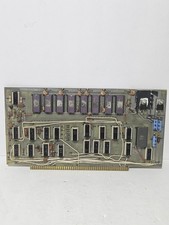
MITS Altair 8800 4K RAM Board
$675.00
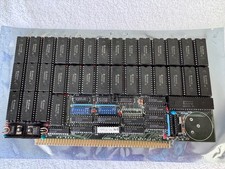
Vintage Octagon 256K Static RAM (32 x HM6264LP-12) Board S-100 Altair IMSAI
$150.00

S-100 backplane motherboard bare PCB 9 slot (for Altair/IMSAI)
$34.99

S-100 Vector Graphic 64K Ram Board (Altair, IMSAI)
$99.95

CP/M 86 1.1R 8086 Highmonitor 8 Inch Floppy Diskette 80s IMSAI Altair
$29.99

Microcomputer Builder's Bible IMSAI 8080 Z80 ADM-3A DEC LSI-11 Altair 8800 Bus
$59.99



 Reply With Quote