

 Reply With Quote
Why not use Knoppix Customize and have it do what you want without remastering at all?Originally Posted by BillS


I need to re-construct the boot.img file used during the CD boot. I searched the forums for 'boot.img' and read all those. I read through http://www.knoppix.net/docs/index.ph...tomKernelHowto.
I am not running M$Win, I am not installing a new kernel or ISOLinux. I have the boot.img opened through a /dev/loop and have modified files. Unfortunately it looks like loop is read-only. So I copy these to a HD directory, make changes, and then what?
root@knop1:/bld/newstuff# ll bootimg/
total 1402
-rwxr--r-- 1 root root 107 Nov 19 15:28 boot.msg
-rwxr--r-- 1 root root 1791 Nov 19 15:28 f2
-rwxr--r-- 1 root root 256 Nov 19 15:28 german.kbd
-r-xr--r-- 1 root root 7836 Nov 19 15:28 ldlinux.sys
-rw-r--r-- 1 root root 9258 Jan 8 08:29 logo.16
-rwxr--r-- 1 root root 489495 Nov 19 15:28 miniroot.gz
-rwxr--r-- 1 root root 2797 Jan 8 08:27 syslinux.cfg
-rwxr--r-- 1 root root 921593 Nov 19 15:28 vmlinuz
Note modified files. Now what is the 'mkisofs' command to rebuild the boot.img file? Then I will put it back into the remastering structure.
Thanks in advance
BillS
Why not use Knoppix Customize and have it do what you want without remastering at all?
I looked at that program/procedure. It showed me how to process my new boot graphic. But it is constrained to smaller than what is already there.
I am already re-mastering for my basic application, so I just need to re-build that file. I have all the pieces already pulled apart as part of the pseudo-CD I use for testing before burning....
BillS
i got this from a remastering how to hope it helps
** #cp /KNOPPIX/boot.img /mnt/hda3
*Mount the image as follows
* * * #*mount -t msdos -o loop * /mnt/hda3/boot.img */mnt/hda3/image
* Now look in the image directory you created. There are a number of interesting *files in this directory
**** Boot logo **
logo.16 is the image displayed on boot screen. *It is encoded in a special format. For replacing it grab a 640*400 *16 color image. I downloaded an image from gnu.org.*Convert the image to a png file ( call it logo.png)*
** #pngtopnm <logo.png >logo.pnm
* *** #ppmtolss16 <logo.pnm >logo.16
*** # cp logo.16 /mnt/hda3/image/logo.16
skip this part- -t msdos
and you can write the files.
Don't skip it an you'll need to cp the files ouitside of the mounted loop, edit them, mv a non-essential file like logo.png outside the mounted loop, then cp the editied config files back in, then mv the non-essential logo.png back in the loop (it will be a tiny bit smaller probably), then unmount the loop.
I put a custom boot image on a knoppix cd using instructions from this page under custom boot cd:
http://www.cclug.org/wiki/Main/KnoppixTricks
Folks;
I want to thank you all for the help. On Friday I had the boot image change, but couldn't figure out why. I had done the cloop mount and say the files. I copied in a new image (appropriately processed), but the size of the file didnt' change.
Since that didn't work I went on to other tasks. I did *NOT* unmount the looped directory. Apparently the changes are not written out (or at least visible) until thing are flushed or unmounted. Later I shutdown to test a burn, which registered the new image which I found in the subsequet burn.
Thanks again for confirming what had happened. I am looking forward to moving on in this project.. Individual burn dates and serial numbers
incremented on the boot screen with each remastering
BillS
 Posting Permissions


Seagate ST6000NM0115 6TB 256MB 7200RPM 3.5" SATA 6.0Gb/s Enterprise Hard Drive
$159.99

Seagate 14TB Exos X14 7200RPM SATA 6Gb/s 256MB 3.5" Enterprise HDD ST14000NM0408
$354.99

Seagate BarraCuda ST5000LM000 5TB 5400RPM SATA III 6Gb/s 2.5" Internal Hard
$169.99

HUS726060ALA640 HGST Ultrastar 6TB SATA 6Gbps 7.2K 3.5" Hard Drive OF21860
$129.99
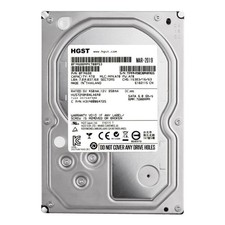
**77%-89% HEALTH**HGST Ultrastar 7K4000 HUS724040ALA640 4TB 7200 RPM 64MB Cache
$69.99

Hitachi / HGST Travelstar HTS541010B7E610 1TB 2.5" SATA III HDD
$29.99

HITACHI ULTRASTAR 2TB 7.2K 6G 3.5INCH SATA HDD HUS724020ALA640 | TESTED WIPED
$34.95
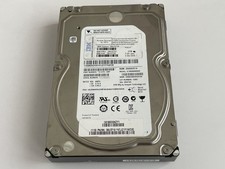
Seagate 3TB 3.5" HDD SAS Hard Drive Seagate ST3000NM0043 IBM 39U3719 7200RPM HDD
$27.99

Western Digital HUS726T4TAL5204 4TB 7.2K SAS 12Gb/s 3.5" 512e HDD NetApp X375A
$84.00
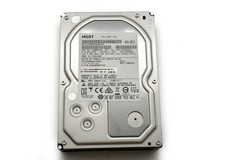
HGST Ultrastar 2TB 3.5" Enterprise SATA 7200RPM Internal HDD HUS724020ALA640
$54.99