

 Reply With Quote
Why not use Knoppix Customize and have it do what you want without remastering at all?Originally Posted by BillS


I need to re-construct the boot.img file used during the CD boot. I searched the forums for 'boot.img' and read all those. I read through http://www.knoppix.net/docs/index.ph...tomKernelHowto.
I am not running M$Win, I am not installing a new kernel or ISOLinux. I have the boot.img opened through a /dev/loop and have modified files. Unfortunately it looks like loop is read-only. So I copy these to a HD directory, make changes, and then what?
root@knop1:/bld/newstuff# ll bootimg/
total 1402
-rwxr--r-- 1 root root 107 Nov 19 15:28 boot.msg
-rwxr--r-- 1 root root 1791 Nov 19 15:28 f2
-rwxr--r-- 1 root root 256 Nov 19 15:28 german.kbd
-r-xr--r-- 1 root root 7836 Nov 19 15:28 ldlinux.sys
-rw-r--r-- 1 root root 9258 Jan 8 08:29 logo.16
-rwxr--r-- 1 root root 489495 Nov 19 15:28 miniroot.gz
-rwxr--r-- 1 root root 2797 Jan 8 08:27 syslinux.cfg
-rwxr--r-- 1 root root 921593 Nov 19 15:28 vmlinuz
Note modified files. Now what is the 'mkisofs' command to rebuild the boot.img file? Then I will put it back into the remastering structure.
Thanks in advance
BillS
Why not use Knoppix Customize and have it do what you want without remastering at all?
I looked at that program/procedure. It showed me how to process my new boot graphic. But it is constrained to smaller than what is already there.
I am already re-mastering for my basic application, so I just need to re-build that file. I have all the pieces already pulled apart as part of the pseudo-CD I use for testing before burning....
BillS
i got this from a remastering how to hope it helps
** #cp /KNOPPIX/boot.img /mnt/hda3
*Mount the image as follows
* * * #*mount -t msdos -o loop * /mnt/hda3/boot.img */mnt/hda3/image
* Now look in the image directory you created. There are a number of interesting *files in this directory
**** Boot logo **
logo.16 is the image displayed on boot screen. *It is encoded in a special format. For replacing it grab a 640*400 *16 color image. I downloaded an image from gnu.org.*Convert the image to a png file ( call it logo.png)*
** #pngtopnm <logo.png >logo.pnm
* *** #ppmtolss16 <logo.pnm >logo.16
*** # cp logo.16 /mnt/hda3/image/logo.16
skip this part- -t msdos
and you can write the files.
Don't skip it an you'll need to cp the files ouitside of the mounted loop, edit them, mv a non-essential file like logo.png outside the mounted loop, then cp the editied config files back in, then mv the non-essential logo.png back in the loop (it will be a tiny bit smaller probably), then unmount the loop.
I put a custom boot image on a knoppix cd using instructions from this page under custom boot cd:
http://www.cclug.org/wiki/Main/KnoppixTricks
Folks;
I want to thank you all for the help. On Friday I had the boot image change, but couldn't figure out why. I had done the cloop mount and say the files. I copied in a new image (appropriately processed), but the size of the file didnt' change.
Since that didn't work I went on to other tasks. I did *NOT* unmount the looped directory. Apparently the changes are not written out (or at least visible) until thing are flushed or unmounted. Later I shutdown to test a burn, which registered the new image which I found in the subsequet burn.
Thanks again for confirming what had happened. I am looking forward to moving on in this project.. Individual burn dates and serial numbers
incremented on the boot screen with each remastering
BillS
 Posting Permissions


Dell EMC PowerEdge R740 8 Bay Server w/ 32GB RAM 2x GOLD 6132 2x 1600W PSU H730p
$499.88

Dell EMC PowerEdge R440 Xeon silver 4215 2.5GHz 16 GB ram 2x 550W PSU No HDD
$275.00

Dell Poweredge R630 2x Xeon E5-2680 v3 2.5ghz 24-Cores / 64gb / Raid / 2x 1Tb
$374.99

Dell EMC VxRail E560F 10-SFF 2*Gold 6230R 2.1GHz No RAM HBA330 iDrac Ent Server
$349.99

Dell Poweredge R730xd 12LFF 2*2660v4 4*1Gbe h730 2x 750W Server CTO
$308.00

Dell PowerEdge R730XD 28 Core Server 2X Xeon E5-2680 V4 H730 32GB RAM No HDD
$381.93

Dell PowerEdge C4130 1U AI GPU Server | 2x E5-2680 v3 | 32gb Ram | 2x 1600W
$409.99
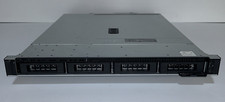
Dell PowerEdge R240 Intel Xeon E-2144G 3.6GHz 16GB DDR4 ECC NO HDD 250W
$149.00
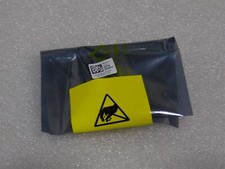
NEW DELL TRUSTED PLATFORM MODULE TPM 2.0 POWEREDGE R730 SERVER M48YR RXW6R K98XH
$225.00
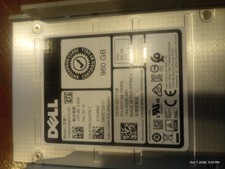
Dell Server Drive and 3.5" Cradle. 960GB SSD Enterprise
$300.00