

 Reply With Quote
I think you will find your answer here ...
good luck![/url]


ok how do i change the boot screen, the one that has the penguin in the top corner and tells what harware drivers it is initializing and all that stuff
and also is there a way to make the user knoppix into somthing else
I think you will find your answer here ...
good luck![/url]
There are instructions there to change the logo.16 file, but not for the penguin.
Ideas?
- Ambrose
You have to patch the kernel source with a new logo then compile and install it. A guide to doing so with the procedure mentioned in the section 8.Originally Posted by matt_w_lambert
http://newbiedoc.sourceforge.net/system/kernel-pkg.html
No wonder the kernel is so big!
- Ambrose
yes you may change the screen as you wish.
but it should be a raw 4 bit picture. It is bit tricky. use Gimp to do that.
Any body needs to create there own boot screens , and what to learn
how to. may contact on my E-mail : [email protected]
Aziz.
 Posting Permissions

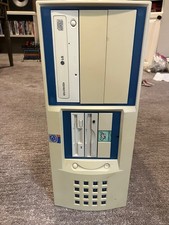
Vintage PC sleeper case 2000 Pentium 4 full tower 6 drive bays
$59.99
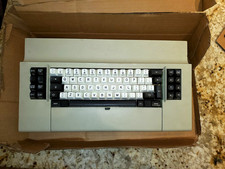
IBM 3270 Keyboard Beam Spring - With Manual - Vintage Rare Beamspring
$3000.00
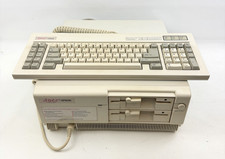
Vintage Epson Apex Plus AP3001A Dual 360K Disk Drives PC w/ Epson Apex Keyboard
$249.95

Vintage HP 21MX 1000 M-Series Minicomputer Chassis Backplane Parts AS-IS
$228.19
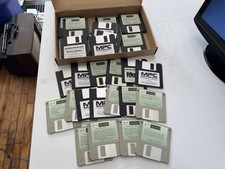
Huge Lot of 20+ Vintage Akai MIDI Floppy Disks
$399.99
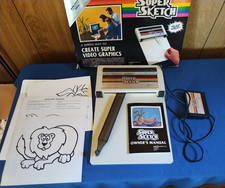
Vintage PPI Super Sketch G2400 for Texas Instruments TI99/4A
$150.00
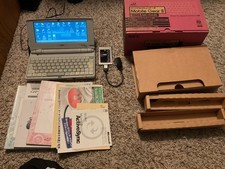
Rare Vintage Nec Mobile Gear II MC R430 Computer Japanese Windows Ce
$299.99

Original Vintage Old Style STANDARD Black CD Jewel Case (Heavy Duty) 90g Lot
$316.95
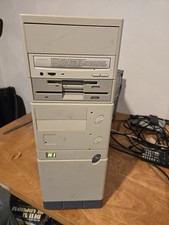
Vintage Retro Cyrix 6x86 133mhz 32mb RAM Floppy Combo
$299.00
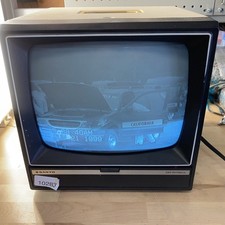
Sanyo DM 5012CM Solid State Data Display Monitor Working Vintage 1980s 80s
$169.99
