

 Reply With Quote
I had a similar problem. Mine was caused by a conflict with the video driver. I'm still experimenting but I can get the desktop to load and show using:
Knoppix xmodule=vesa
Hope this helps.


After loading all drivers and configuring is done the screen goes blank instead of loading o/s.
I had a similar problem. Mine was caused by a conflict with the video driver. I'm still experimenting but I can get the desktop to load and show using:
Knoppix xmodule=vesa
Hope this helps.
I have the same problem, execpt, my monitor is turned off (???) and i must turn the puter off manually.Originally Posted by nooksack
Where do I type Knoppix xmodule=vesa?
I am total linux newbie....so any help will be welcome
As knoppix boots up you'll see
boot:
just enter the cheatcode so you get
boot: knoppix xmodule=vesa
(IIRC the "K" should be lower case).
Something else to try is to return the bios to "system defaults" -- this won't adversely affect Windows.
Didnt work. Any more suggestions?
knoppix noapm or knoppix noddc or knoppix noapci and you can use two or more cheat codes on the same command line eg. knoppix noapm noddc. And just to be sure you do not have a bad cd knoppix testcd.
I think Knoppix loads with default resolution of 1280 and a high refresh frequency I dont know the exact values but, if u hit F2 when the Knoppix boot screen comes it shows the values I think.
U might have to set screen resolution and hsync and vsync using
U would have to get that info abt ur monitor. That solved my problem of monitor turning off after configuration.Code:knoppix screen=<ur resolution> vsync=<supported freq at this res> hsync=<supported freq>
 Posting Permissions


Commodore Amiga A1200 Vintage Computer Power Supply Mouse Bundle - Tested
$999.99

Framethrower, Amiga HDMI output via a PiStorm A500 A2000
$40.00

RGB2HDMI Amiga 500 UltraLong (Accelerator Friendly) HDMI Games, non-RTG A500
$50.00
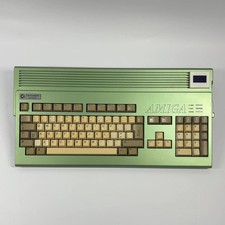
$999.99

DKB MegAChip for Amiga 2000/500 2MB Chip Ram expansion with 8375 Agnus Tested
$285.00
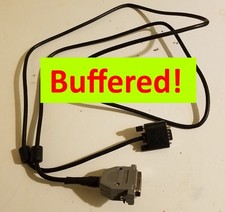
AMIGA DB23 RGB Female to VGA Male Buffered Cable 5 ft. - A1000 A2000 A3000 A4000
$38.00

Commodore Amiga 2000HD Vintage Personal Computer A2000
$599.99
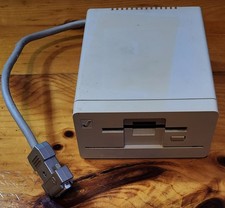
Commodore Amiga 1010 External 3.5” Floppy Drive A500 A1000 A2000 • Untested
$64.99
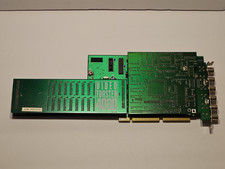
NewTek Video Toaster 4000 Commodore Amiga
$170.00
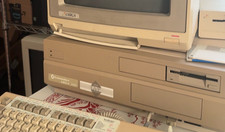
Commodore Amiga 2000 A2000 – Motherboard Repaired by Amiga of Rochester
$1099.99