-
Senior Member
registered user
--First off, I would highly recommend that *every* computer out there right now have at least two hard drives. One for regular use, and one for backups / storage. Anyhow...
--Backup scripts:
--This 1st one is an example of backing up critical files to a 100MB Zip drive; and is easily adapted for USB Thumbdrive or any other attached drive.
BEGIN bkpcrit
Code:
#!/bin/sh
# Backup critical files (hopefully)

dest='/mnt/zippy1'
mount $dest

[ -e "$dest/NOTHERE" ] && echo "$dest NOT MOUNTED" && exit 99

# "If" checking for NOTHERE file...

dest=$dest'/linux-p901-knopper32'
echo $dest = PK
read

mkdir $dest

# Copy this bkp script to zippy
cp $0 $dest
cp ~/localinfo.dat $dest

tar cpvzf $dest/bkp-ETC-debian.tar.gz /etc
tar cpvzf $dest/bkp-DEV-debian.tar.gz /dev
tar cpvzf $dest/bkp-rootbin-debian.tar.gz /root
tar cpvzf $dest/bkp-davesrc-debian.tar.gz /home/dave/src
tar cpvzf $dest/bkp-davebin-debian.tar.gz /home/dave/bin
tar cpvzf $dest/bkp-usr-local-debian.tar.gz /usr/local
tar cpvzf $dest/bkp-var-dpkg-status.tar.gz /var/lib/dpkg
tar cpvzf $dest/bkp-var-dpkg-backups.tar.gz /var/backups
#/var/adm/inst-log
# Dotfiles
cd /root
tar cpvzf $dest/bkp-root-dotfiles--restore-locally.tar.gz .[^.]*
cd /home/dave
tar cpvzf $dest/bkp-dave-dotfiles--restore-locally.tar.gz .[^.]*

tar cpvzf $dest/bkp-usr-src-cfgs.tar.gz /usr/src/*.cfg

ls $dest -al
df $dest
exit

Copyright (C) 1999, 2000 and beyond David J Bechtel

This program is free software; you can redistribute it and/or
modify it under the terms of the GNU General Public License
as published by the Free Software Foundation; either version 2
of the License, or (at your option) any later version.

This program is distributed in the hope that it will be useful,
but WITHOUT ANY WARRANTY; without even the implied warranty of
MERCHANTABILITY or FITNESS FOR A PARTICULAR PURPOSE.  See the
GNU General Public License for more details.

You should have received a copy of the GNU General Public License
along with this program; if not, write to the Free Software
Foundation, Inc., 59 Temple Place - Suite 330, Boston, MA  02111-1307, USA.

 The GNU Copyleft
--Restore is pretty simple, you ' cd / ' and ' tar xzvf /mnt/zippy/WHICH-ARCHIVE.tar.gz '.
--This next one is what I use for full system backups (Linux install). Only works if the whole system is on one partition ( / ), adapt if you have /usr , /var , or any other partitions mounted separately.
BEGIN bkpsys
Code:
#!/bin/bash

mount /dev/hda12 /mnt/bkps
cd /mnt/bkps/local/debian
ls -l

bkpfname='hdb1-knoppix-32-kernl2420--20030716'

# Cmd not found?
#debsort
dpkg -l >~/DEBInstalled.list

# XXX BACKUP DEB CACHE BEFORE RUNNING $0!!
#apt-get clean

echo '==Updatedb...'
time updatedb

echo '==Backing up...'
time tar \
  --exclude=/mnt/* --exclude=/proc \
  --exclude=/cdrom --exclude=/floppy \
  --exclude=/.journal --exclude=/lost+found \
  -cvf - / | \
   gzip -9cv >$bkpfname.tar.gz

ls -l
--A couple of gotchas:
o On my system, every /mnt/blah dir has a NOTHERE file (' touch /mnt/blah/NOTHERE ') to indicate when nothing is mounted there. For instance if I'm using MC, and ' cd /mnt/drived ' - if nothing was mounted on /mnt/drived and there was no NOTHERE file, all you'd see is an empty directory -- and you might be strongly tempted to freak out right then, because where have all your files gone?? The NOTHERE file lets you know you just forgot to mount /mnt/drived.
o When restoring a full system backup (bkpsys) to a newly formatted partition, you need to ' mkdir /proc ' on that partition before rebooting, and also recreate all your mount points because they've been excluded. Fortunately I have a script for that as well, which BTW creates the NOTHERE file for you in the process:
BEGIN newmnt
Code:
#!/bin/sh

mkdir /mnt/$1
touch /mnt/$1/NOTHERE
ls -l /mnt/$1
echo PK to mount $1 (it should already exist in fstab)
read
mount /mnt/$1
o When you restore a full system backup, you will have to re-do lilo 1) After the restore finishes, and 2) Before you reboot. If, like me, you find that to be a big PITA, there's always ' syslinux ' and a floppy.  You can actually re-use a Knoppix bootfloppy with your custom kernel and a syslinux.cfg script.
o These scripts must be run as root; mine are in /root/bin and I have root's $PATH modified to look there. If your box is reasonably secure, you can put them in /usr/local/bin and chmod 700 them.
o Don't forget to chmod +x the script after you save it, or it won't execute. 
--Best practice is to try these scripts on a testbox (fresh Knoppix hdinstall will work fine), trash the install, and attempt a restore. Then you know it works. Been there, done that, works for me.

Originally Posted by
Cuddles
Dave, good point, and with that point, as you might guess, comes a question...
Backups:
On my old system, I had two hard drives install, on a Win98 system, and used a "Clone" program to duplicate the whole drive. If a crash happened, I just pulled out the drive, and pointed the BIOS to the backup drive to activate it.
On my new system, I don't have the second hard drive, and I am not sure, but would think that any backup program for Linux should be backing up the whole partition, am I right?
I do have a CDRW on the new system, but considering that Linux is about 2.x gig of used drive space, it won't all fit on a single CD - approximately 700 meg, I think.
One other point is, when you consider a backup strategy, how does one recover the backup - recall that I am a newbie in the Linux World - so options and programs used for a backup/recovery are more than welcome suggestions here

Thanks Dave, and anyone else, for any ideas/strategies...
Cuddles
Similar Threads
-
By Freitag in forum Hdd Install / Debian / Apt
Replies: 10
Last Post: 05-13-2005, 01:25 PM
-
By Cuddles in forum General Support
Replies: 3
Last Post: 02-22-2004, 01:55 PM
-
By luegner in forum General Support
Replies: 1
Last Post: 07-11-2003, 02:27 PM
-
By sk545 in forum Hdd Install / Debian / Apt
Replies: 15
Last Post: 04-03-2003, 04:58 AM
-
By athlonthunder in forum General Support
Replies: 1
Last Post: 04-02-2003, 05:52 PM
 Posting Permissions
- You may not post new threads
- You may not post replies
- You may not post attachments
- You may not edit your posts
-
Forum Rules

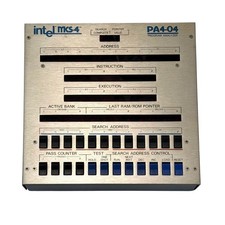
Intel MCS-4 PA4-04 Program Analyzer - Vintage 1970s - Untested
$499.99
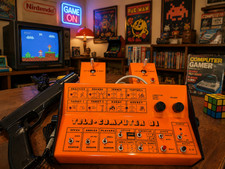
PONG 🌈RaRe🌈 Vintage Tele Games Retro Video Game TV Console Computer
$1699.00
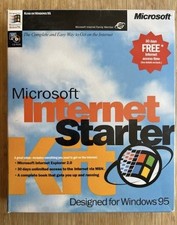
Vintage Microsoft Internet Starter Kit, IE 2.0, Windows 95.
$85.00

Vintage GTE XT300 Action Station Terminal 1984 - Tested Works Orig. Box & Foam
$889.00

Original Vintage Old Style STANDARD Black CD Jewel Case (Heavy Duty) 90g Lot
$316.95
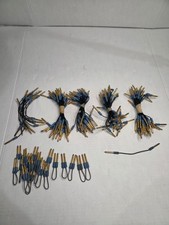
Vintage MAC Panel patch plug cables and braided patch cables 6 1/2" long QTY 130
$69.99
VLB Video Card, S3 Trio64 86C764-P, 2MB (REV:0A) Vintage, Working
$179.99
Vintage IBM Port-A-Punch Board Original Box & Information Insert Punch Card Tool
$89.99
COMPAQ Plus Vintage Personal Portable Desktop Computer - Powers-On
$250.00

VINTAGE COLLECTIBLE Comp USA Maxtor 20 GB 3.5 Inch EIDE Hard Drive NEW SEALED
$500.00



 Reply With Quote