

 Reply With Quote
If you are going to use swap (always recommended unless you have a huge amount of RAM) you need to make two partitions, one for the filesystem and one for swap space. The one for the swap space should be type 82 (the default is 83) .


Hi everyone
I'm super new on Linux environment.... as a matter of fect I'm trying to intall it since yesterday.
I ran the command sudo knx-hdinstall and it took me into the cfdisk screen..... after I deleted the old partition and created a new one with a new table writen.... it goes to a screen were it ask me if I want to to swap the partition after I hit yes it says that the partition could not be found and terminates the script.
What are the steps I should take to fix this????
Thanks in advance,
Marcus
If you are going to use swap (always recommended unless you have a huge amount of RAM) you need to make two partitions, one for the filesystem and one for swap space. The one for the swap space should be type 82 (the default is 83) .
Now I jus have one [ hda1 bootable Primary Linux 4300 mb] partition......
What do i have to do then???
thanks in advance
Marcus
You need another one (hda2 or hda5) for swap. If you used up all availabe space for hda1 you need to make it smaller first. How much RAM do you have and will you be fiddling with memory-intensive stuff ? (like openoffice)
I kind of got all the way to the end of the installation... but now after I remove the cd and restart the computer it gives me a message saying
Not found any [Active partition] in HDD is that because of the fact that I set just one primary partion and none logical swap partition???? I have 384 mb of ram.
Tahnks
Marcus.
Ps.: Nice nick!!!
Does anyone knows if there is a step by step turorial on this website here???
Thanks
Marcus
Hi, it looks like you simply forgot to mark your boot partition (probably hda1) as active. Reboot off the cd (use "knoppix 2" to make it faster) then rerun cfdisk, and mark the relevant partition - and only that one - as bootable. If lilo had previously been correctly installed, your PC should now boot to your HD install.
Do I need to create a swap or a logical partition????
I'm just using 384 of ram.
I thought you had already installed, but simply could not boot?
If not, what size is your disk and is debian going to be your sole OS?
yes.... debian is going to be my only OS.
my disk is 5 gb
i have debian insttaled but I was thinking that my computer wouldn't restart because i didn't create a logical partition.
Does that make sense????
Thanks
Marcus
 Posting Permissions


(New) AMD Ryzen 7 5700X 8 Core 16 Thread AM4 Unlocked 3.4 GHz CPU OEM Tray
$174.99

OPNsense Firewall 8-Core Atom C3758 4GB DDR4 RAM 64GB SSD 8x 1Gbe QAT AES-NI VPN
$95.00
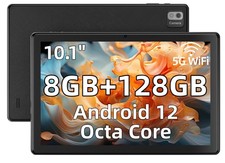
SGIN 10.1" Tablets 8GB 128GB Android 12 Octa Core MTK8183 6000mAh Type-C MicroSD
$307.96

Clear Touch Interactive Module CTI PCMOD PC55 ST i5 6core,8GB DDR4,256GB SSD NEW
$225.00
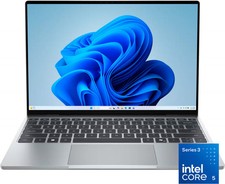
Dell - XPS 13.4" 3K Touchscreen Laptop - Intel Core 5 Series 3 320 2026 - 8GB...
$599.99

AMD Ryzen 7 9850X3D 8-Core 16-Thread 5.6GHz 120W AM5 CPU 100-100001973WOF
$435.99
AMD Ryzen 7 5800X3D 8-Core 3.4GHz Socket AM4 CPU Processor….
$309.99
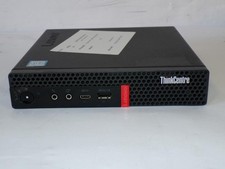
Lenovo ThinkCentre M720Q Core i5-8500T 2.10GHz 8GB 128GB SDD W11 Mini PC (Z3675)
$123.16

AMD Ryzen 7 PRO 8700GE 8-Core/16-Thread Up to 5.1GHz AM5 (FL1)
$175.00

NEW SGIN 12" Tablet Pad 8GB + 256GB 8000mAh Android 13 Dual Camera FHD Octa-Core
$96.99