-
Internet Cafe System
Hi Folks. Quick background...not a Linux newbie, but I'm no kernel hacker. Fairly new to Knoppix, but I'm playing and reading docs. I co-run a small computer/networking consulting business (side business.) Most of our clients have been small shops where we deploy/support Linux servers.
An idea we had for the coming year is to develop a turn-key Internet Cafe kiosk type system that we would market to local coffee shops/book shops.
Goals:
Must be very affordable for us and for our clients, both in terms of hardware, software and support.
Minimal client hardware, would prefer PXE boot. No HD, CD, or floppy on client machines.
Minimal to no client administration for on-site staff.
Minimal server administration of on-site staff.
Pleasant user experience to include Internet browsing, instant messaging, simple games, possibly light document editing and ability to print to central printer.
I am a few days or so into researching how we would actually set this up. This page has about ~90% of the functionality of what we are looking for:
http://www.dnalounge.com/backstage/src/kiosk/ Pretty much the only thing I would add to that setup would be a management system. Perhaps this:
http://akinimod.sourceforge.net/icafe.html
You will probably notice that the Knoppix CD does pretty much what the fellow above has done, thereby doing most of the 'heavy-lifting.' However, there are a few things that would probably have to be changed. I would probably want knoppix installed to a hard drive on the server. I would also want the terminal server to start automatically at bootup. For the clients, I would want them to auto login with no boot prompt. I would also want a fairly minimal client desktop (KDE, Mozilla, Gaim, Open Office, possibly a few games, and not much else.) I do want a full client desktop, however. LTSP seems aimed at just (or mostly) running everyting from the server. I have not found any clear docs on how to make LTSP function as Knoppix Terminal Server does (booting a full client desktop.)
I will have to admit that, at this point, I also haven't found too much solid information on customizing the Knoppix Terminal Server setup and/or using the Knoppix Terminal Server after doing a HD install. I will continue to research, but in the meantime, perhaps a knowledgeable person(s) can give me a few pointers.
I am not asking for detailed hand-holding at this point, but I would appreciate a general outline in the steps I would need to take to accomplish what I am tring to do, using Knoppix as a starting point.
Thanks much, and sorry for rambling.
Devlyn Davis
Similar Threads
-
By bigrobot in forum Hdd Install / Debian / Apt
Replies: 1
Last Post: 03-12-2005, 01:52 AM
-
By luisdlc in forum The Lounge
Replies: 8
Last Post: 11-03-2004, 07:46 AM
-
By siew in forum General Support
Replies: 1
Last Post: 08-03-2004, 07:32 AM
-
By donl in forum General Support
Replies: 2
Last Post: 03-29-2004, 07:15 PM
-
By freyley in forum Hdd Install / Debian / Apt
Replies: 1
Last Post: 01-31-2003, 09:21 AM
 Posting Permissions
- You may not post new threads
- You may not post replies
- You may not post attachments
- You may not edit your posts
-
Forum Rules


Commodore 128 C128 Computer FOR PARTS / REPAIR Untested Missing Key No Cords
$149.99

Pi1541 Zero with Epyx Fastload Hat, Case & 16gb SD for Commodore 64 and 128
$79.99

TeensyROM+ TR+ v0.4 Cartridge for C64/128 - w/ Case & 32GB SD Preloaded
$89.50

Commodore 64 Dead Test & Diagnostic Cartridge & Test Harness Set - USA seller
$39.99
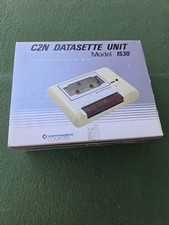
Commodore Computer C2N Datasette Unit 1530 Vintage with Original Box Untested
$30.00

Commodore 64 PC with Model 1541 Diskette Drive and Flight Simulator II *READ*
$199.99
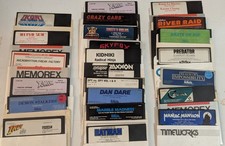
Commodore 64/C64 23 Original Games (Untested /As Is ,no returns )Maniac Mansion
$115.00

Commodore 64 Serial Cable 6PIN DIN 1541 1571 C64 128 C128 Disk Drive Printer USA
$10.49
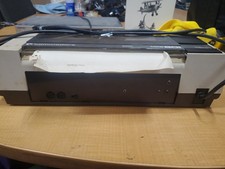
RARE Commodore MPS801 Printer - 1st printer for the 64 - powers on
$70.00

Commodore OS USB | Bootable LIVE + Install | The Ultimate Gaming Linux OS | NEW
$11.99



 Reply With Quote