-
Senior Member
registered user
Proposal : easy driver install packages for knoppix
Why not create immediately a place where you can download your driverpackage you need ready to put on harddisk,floppy or usb-stick ?
Together with shortcut to the installscript for your Desktop ?
Now at this moment a lot of non-included hardware can easely be installed while running from the livecd. (some usb modems,acx-100 based wireless devices,dvd-decrypting package,firewire,hsp-56 pctel modem,... and many many more).
Many of these packages exsist already on the knoppix.net site ,but you have to search for them .
To the website admin of knoppix.net :Can you add such a page (or topic)to your site ? Where we can post our scripts,links and packages.
The French site of knoppix already did something similar ,so why not join forces with them ?
I've been thinking even further.
Why not put an icon in menu : 'install extra package' ?
On launch it will ask where to get it and you'll get a choice : floppy,usb-stick,2° cd player,harddisk. In all of them a certain directory must be present : for example 'extrapackage' ,in which the actual installscript will reside.
This make knoppix even more attractive I think , and it would enable klaus more easely to integrate pakages more easely.
K.
-
Senior Member
registered user
The page would be (sort of) :
This page will enable you to install extra packages with zero linux knowledge :
1)download this script and shortcut to your desktop (or download it to a floppy or usb-stick and copy then to your
Desktop) :
'Install extra package script' - 'Install extra package shortcut'
2)Live cd extra packages : download this to a directory 'extrapackage' on a usb-stick,floppy or harddisk
-dvd decrypting (in order to read encrypted dvd's)
'the file-package' - 'the script'
-hsp56 pc tel modem
'the file-package' - 'the script'
-alcatel usb-modem
'the file-package' - 'the script'
-acx-100 based wireless card :
'the file-package' - 'the script'
-network based card - broadcom
'the file-package' - 'the script'
-nvidia-driver
'the file-package' - 'the script'
3) just click on the shortcut 'Install extra package' and tell in which path the directory 'extrapackage' is located,when entering nothing it is assumed it is present on the floppy (/dev/floppy).
be sure that's the path of a device that's already mounted.
Similar Threads
-
By A.I.M. in forum Hdd Install / Debian / Apt
Replies: 4
Last Post: 05-25-2005, 08:17 AM
-
By Hunkah in forum The Lounge
Replies: 1
Last Post: 07-01-2004, 02:14 PM
-
By ktheking in forum Hardware & Booting
Replies: 0
Last Post: 04-13-2004, 01:47 AM
-
Replies: 1
Last Post: 03-18-2004, 11:01 AM
-
By KeithBlake in forum Hdd Install / Debian / Apt
Replies: 3
Last Post: 02-26-2004, 12:41 PM
 Posting Permissions
- You may not post new threads
- You may not post replies
- You may not post attachments
- You may not edit your posts
-
Forum Rules


ATARI XF551 DISK DRIVE WITH AC POWER ADAPTER AND PARALLEL PORT ADAPTER, UNTESTED
$250.00
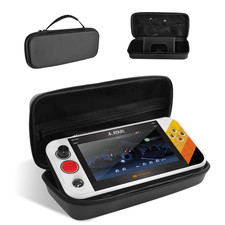
Carrying Case for My Arcade Atari Gamestation Go Retro Video Games Console,Stand
$48.51
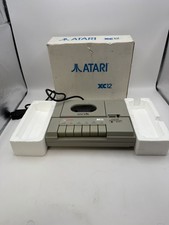
Vintage Atari XC12 Program Cassette Tape Player With Original Box As Is Untested
$69.99

Atari 400 / 800 Computer Memory Module 16K RAM PCB CX853 - Works Perfectly
$18.95

Fujinet 1.7.1 Atari 400 800 800XL 130XE 65XE XEGS Assembled, Tested, Working
$99.99
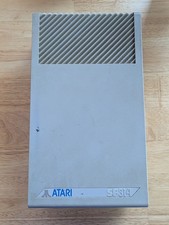
Vintage ATARI SF314 DS/DD 3.5" External Drive TESTED but can't read/write disks
$69.99
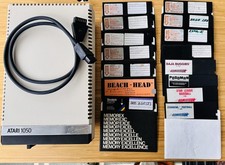
Vintage Atari 1050 Disk Drive w/ SIO Cable & 32 Games/Programs - UNTESTED
$67.76

A8PicoCart Multicart for Atari 800xl /65xe / 130xe / XEGS
$16.95
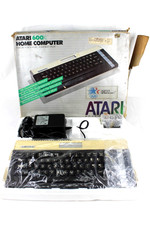
VTG Atari 600XL Home Computer System in Box ** Powers On ** Clean * Tested Works
$148.75

Atari 400 Home Computer System includes Power Cord G2U
$159.99



 Reply With Quote