-
Knoppix burning error
I just used Nero 6.3.0.0 to burn a the KNOPPIX_V3.3-2003-11-14-EN.iso to a 700mb CD-RW. Twice in a row though, with two different CDs, it gave me a "burning failed" error at 99%. I burned it by going to "record" and selecting "burn image", and I checked off the "finalize" option and left all other settings to default. Is there a problem with burning on CD-RWs? I can try a CD-R I guess but I am very low and dont want to have to waste them if it doesnt work. Any ideas?
-
Senior Member
registered user
Re: Knoppix burning error

Originally Posted by
Corallis
I just used Nero 6.3.0.0 to burn a the KNOPPIX_V3.3-2003-11-14-EN.iso to a 700mb CD-RW. Twice in a row though, with two different CDs, it gave me a "burning failed" error at 99%. I burned it by going to "record" and selecting "burn image", and I checked off the "finalize" option and left all other settings to default. Is there a problem with burning on CD-RWs? I can try a CD-R I guess but I am very low and dont want to have to waste them if it doesnt work. Any ideas?
There have been more than a few threads on burning with Nero on the site here it seems that you need to patch the program to allow you to burn images that are close to the 700mb size of the CDR/W so have you patched the version you are using?
-
I said in my post I was running 6.3.0.0. That version does not need to be patched, since the patch that you are talking about is 6.0.1.5 I believe (Its definitely older than 6.3.0.0). Well, I just used my last blank CD-R and burned the image and it worked. However, now I cannot boot from the CD, and I cant make an english boot disk. When I run the command it says it cannot find boot-en.img, which I need in order to create the disk.
-
Senior Member
registered user
Originally Posted by
Corallis
I said in my post I was running 6.3.0.0. That version does not need to be patched, since the patch that you are talking about is 6.0.1.5 I believe (Its definitely older than 6.3.0.0). Well, I just used my last blank CD-R and burned the image and it worked. However, now I cannot boot from the CD, and I cant make an english boot disk. When I run the command it says it cannot find boot-en.img, which I need in order to create the disk.
If you downloaded the KNOPPIX......-EN.iso then the boot.img that is there should be English the instructions you are following are outdated. When you say the CD will not boot for do you mean your computer can boot from CD but just not this CD you just burnt if so you may have had a bad burn or a bad ISO image did you check the md5sum on the ISO before you burnt it. Lastly the version numbers for Nero mean little to me I use Linux and when I see Nero and burning problems I think patch for the program although now I think I will remember which version onwards do not need it anymore. 
-
Alright, problem is all cleared up now actually. Plus I found out that I could boot from CD, but I had just made my dvd burner the master drive and my DVD-ROM the slave, so I just have to boot with the burner instead of the DVD-ROM. Thanks for the help.
Similar Threads
-
By Dilbert in forum General Support
Replies: 9
Last Post: 12-14-2004, 04:58 AM
-
By McGrady in forum General Support
Replies: 4
Last Post: 10-19-2004, 02:36 AM
-
By Austin in forum General Support
Replies: 2
Last Post: 01-11-2004, 08:35 AM
-
By Havoc in forum General Support
Replies: 3
Last Post: 09-28-2003, 10:25 PM
-
By superart in forum General Support
Replies: 11
Last Post: 03-20-2003, 10:45 AM
 Posting Permissions
- You may not post new threads
- You may not post replies
- You may not post attachments
- You may not edit your posts
-
Forum Rules


Vintage DEC VT100 Series Terminal (Powers On)
$499.99

Vintage DEC Digital Starion 200 Desktop PC Powers On Boots To BIOS NO HDD - DW
$299.99

Vintage DEC/Mostek memory systems MK 8015 AA-00 6805-08015 1100 REV C(B7)
$279.99

DEC T2053-DE MS65A-DA 128MB VAX 6000 Memory Board Gold Scrap Vintage
$74.99
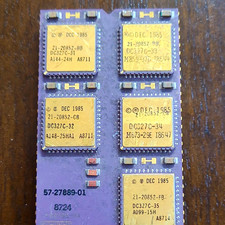
DEC Vintage Module/Board Collectable Vintage chip - 1 BROKEN LEG (BO)
$200.00
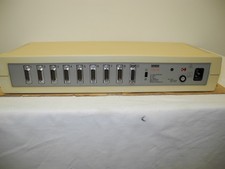
VINTAGE DEC DELNI-AA 8 PORT AUI THICKWIRE ETHERNET LAN INTERCONNECT IN COVERS.
$95.00

6 Vintage DEC Digital System Building Blocks - Flip Chips
$125.00

Vintage DEC Digital Equipment Flip-Chip Module Lot Parts
$59.99
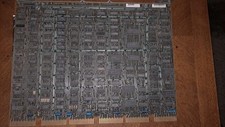
DEC DIGITAL VINTAGE M7544
$100.00

Vintage DEC Digital VSXXX-AA.B03 Hawley 3-Button Mouse 1986 Tested Working
$111.00



 Reply With Quote