-
Junior Member
registered user
Hope the following may be of use to somebody...
Heres where I now am. The webserver runs direct from an original knoppix CD - no remaster needed even though the website and updated files are on hard disk. I have set up a shell file to copy config files as needed so they overwrite the original distro ones. I have a folder called knoppixmods in my hard drive that contains these mods.
You dont need to copy the apache(httpd) config file because you can start it with the -f option to point to the config file. I havent found a way to do similar with mysqld. Has anyone any clues? Also the mysql.host file needs rebuilding every time i reboot so am looking into that.
modified files list:
fstab
hosts
httpd.conf
modules.conf
my.cnf
php.ini
smb.conf
The my.cnf file sets up pointers to the database directories on hard drive plus a few odds & s**s.
httpd.conf sets up pointers to the website directory, its FQ name and a few other bits & bobs.
Both config files redirect logs to the hard drive so they can be analysed if the system falls over.
The code is as follows - including red herrings I followed. I found I didint need to chmod all originals, in fact if you make /etc 777 you cant do a sudo to get the system working. I've no doubt 'overkilled' the apache and mysql modules, but it seems to work.
Samba doesnt work properly this way, but doing it from the knoppix menu does. I'm looking into that
cd /
sudo chmod -R 777 /var
# sudo chmod -R 0440 /etc
sudo ln -s /home/knoppix/b4g
sudo cp -fs /home/knoppix/knoppixmods/hosts /etc
# sudo cp -fs /home/knoppix/knoppixmods/httpd.conf /etc/apache
sudo cp -fs /home/knoppix/knoppixmods/my.cnf /etc/mysql
sudo cp -fs /home/knoppix/knoppixmods/smb.conf /etc/samba
chmod 555 /etc/mysql/my.cnf
sudo killall apache
mysqladmin shutdown -u root -pkingkong
sudo killall mysqld
# sudo mysqladmin shutdown
# sudo chmod -R 777 /var
sudo apache restart -f /home/knoppix/knoppixmods/httpd.conf
# sudo /etc/init.d/apache start
/etc/init.d/mysql restart
# mysqld
# sudo chmod -R 777 /var
#mysql -h host -u user -p
# mysql -u root -p
/etc/init.d/samba restart
Similar Threads
-
By hall in forum Customising & Remastering
Replies: 0
Last Post: 04-11-2005, 10:27 AM
-
By tazzi in forum Customising & Remastering
Replies: 7
Last Post: 01-26-2004, 12:29 AM
-
By rubis in forum General Support
Replies: 14
Last Post: 11-26-2003, 04:44 PM
-
By pilovis in forum General Support
Replies: 2
Last Post: 03-28-2003, 09:17 PM
-
By TheSovereign in forum Customising & Remastering
Replies: 2
Last Post: 02-11-2003, 12:53 AM
 Posting Permissions
- You may not post new threads
- You may not post replies
- You may not post attachments
- You may not edit your posts
-
Forum Rules


Intel Xeon E5-2680 V2 2.8GHz 10-Core 25MB 8GT/s SR1A6 LGA2011 B Grade Server CPU
$7.95

Dell Precision Tower 7810 Xeon E5-2630 v3 @ 2.40GHz , 32GB Ram, NO HDD, NO OS
$239.99
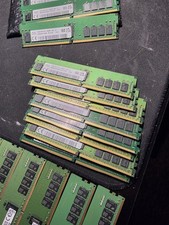
SK Hynix 16GB 3200MHz DDR4 RDIMM Server Memory 2Rx8
$150.00

NEW HP Z4 G4 Workstation Xeon W-2123 16GB ECC 256GB NVMe NVIDIA T400 750W Win11
$450.00

Dell Precision T5820 Workstation 3.70GHz W-2135 No RAM/ GPU/ HDD/ OS
$179.98

Lenovo ThinkStation P520c Intel Xeon W-2133 6-Core 3.60GHz -NO RAM/ HDD/ GPU/ OS
$127.54
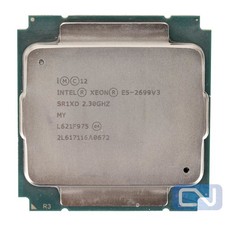
Intel Xeon E5-2699 v3 18 Core 2.3 GHz 45MB SR1XD LGA 2011-3 B Grade
$15.95

Intel Xeon E5-2699 V4 2.20GHz 55M 22-CORES LGA2011-3 Server Processor 145W SR2JS
$84.49
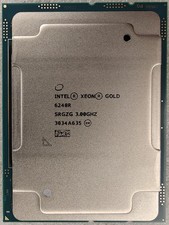
Intel Xeon Gold 6248R 3.0GHz 24-Core SRGZG 35.75MB LGA3647 Server CPU Processor
$225.00

Intel Xeon Phi 5110P 60-Core 1.053GHz Coprocessor
$50.00



 Reply With Quote