-
Problem solved
I solved the problem by booting from CD on the affected PC. Then I saved the /etc/X11/ files to a floppy, rebooted from harddisk, overwrote the /etc/X11/ files, and rebooted again.
So, it turned out that booting from CD would create perfect /etc/X11/ configuration files 
Similar Threads
-
By beige_matchbox in forum MS Windows & New to Linux
Replies: 2
Last Post: 04-15-2005, 05:45 PM
-
By RE Dude in forum The Lounge
Replies: 1
Last Post: 11-01-2003, 04:10 PM
-
Replies: 5
Last Post: 05-03-2003, 07:02 PM
-
By cobalt139 in forum Hdd Install / Debian / Apt
Replies: 0
Last Post: 03-12-2003, 10:39 PM
-
By good_karma69 in forum General Support
Replies: 0
Last Post: 03-09-2003, 01:20 AM
 Posting Permissions
- You may not post new threads
- You may not post replies
- You may not post attachments
- You may not edit your posts
-
Forum Rules


USB 3.0 Flash Drive 32GB 64GB 128GB Memory Stick Thumb Stick Lot Pack
$826.09

x4 Intel 128GB NMB1XXD128GPS Optane Memory 200 Series PMEM Module 3200 DDR4 RAM
$329.99
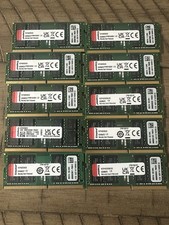
Kingston 256GB (8x32GB) DDR4-3200 PC4-25600 260-Pin SO-DIMM Non-ECC lot of 10
$1500.00

MICRON MTA36ASF4G72PZ-2G6E1 | 32GB PC4-2666V ECC RDIMM Server RAM
$184.95

SK Hynix Server Memory 32GB (1x32GB) RAM DDR4 2400MHz HMA84GR7MFR4N Lot of 12
$1599.99
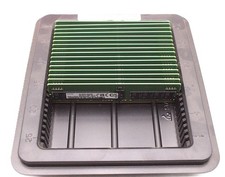
(LOT OF 16) Samsung 32gb 2Rx8 PC4-3200AA RE3 12 DC1 Server Memory M393A4G43AB3
$4000.00
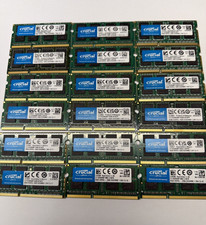
16GB(2x 8GB) Crucial DDR3L-1600 SODIMM / Lot of 2 8GB / Laptop RAM Memory / A25
$17.99
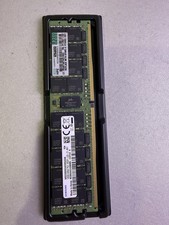
Samsung 128GB DDR4-2933 LRDIMM ECC Server RAM HPE P11057-1A1 P19402-001
$800.00

1/ 10/ 100pcs USB 2.0 2GB, 4GB ,8GB ,16GB ,32GB ,64GB 128GB USB Flash Drives Lot
$202.50
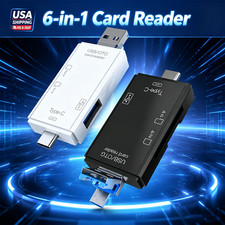
6 in 1 USB 3.0 Type C Card Reader SD Micro SD TF OTG Memory Adapter Laptop PC US
$3.95



 Reply With Quote