-
Junior Member
registered user
-
Re: kernel-image-2.6.*
I have the same problem as mgsimon.
I can ad mybe some symptoms.
I installed the 2.6.0-K7 kernel-image by apt. And did the lilo configuration by editing lilo.conf, like it was proposed by the debconf script of the kernel image.
Here is the part of my lilo.conf. "Linux" is my old kernel.
default="Linux"
image=/boot/vmlinuz-2.4.22-xfs
label=Linux
initrd=/boot/initrd.gz
read-only
image=/boot/vmlinuz-2.6.0-1-k7
label="Linux K7"
initrd=/boot/initrd.img-2.6.0-1-k7
read-only
optional
Lilo don't wants to boot "Linux K7" it jumps back to "Linux"
When I set the default to "Linux K7" it boots this image.(It takes al long time because this image is not compressed, what I don't understand.) and after this nothing happens. I get a blank screen.
Can any body help us?
I dont understand the "map=.." entry in lilo couldn't get enougth information from the man pages. In apt installed a map_2.6.0-K7 file in boot but the entry points to the old one. I didn't want to change because there is only one global entry in lilo.conf and the old map file loks cryptyc, whereas the new one is cleartext.
Cheers GulGarak

Originally Posted by
mgsimon
Hello Knoppix-Friends,

i try to install the kernel with apt-get install kernel-image-2.6...
The installation works fine without any failure message.
I configure with liloconf my bootmanager to use the new installed kernel.
My system doesn't boots with this kernel-image!

With my old kernel-image the system boots without any problem!
Why?

Does anyone knows how to get the kernel-image-2.6.1 with apt-get,
because i think e 2.6.1 is released?
Thankx,
mgsimon
-
Not the usual Kernel upgrade problems
Hi
I found some help on an similar problem like this in the HD-installforum, se posting "Not the usual Kernel upgrade problems".
(And I think that this would be the better place for this questins  )
)
I tried vga=0 in lilo.conf and was able to boot the new kernel 2.4.22-K7 but not 2.6.0-K7 with this method but only when i made this image as default.
On manualy selection it jumps back to the original knoppix-kernel.
Does anybody know why???
Greets
-
Junior Member
registered user
I was having the same problem. I compiled my own kernel instead of using apt-get, and finally got 2.6.0 to boot ... without TTY!!
I upgraded (with apt-get) to the latest LILO, and after some symlink editing, I'm rockin'. Here's the pertinent part of my /etc/lilo.conf-'default' is my 2.4.22 kernel, 'KnoppixNK' is the 2.6.0 kernel:
# Boot up Linux by default.
#
default=Knoppix-3.2
image=/boot/vmlinuz
label=Knoppix-3.2
initrd=/boot/initrd.gz
read-only
# restricted
# alias=1
image=/boot/vmlinuz.old
label=KnoppixNK
read-only
# optional
# restricted
# alias=2
other=/dev/hda1
label="WindowsXP"
# chainloader=(hd0,0)+1
-
Senior Member
registered user
Re: kernel-image-2.6.*
Originally Posted by
mgsimon
Hello Knoppix-Friends,
i try to install the kernel with apt-get install kernel-image-2.6...
The installation works fine without any failure message.
I configure with liloconf my bootmanager to use the new installed kernel.
My system doesn't boots with this kernel-image!
With my old kernel-image the system boots without any problem!
Why?
Does anyone knows how to get the kernel-image-2.6.1 with apt-get,
because i think the 2.6.1 is released?
Thankx,
mgsimon
I see no mention of installing the module-init-tools package which is required to boot a 2.6 kernel properly and you want this in your /etc/fstab:
Code:
## Needed for kernel 2.6
none           /sys            sysfs   defaults                0       0
Similar Threads
-
By Stealth870 in forum Hdd Install / Debian / Apt
Replies: 6
Last Post: 04-08-2005, 02:01 PM
-
By llinde in forum Hdd Install / Debian / Apt
Replies: 0
Last Post: 01-16-2005, 08:55 PM
-
By ozone in forum General Support
Replies: 2
Last Post: 11-11-2004, 03:15 PM
-
By Stealth870 in forum Hdd Install / Debian / Apt
Replies: 3
Last Post: 08-30-2004, 07:11 PM
-
By aykuty in forum Customising & Remastering
Replies: 3
Last Post: 06-01-2004, 07:16 AM
 Posting Permissions
- You may not post new threads
- You may not post replies
- You may not post attachments
- You may not edit your posts
-
Forum Rules

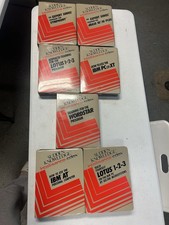
Sudden Knowledge Vintage Intellisense Codex WordStar Computer Training Manual
$220.00

PFS PowerAlbum Vintage Windows PC Software 1000 Clip Art Images Sealed Spinnaker
$34.00
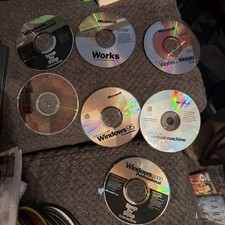
7 Vintage Microsoft Software CDs Lot Windows XP Home 2000 95 Works PC
$35.98
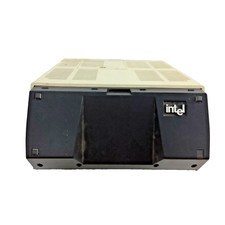
Vintage Intel iPDS-100 Personal Development System
$1499.99
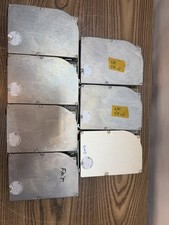
VINTAGE LOT OF 7 MINISCRIBE 8425SA 20MB SCSI DRIVES FOR PARTS
$500.00
Working Apple Macintosh SE M5011 Vintage Computer with mouse Screen Is Fine Read
$260.00

Vintage I DOCK COMPU CABLE S/N:110229 made in Taiwan
$150.00
VINTAGE TOSHIBA TECRA 500CDT PA1221U | Pentium CPU | XCD 1.2GB | 32MB POWERS ON
$149.00
Vintage Super Rare Exxon Office Supplies Keyboard Mechanical Untested* 1980-85
$499.99

Vintage Core CL9 Master Universal Remote Control Steve Wozniak (Apple) READ
$988.88



 Reply With Quote