-
i can't access my windows partition or my 2nd cd
ok, first off, this is all using konquerer
ok, well under mnt it has folders of hda 1 through 3, the linux partition being 3, and all ofd the folders r empty. i was able to right click, hit "create new" > "hard drive..." and under the device tab i could only select /dev/hda3 and that allowed me to access what i already could, the linux partition. i couldn't get the hda1, windows, which was an empty folder under mnt. when i used knoppix from cd, it always had the icons on the decktop, now it doesn't have any.... i'm so lost...
please help
-
I am just getting started with Knoppix. I checked /etc/fstab file and the references to the other drives(like hda1) are commented out. So to get access to your other hard drives, use your favorite text editor, remove the "#" in front of the dives you want to activate. You will probibly want to change some of the options after the vfat entry on the line. To find out about these options run "man fstab" in a console. Hope this helps, I have not played with fstabs for a while or I would give you better instructions
-
Senior Member
registered user
Re: i can't access my windows partition or my 2nd cd

Originally Posted by
Chris
ok, first off, this is all using konquerer
ok, well under mnt it has folders of hda 1 through 3, the linux partition being 3, and all ofd the folders r empty. i was able to right click, hit "create new" > "hard drive..." and under the device tab i could only select /dev/hda3 and that allowed me to access what i already could, the linux partition. i couldn't get the hda1, windows, which was an empty folder under mnt. when i used knoppix from cd, it always had the icons on the decktop, now it doesn't have any.... i'm so lost...
please help
to have discs icons in the desktop
drag /mnt/hda1 over the desktop and then choose 'make a link here'
to view folders of /dev/hda1 write in a console
mount /dev/hda1
edit /etc/fstab if you know how but there is a menu way of doing this
in a console type (after conecting internet)
apt-get upgrade
apt-get install linuxconfig
the run
linuxconfig
chose filesystems
chose one (for ex. /dev/hda1) and then unmark "no mount at start up'
accept
Similar Threads
-
By knulle in forum General Support
Replies: 0
Last Post: 08-27-2004, 03:33 PM
-
By TheCyberDude in forum Tips and Tricks
Replies: 3
Last Post: 12-30-2003, 04:18 AM
-
By area in forum Hdd Install / Debian / Apt
Replies: 2
Last Post: 06-30-2003, 07:21 AM
-
By athlonthunder in forum General Support
Replies: 2
Last Post: 04-06-2003, 06:28 AM
-
By RdH in forum Hardware & Booting
Replies: 4
Last Post: 01-30-2003, 01:34 PM
 Posting Permissions
- You may not post new threads
- You may not post replies
- You may not post attachments
- You may not edit your posts
-
Forum Rules


Original Vintage Old Style STANDARD Black CD Jewel Case (Heavy Duty) 90g Lot
$316.95

🔥 RARE VINTAGE HP 2112A 21MX M-SERIES 16-BIT MINICOMPUTER HP
$299.99

🔥 RARE VINTAGE HP 2113A 21MX 1000 E-SERIES MINICOMPUTER CHASSIS BACKPLANE
$249.00

Vintage Jetway J-620BF Socket 370 Celeron AT Motherboard SiS 620 Brand New
$75.00

Huge Lot of Vintage Computer Brochures, Catalogs, etc. - 1980's - SEE PICS
$100.00

Vintage Software - Ultimate Flight Pack, Ultima Online, School House Rock Mac PC
$33.00
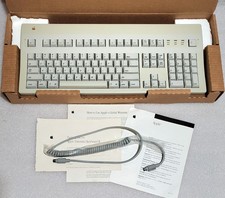
Apple Extended Keyboard II Vintage Keyboard with Original Box & Cable
$110.00
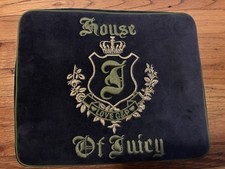
Vintage 2006 Juicy Couture House of Juicy Velour Laptop Sleeve Y2K NWT Rare
$199.99

Vintage Microsoft Visual Studio.NET Professional Software suite Version 2002 New
$82.00

Lot of 2 Vintage Plextor PX-43CS SCSI CD-ROM Caddy Drives + 4 Caddies Used
$55.99



 Reply With Quote