-
Junior Member
registered user
bios..tiptoeing thru the tulips.

Most bios's use F1 or 'delete' key to enter setup. Yours may show/have on screen something like 'to enter setup press 'del' or something right after start up. You may want to turn on monitor and get it warmed up prior to the system gettting going on some of these faster machines before you power on the monitor if it not one of the lcd types as it may get past this point too soon for the display to show it.
Also, if you cannot get into setup before it is passed by, then as soon as you start reboot, tap and keep tapping rapidly the F1 or delete key till it 'beeps' back at you (as fast as you can move that finger). That should get you to setup.
I have run across a bios that also used F5, but only once.
Tiptoe around in the settings...especially if you have NO idea what one does, at least there is a 'return to default' somewhere that should get you out of trouble IF you changed something that you shouldn't have touched and nothing works..hopefully.
What you want to change is the order that the bios looks for the boot device. Normally they look for hd, called 'C' by the bios first.
The 'string' of options look like this: c, a, cdrom or similiar in most bioses, use the indicated keyboard arrows to change the option to: cdrom, x, x, so that cdrom is the first boot device.
Other bios's have a 4 teir list, just make sure cdrom is listed in the number one position. or at least ahead of the hard drive.
Be sure to 'save' before exiting or all changes will be lost and you will be at the same place as you started from.
If this sounds too 'spoon feeding', I didn't mean to offend, But you said something that made me feel you are a true novice...especially around the bios. btw, I get 110 percent awake whenever I am in the bios also. Just fyi. 
That is so I don't go 
Similar Threads
-
By twiistedkaos in forum General Support
Replies: 3
Last Post: 05-22-2005, 07:27 AM
-
By xtoor in forum General Support
Replies: 4
Last Post: 11-20-2004, 04:00 AM
-
By Systems in forum General Support
Replies: 2
Last Post: 10-03-2004, 02:52 PM
-
By Buttersoft in forum Ideas
Replies: 1
Last Post: 05-14-2003, 04:25 PM
-
By Guest in forum Customising & Remastering
Replies: 1
Last Post: 12-22-2002, 04:49 PM
 Posting Permissions
- You may not post new threads
- You may not post replies
- You may not post attachments
- You may not edit your posts
-
Forum Rules

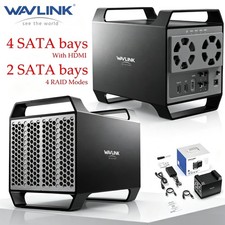
WAVLINK RAID 2 Bay Hard Drive Docking Station SATA 2.5''3.5'' SSD HDD USB C 4Bay
$68.39

Broadcom 9600-24i Tri-Mode RAID Controller 4.0 NVMe SAS SATA NEW 05-50111-01003
$639.69

9300-8i LSI SAS3008 8-Port 12Gb PCIe IT mode ZFS FreeNAS unRAID 2*SFF-8643 US
$49.50

Vintage Promise EIDEMAX Enhanced IDE Disk Controller ISA Non-RAID Card Boxed
$34.99
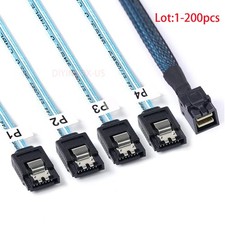
Lot Mini SAS SFF-8643 To 4 SATA 7pin Hard Disk 6Gbps Data Server Raid Cable 1M
$1150.00

2-Bay/4-Bay Hard Drive Enclosure for 3.5"/2.5'' SATA HDD/SSD 10Gbps USB-C 3.2
$119.99

TerraMaster D5-300C 5-Bay USB RAID/JBOD Enclosure Used
$150.00

Broadcom LSI 9305-16i 12Gbps SAS-3 PCIe x8 HBA 16-Ports Raid Controller
$64.99

Intel VROC Premium RAID Controller Card PCIe Add-On Module VROCPREMMOD
$265.00
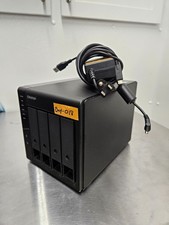
QNAP TR-004 4 Bay USB-C Hardware RAID Enclosure DAS 3.5 2.5 SATA Tested Working
$149.99



 Reply With Quote