-
Senior Member
registered user

Originally Posted by
nrj
Sorry to dredge this topic up again, but I am still a bit stuck on lilo. I have read and read and read on lilo multiboots for Win/Linux, but I don't need that because there is no windows on my machine. Here is what I have so far:
hda1 Knoppix (bootable)
hda2 Swap
hda3 KnoppMyth
hda5 /cache #For MythTV
hda6 /home
I think it takes some work after installing to be able to choose either Knoppix or MythTV. These steps are probably obvious, but I haven't seen them layed out for a newbie. Here is what I think needs to be done.
After the Knoppix install, lilo is on my mbr. Then I do a manual install of KnoppMyth. Now to make lilo give me the option of booting into either Knoppix or Myth, I know lilo needs to look something like this (i know i should have specifics, but I am on my work computer):
boot=/dev/hda
map=/boot/map
image=/boot/`knoppix_image'
label=Knoppix
root=/dev/hda1
image=/boot/`myth_image'
label=MythTV
root=/dev/hda3
So, the problem I have been having is getting the MythTV image path to be correct. I can't specify it as /hda3/boot/... or /dev/hda3/boot.... or /mnt/hda3/boot... or anything that would point to where the MythTV image is placed in the install. Is the solution just to copy the image from hda3/boot/ to hda1/boot/ and then the root declaration takes care of boot up the correct system? I am still getting my head around this concept and have had trouble finding examples of lilo.confs that do what I am trying to do (or at least explaining it in enough detail to get me going, which I am guessing is because it is pretty obvious to most).
Thanks for any advice, nrj
Do it the easy way set the Mythtv in the knoppix lilo.conf to other=/dev/hda3 run lilo and on your mythtv install lilo with it configured in it's lilo.conf as the boot=/dev/hda3 and root=/dev/hda3 then run /sbin/lilo -v -b /dev/hda3 which will install lilo into your root partition of the Mythtv and then when you boot from lilo in the mbr it will take you to the lilo in the root of the mythtv install and you can boot it. If you comment out the prompt and set the delay to something small in the lilo of the mythtv the boot to it's partition can seem to be having come from the mbr lilo with very little delay.
Similar Threads
-
By mathis in forum Customising & Remastering
Replies: 0
Last Post: 08-30-2004, 04:27 PM
-
By tautges in forum Hdd Install / Debian / Apt
Replies: 0
Last Post: 01-04-2004, 10:22 PM
-
By Ross Clement in forum General Support
Replies: 7
Last Post: 10-26-2003, 07:23 AM
-
By nuke in forum Hdd Install / Debian / Apt
Replies: 7
Last Post: 10-09-2003, 03:26 PM
-
By beforewisdom in forum Hdd Install / Debian / Apt
Replies: 0
Last Post: 03-09-2003, 04:04 PM
 Posting Permissions
- You may not post new threads
- You may not post replies
- You may not post attachments
- You may not edit your posts
-
Forum Rules


Vintage Apple II Avant-Garde Creations Super Shape Draw And Animate 1981
$295.00

Vintage Apple Monitor IIc 9" Green Monochrome 06/1985 A2M4090 October 1984 Stand
$275.00

Vintage cross Apple computer branded pen rainbow logo In original box
$100.00
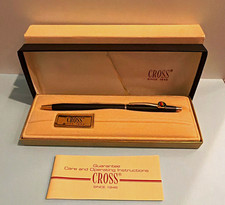
Vintage Apple computer Cross Metal Ballpoint Pen Black Ink Gold Trim
$125.00

Rare Vintage Macintosh Apple Wooden Disk Storage Box Dovetailed
$69.95

LARGE LOT Vintage Apple Macintosh Mouse Cables Accessories SCSI etc - UNTESTED
$80.00

Vintage RARE 1980s Apple Computer Logo Frisbee. Great shape, w/ the usual nicks
$220.00

Vintage Apple Macintosh 128K 512K Carrying Case Rainbow Logo Excellent Cond
$140.00

Vintage Apple Multiple Scan 15av Display Monitor M4681
$299.99
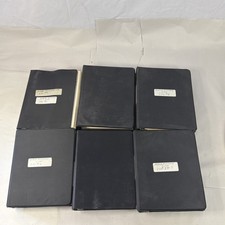
Vintage Apple Assembly Line Newsletter Vol: 1,2,3,4,5,6,7 From 1984
$179.99



 Reply With Quote