-
First try at open source, but missing a driver I think
Hi to everyone here. I took my first step toward open source tonight by trying to run Knoppix on an old 486 (with Win 95), not that i intend using it on that machine, I just wanted to see how it looked and worked. AFter figuring out how to make a boot floppy (no CD-ROM boot option in the BIOS--it's that old), things were going fine until the following:
Starting X11...root@tty1[/]#..
Retrying with Server XFree86 (vesa)
Error: No suitable X-server found for your card.
Retrying with Server XFree 86 (fbdev)._
That's where it stopped. I don't know anything yet about open source commands but I assume that a driver or some such thing wasn't available on the CD for a particula component. Is that the case, and if so, is it possible to get drivers for hardware that aren't included on the CD?
-
Junior Member
registered user
I dont know what video card you have, but you might try when the boot screen comes up typing in
knoppix screen=640x480
in case your board doesnt support superVGA. I dont know the use of other ouput related parms for knoppix. hopefully someone else will let you know.
-
Junior Member
registered user
It seems that X does not support whatever graphics card is in your box.
Take a look at http://www.xfree86.org/4.3.0/Status.html to see if it's supported.
It's probably not a good idea to try and run Knoppix on a 486 system anyway. It will run horribly slow.
-
Senior Member
registered user
I have a card that does this- a matrox pci card mystique 2 I think.
It works if I boot at low resolution usinga cheatcode-
knoppix screen=800x600
or in text mode with-
knoppix 2
-
As you've suggested, it's a very old graphics card that isn't supported. I'm getting another computer within the week which I'll be trying Knoppix and a few other distros on, so I'm not going to pursue the 486 anymore. I was just anxious to see how Knoppix looked and worked, and being new to open source, I didn't know what was happening when it stopped.
Thanks for the replies. I'm sure I'll have more questions in the near future. And thanks for the very useful link, tommydl, I saved it for future reference.

Edit: By the way, the card is Trident Super VGA if than means anything (I don't know the model and not willing to go into the box to find out since I'm getting another comp soon).
Similar Threads
-
By firefly2442 in forum The Lounge
Replies: 5
Last Post: 05-18-2005, 03:43 PM
-
By BillS in forum General Support
Replies: 0
Last Post: 05-05-2005, 02:35 PM
-
By j.drake in forum Ideas
Replies: 2
Last Post: 03-19-2004, 11:40 AM
-
By garyng in forum Customising & Remastering
Replies: 4
Last Post: 12-01-2003, 05:56 PM
-
By Tortoise in forum The Lounge
Replies: 6
Last Post: 07-18-2003, 01:58 AM
 Posting Permissions
- You may not post new threads
- You may not post replies
- You may not post attachments
- You may not edit your posts
-
Forum Rules


Dell 6P85J 4TB ST4000NM0063 7.2k 6Gb/s 3.5” SAS SED Hard Drive with Tray
$39.99

Western Digital HUS726T4TAL5204 4TB 7.2K SAS 12Gb/s 3.5" 512e HDD NetApp X375A
$64.00

DELL 2TB Enterprise HDD (7200RPM, 3.5", SATA III, 128MB Cache) HUS722T2TALA600
$49.95

Seagate ST500DM009 BarraCuda 500 GB 3.5" SATA III Desktop Hard Drive
$14.99

HGST HUA723030ALA640 3TB SATA 7200 RPM 3.5 in Enterprise HDD | 0F14044 (100%)
$45.00
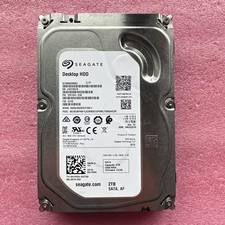
2TB Seagate Barracuda ST2000DM001 7200RPM SATA 6Gbps 64MB Cache 3.5" HDD
$39.95

Dell ST6000NM0034 1HT27Z-150 NWCCG 6TB SAS 3.5 7.2K ENTERPRISE SERVER DRIVE
$68.99

HGST HUS724040ALA640 HDD 4TB SATA 6Gb/s 7.5K 3.5" 0F19459 512 b/s
$78.00
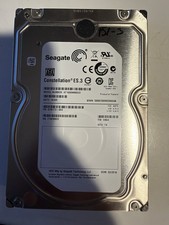
Seagate Constellation ES.3 3.5 in Enterprise HDD | ST2000NM0033
$40.00

Seagate ST12000NM0127 12TB 256MB 7200RPM 3.5" SATA 6.0Gb/s Enterprise Hard Drive
$318.99



 Reply With Quote