

 Reply With Quote
can you tell more about your hardware setup?
i.e:
do you have one cd-rom drive?
is it scsi or ide?
give a look at /etc/fstab for a cdrom entry
and last:
did you put a cd in the drive?
give more details and we will try to help


I love knoppix, & I'm a complete noobie, I tried to go through all the posts to find an answer b4 I posted now.
I installed Knoppix to my 40GB hdd but
my CD rom is not accesible, I can see the desktop icon for it but when I click it tells me that it doesn't exist.
I know it's just not pointing to the correct device, but I don't know how exactly to correct this, I woould be extremely greatfull if anyone can show me how to fix this.
I love Linux more every day, & I want to help others install it onto their PCs, but I have to do some hard work & learn as fast as I can.
Thank you in advance!
R.
can you tell more about your hardware setup?
i.e:
do you have one cd-rom drive?
is it scsi or ide?
give a look at /etc/fstab for a cdrom entry
and last:
did you put a cd in the drive?
give more details and we will try to help
Can you post your /etc/fstab?
Try:
mkdesktophdicons -s -v
johnb
Hi All, Thank you so much for trying to help, sorry for the delay:
~~~~~~~~~~~~~~~~~~~~~~~~~~~~~~~~~~~~~~~~~~~~~~~~~~ ~~~~~
Violinist, I've got 2x IDE CD ROms hooked up to an Asus board with an Athlon XP 1500 cpu. One of my CD ROMs is a slave to my 40GB HDD.
Sure, I did check I had a CD inside the CD ROMs, the msg I get when I click on the CD ROM icon is:
"Unable to run the command specified. The file or directory file:/mnt/cdrom does not exist."
I've installed knoppix on 4x different PCs & all had the same issue above.
~~~~~~~~~~~~~~~~~~~~~~~~~~~~~~~~~~~~~~~~~~~~~~~~~~ ~~~~~~~~
HI Fingers!! Thank you for your help, here's what you asked me to do:
# /etc/fstab: filesystem table.
#
# filesystem mountpoint type options dump pass
/dev/hda2 / ext2 defaults,errors=remount-ro 0 1
/dev/hda5 none swap sw 0 0
proc /proc proc defaults 0 0
/dev/fd0 /floppy vfat defaults,user,noauto,showexec,umask=022 0 0
/dev/cdrom /cdrom iso9660 defaults,ro,user,noexec,noauto 0 0
/dev/cdrom1 /cdrom1 iso9660 defaults,ro,user,noexec,noauto 0 0
/dev/dvd /dvd iso9660 defaults,ro,user,noexec,noauto 0 0
/dev/cdaudio /cdaudio iso9660 defaults,ro,user,noexec,noauto 0 0
# Added by KNOPPIX
/dev/hda1 /mnt/hda1 ntfs noauto,users,exec,ro,umask=000 0 0
# Added by KNOPPIX
/dev/hda6 /mnt/hda6 auto noauto,users,exec 0 0
~~~~~~~~~~~~~~~~~~~~~~~~~~~~~~~~~~~~~~~~~~~~~~~~~~ ~~~~~~~~
Hi Jhonb, thank you for the command, I tried it & it let me access my Windows HD1 that I couldn't access b4, thank you. But I still cant access my CD ROM, I'm probably just missing something small.
What happens if you right click on the icon and select "mount" -- put something in the drive first?
You could do"cat /var/log/syslog" and see where your cd-drives are attached to.
Mine are in the fstab:
dev/scd0 /cdrom iso9660 defaults,ro,user,noexec,noauto 0 0
/dev/scd1 /cdrom1 iso9660 defaults,ro,user,noexec,noauto 0 0
scd0 could also be sr0 in some systems, same for scd1 and so on...
You as user should also be part of the cdrom group:
As root:$adduser yourloginhere cdrom
This thread might help you:
http://www.knoppix.net/forum/viewtopic.php?t=6945#31456
EDIT: You also have to make a symbolic link for cdrom:
root$ln -s /dev/scd0 /dev/cdrom
Yes you are the link in the icon is messed up just delete the icon from the Desktop and create a new one with the proper link and while your at it do the same for the floppy it is the same way as well. And I second the advice about changing to /dev/scd0 & 1 for the CD's in the /etc/fstab do this before making the icons. And do not forget to ln -s /dev/scd1 /dev/cdrom1 ln -s /dev/scd1 /cdrom1 and ln -s /dev/scd0 /cdrom in addition to the above suggestion in the Edit.Originally Posted by ricardomardi
Hi Stephen & Markus, thanks for the info, I'm almost there, but sorry, I just don't know how to edit the fstab files, I tried to use VIM but it didn't save the file changes.
I'm really a noobie & I'm trying not to waste your good advice, I'll see if I can figure it out before you (if you reply) reply to this post.
Thanks again for your help.
R.
Well, getting to grips with vim is both important and pretty difficult: being an idle swine, I usually use gvim!I just don't know how to edit the fstab files, I tried to use VIM but it didn't save the file changes.
But if you're not in console mode (that's to say, if you can see your desktop) then you can open a Konsole and type
su
(enter root password)
kate /etc/fstab
which will give you a simple graphical editor (a sort of -- vastly -- improved notepad). You should be OK with that.
 Posting Permissions


Refurbished Working 1960's Heathkit EC-1 Educational Electronic Analog Computer
$2999.99

Vintage George A Philbrick Researches Tube Analog Computer Module Serial 005503
$109.99

1969 EAI TR-20 Analog Computer Programming PACE Philbrick Electronic Associates
$36.00

Vintage Goodyear Electronic GEDA Analog Computer Plug -- Extremely Rare
$179.00

Vintage 1970’s Analogic MP2110 10-Bit A/D Converter Computer Circuit Board
$24.99

Vintage Analog Computing Magazines For Atari Computer Owners No 11-20 Acceptable
$75.00

VINTAGE 1970s SKIT Scientific Kit for Computer & Electronics SEALED INSIDE Rare
$380.00
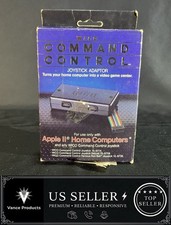
WICO Computer Command Apple II Analog Joystick Adaptor NOS 72-4525
$59.99

VINTAGE Apple Unidisk Analog Card - Circa 1986 | P/N 820-0190-A
$22.67
Vintage HP 82166A HP-IL Converter Custom “The BOX” TTL/DAC Interface Controller
$499.99