-
Senior Member
registered user
help with apt-get "sneakernet"
I only have a dial up connection at home but have a very fast connection at work. Even doing an apt-get update at home on a new install is very painful over dialup, as it takes about one hour, and this is not even installing software yet.
I want to download (using apt-get) at work on my laptop, then take my laptop home and copy the files I obtained using apt-get to my home PC using the LAN. So far, here is my plan.
After running apt-get update at work, I will copy /etc/apt/sources.list and /var/cache/apt/*.bin from the work machine to the same location on the home machine. At this point, the sources for each should by synchronized, and I am assuming I could do an "apt-get install pine" on the home pc without running "apt-get update" first.
My first question is, does this seem correct so far?
Next I would like to install packages in the same fashion. I want to perform an "apt-get mplayer-i386" at work, and then take the contents of /var/cache/apt/archives to the development pc.
My second question is, what is the best way to install these files after copying them to the home pc? I would imagine that dpkg -i /var/cache/apt/archives/* might work, but it sounds sort of ugly, and I don't know that it would work consistently for my purposes (if at all).
Is there a way to put the files in temp, and let apt-get (or dpkg) know that this is the new location for mplayer-i386?
Thanks in advance,
Paul
Similar Threads
-
By oman in forum General Support
Replies: 0
Last Post: 08-03-2004, 06:44 PM
-
By Al Hayes in forum Networking
Replies: 0
Last Post: 07-05-2004, 11:57 AM
-
By oreo in forum General Support
Replies: 11
Last Post: 07-23-2003, 06:33 PM
-
By geebee2000 in forum Hardware & Booting
Replies: 9
Last Post: 05-21-2003, 07:29 PM
-
By Juny in forum General Support
Replies: 4
Last Post: 03-14-2003, 09:02 AM
 Posting Permissions
- You may not post new threads
- You may not post replies
- You may not post attachments
- You may not edit your posts
-
Forum Rules


Netac DDR4 32GB 16GB DDR4 3200MHz UDIMM C16 Desktop Internal Memory RAM Kit
$99.99
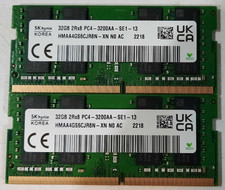
64GB (2x32GB) DDR4 3200MHz Sk Hynix RAM 2Rx8 PC4-3200AA HMAA4GS6CJR8N-XN
$310.00
Lot 300 Micron 8GB 1Rx8 PC4-21300 DDR4-2666V ECC Registered Server Memory RAM
$9000.00
TEAMGROUP T-Force DDR4 Zeus 2x16GB 3200mhz
$110.00

Major Brand 16GB (2x8GB) PC3-12800U DDR3-1600MHz DDR3-12800 DESKTOP RAM NON-ECC
$29.99

RAMAXEL Lenovo 32GB LPDDR5X CAMM2 7500MHz Laptop RAM | UNTESTED
$445.00

Samsung 8GB DDR4 SO-DIMM PC4-3200AA 260-Pin RAM M471A1G44BB0-CWE Module
$29.25

A-Tech 8GB DDR3 1600 PC3-12800 Laptop SODIMM 204-Pin Memory RAM PC3L DDR3L 1x 8G
$21.68

Dell 16GB PC4-21300 (DDR4-2666) Memory (SNPPWR5TC16G)
$89.99
Ram Cards, 4 GB, LOT OF 16
$116.00



 Reply With Quote