-
Senior Member
registered user
Locutus,
I agree with you (partly), I will elaborate...
1) In some cases, like you example of a "Brake Spring Pliers", if someone is to use the tool correctly, and not damage the tool, one would need to know "HOWTO" use it, and when. But, then again, case in point, myself, when the "right" tool is not available, I am sure, a lot of people have used a pair of pliers as a hammer, in a pinch, and when the hammer is not available.
2) A computer is a tool, it could be the hammer, or it could be a pair of pliers, or, it could be a specialized tool, like the brake spring pliers. This all depends on the person running the computer. As with a lot of those old PC /XT computer systems, most are now being used as door-stops. This was not the intention of when they were made, but not much else can you do with them, now.
When it comes to a computer, the user determines its use, how it is used, where it is used, and the full purpose of its existance. The computer was designed for the user, and what the user was intending to do with it. It is then the job of the OS to allow the user to accomplish the needs set-forth by the user of the computer. The OS needs to provide the support for the hardware, and the software, that the user intended the computer to be created for.
If the user intends to use the computer for multimedia - the hardware was selected to provide the user with the needed "hardware" tools to accomplish this task. The OS needs to provide the user the ability to use the hardware, either through support of that hardware, or to provide the "foundation" for the software that accomplish the needs the user dictated for the systems existance.
In the Windows World - you have a lot of choices for OS's, most, if not all, are from Microsoft, and all are just (basically) re-hashes of previous OS versions. Win98 was a re-hash of Win95, WinNT was ahead of its time - and broke new ground into "other forms of thinking", then came the WinME, etc, etc, etc... Which, if you break them down, are simply just re-hashes of combining this version of OS with that version of OS. But, mostly the users choice of which OS to use, provided by Microsoft, is "which ever one is newer", thats about it - the computer salesman sets the expectations of the user on simply: This is the newest OS by Microsoft.
In the Windows World, the user can buy the hardware specifics to make a computer do what they intend it to do, and then have to settle on "hopefully" the MS OS will be able to do it. Or, for that matter, does it do what the person intends it to do, and the best way? What I am trying to say is, if I wanted to build a computer strictly for multimedia, I would buy the hardware that provided me the "best" abilities for that task, would my OS by Microsoft provide my hardware, and me, the "best" use of that as well? Who knows, considering the purchase of the OS GUI was based on "the newest on the market", who really knows.
In the Linux World - ahhhhh, freedom, ability to see features, and lastly, choices. Not just a choice on which OS is the newest out, but which one has the features I am looking for, usage, and even "look and feel". In Linux, I can select a OS that meets with my criteria for the system I am going to be buying the hardware for. I can choose the best "flavor" of Linux that will do what I want it to, either as the OS that provides the best for the hardware, or, in all cases, the best "foundation" for a rock-solid base of that system.
But, we are not talking about the people who "know" what they are going to be doing with that system, the ones who have a specific task for this system, but rather, a person who comes into a computer store with a "shopping list" of things they want to do. Most often than not, a person wants to do a multituide of things on their system. Play multimedia games, internet, email, and productivity tools, like word processors, spreadsheets, and the like. Just watch a commercial for Dell or Gateway, and you can see what I mean, or even watch a commercial for AOL, and they are just another ISP.
If Linux is going to compete with the world of Microsoft Windows, in the real world, it needs to kind of "tailor" itself to these kinds of people. The people who, buy a computer, and then make the computer do what they want, not the other way around, buy a computer that does what they want - and use it that way. Windows may not do the things these people want to do the best, but it does it. On the other hand, Linux, can do what you want better, if you know what you want to do with it.
The challenge, somehow "main-stream" Linux into a easy, user-friendly, OS, that looks like Windows, works like Windows, but still doesn't loose its power. Windows' power is in its GUI, click this and run. Linux's power is mostly in its Command Shell, which a Windows user is not familiar with using. If you want to sell Linux to people who know what they are doing, you don't have to change anything, that is already done. If you want to get Linux to people who are able to grasp new concepts, new ideas, and to learn different ways of doing things, it is already doing this as well. If, on the other hand, you want to get Linux to people who run Windows, and don't have a clue about their hardware, software, network, ISP, they just want to figure out where the power switch is at on their computer, boot it, and do whatever they want to do with their computer, then Linux needs some help. Linux, in my oppinion, don't flame me here, is for the geeks, and the intelectuals in the world, currently. The ones who know what is inside the grey "black-box", how is connects together, what their processor is, and how fast it runs, how each and every card is placed in that box, what cables go between the devices and the motherboard, what a motherboard is, etc...
Linux is looking to a market that is filled with people who, in my learning, haven't a clue what any of this is all about. They just want that thing to run, do something, even if its just to play a game of Solitaire. These people don't know what MODEM stands for, and heck, in the Windows world, they don't have to. In the Windows World, they don't have to know what IDE is, or SCSI, or a disk partition, a swap file/partition, seriel, parralel, USB, etc... They just run it, and (most of the time) it works. Linux, on the other hand, you have to be "one" with your computer, you have to be "intimate" with it, you have to almost be a Zen Master with your computer. You have to not only know what your hardware is, but down to the chip-set of it, for Linux. And Linux has to deal with a proliferation of Windows specific hardware in the world, that doesn't always work with Linux.
Windows has been designed for the "general" public, and Linux, designed for the individual who "knows" what a computer is, a tool. Just like a mechanic for cars, the mechanic has lots of tools, tools for specific purposes - and tools for general purposes, so too, the person who runs Linux, knows what tools they have, and how to use them. Windows is more like a multi-purpose tool, it can be a hammer, or a pair of pliers, or even a pair of brake spring pliers - it depends on the person using the "tool".
In Linux, the person has a set of tools to do things with, in Windows, the person has a single tool that can be used for more than one thing.
I thought the original idea of the web-site was what was needed - hopefully to provide a person with the "selection" of tools one would have with a specific "distro" of Linux. If the site is going to provide information on the amount of "tools" one gets with a specific distro, what kinds of tools, and so forth, I thought the idea was right on the need. If on the other hand, the site is going to provide a person with a "single multi-purpose" tool, that can do everything, that isn't what a Linux user wants to know, but may be what a Windows user would like to see...
In other words - if the site displays a tool set of 6,999 "tools" that perform specific functions, a Linux user would be interested. If on the other hand, the site displays ONE TOOL, and then shows how many ways that one tool can be used, I think a Windows user would be interested. What is the "TARGET" of the site? Are you selling to Linux users, or Windows users? Because your target group is different, when it comes to these two groups. If you want to target both these groups in a single site, you may have to make multiple descriptions, to accomplish the interest of both.
Something like this: This single tool can be used as a slicer, a dicer, and even makes jullian fries, all from a single potato. But! Wait! It can also be used ONLY as a can openner, in which we give you twenty more "other" tools for "other" specific tasks, too.
Targeting a Windows user would be the single-multi-purpose tool, and the Linux user would be a single tool for one thing, and a mutituide of other tools for specific tasks.
Again, as I stated at the begining of this thread, I will wait to see the outcome of the site, I am sure that whatever way the site turns out like, it will still be of value, just to what group...
Cuddles
[we now return you to your original bandwidth, already in progress]
 Posting Permissions
- You may not post new threads
- You may not post replies
- You may not post attachments
- You may not edit your posts
-
Forum Rules


GIGABYTE A520M DS3H AC AMD AM4 Motherboard mATX
$59.99

Intel H310 LGA1151 8-9th Gen DDR4 M.2 NVMe mATX Motherboard IO Shield Battery
$54.99

Intel H81 Motherboard M.2 NVMe LGA 1150 mATX w/ IO Shield (Random Slot Color)
$29.90
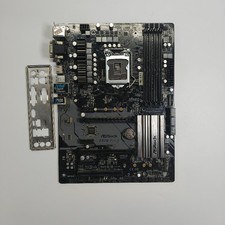
ASRock Z370 Pro4 LGA 1151 Z370 HDMI USB 3.1 2 Ultra M.2 DDR4 ATX Motherboard
$75.00

GIGABYTE B365 HD3 LGA1151 Intel 9th Gen motherboard
$59.99

ASUS PRIME B360M-C MicroATX Intel LGA1151 DDR4 HDMI VGA USB RJ-45 Audio
$34.99

ASRock B550M PRO4 AM4 AMD B550 SATA 6Gb/s Micro ATX AMD Motherboard
$76.49
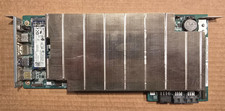
ASRock AMD BC-250 16GB 128GB SSD Used
$220.00

ASUS B85M-G / B85M-G PLUS LGA1150 DDR3 Micro ATX Motherboard HDMI Support 4thCPU
$45.00

MSI B460M-A Pro DDR4 LGA 1200 Micro ATX Motherboard 10th Gen
$59.99



 Reply With Quote