

 Reply With Quote
Try
knoppix floppyconfig wheelmouse
The "floppyconfig" kills the mouse if you try it the other way around.
BTW: Try searching here before your post you will often find the answer for your self.
http://www.knoppix.net/forum/search.php


Hi
Quick question:
I have brought my Knoppix Cd to work with my saved configuration boot floppy. On F2 info page it says you can combine commands.
How do I combine command to recognise wheelmouse (knoppix wheelmouse) with command to extract floppyconfig?(knoppix floppyconfig).
I tried: knoppix wheelmouse floppyconfig, and it only ran configuration and didnt detect wheelmouse.
I tried: knoppix wheelmouse knoppix floppyconfig, and it only ran config again.
How do you properly combine commands please?
Thank you
~S~
Try
knoppix floppyconfig wheelmouse
The "floppyconfig" kills the mouse if you try it the other way around.
BTW: Try searching here before your post you will often find the answer for your self.
http://www.knoppix.net/forum/search.php
Hi
Thank you for your reply.
Btw, I always make a sincere effort to find my info either thru google or forum search. If you see me posting, its cuz I was unable to find what I needed that way.
Fingers crossed.
~S~
I have found that if you just type "knoppix floppyconfig" and the floppy has the saved "wheelmouse" command, you will be fine...
(using a logitech optical wheelmouse on a Dell)
Hi
To the last responder, that is possibly helpful, but I am at the work computer now. At home I do not have this problem cuz I detached my wheelmouse there.
So my saved config disk does not have this 'memory'.
Also, to the previous response, I have found out that knoppix floppyconfig wheelmouse is NOT the answer.
That does not work. Perhaps you can point me out these previous posts you mentioned. They may be more useful than yours.
This forum will work best when we offer knowledgeable advice, not piss-ant advice.
I just received an email from a software reviewer who thought I may have been offended by the tone of some of the replies I have received on here. I am not at all. He even suggested I should write Knoffer and tell him to moderate his forums better. Well, I don't even know that Knoffer is involved here. Frankly I am surprised when anyone takes anonymous offense from anything anyone would say on the net anonymously, for all intents and purposes. What else can you expect. Its not like we live in a utopian world where the net is the only place where pettiness rears its head. Oh dear me. Give me a break!
The world is filled with A-holes and saints. Your attitude often dictates which on you will meet more often.
I HAVE found this to be a great site with the usual helpful and not so helpful replies.
~S~
PS: I could still use some more pointed advice on how to get a wheelmouse working while still using saved floppy config.
Interstingly, I have noted that either way, the logitech mouse is always detected in the boot sequence, even when it does not function whenever I put in the floppy config.
I wonder whether it is related to what the last poster wrote: Is it possible that my saved config is 'remembering' my ps2 mouse from home box?
What to do....what to do...
>> BTW: Try searching here before your post you will often find the answer for your self.
--Yah, I got something of a "bad vibe" from that too, although I couldn't tell you why -- it's actually good advice!
--I do try to help when/wherever I can, altho sometimes I sit down at the computer in what the Ents would call a "hasty" mood, and sometimes I put my foot in it. (My mouth, not the computer screen.) I have been called a few things in my time, altho I am neither *that bad* NOR that good.
--Internally, I feel like an under-appreciated Subgenius with a heart of gold and a REALLY NASTY bad side.As I've said before - I'm a Biker, not a Choirboy... But that's beside the point.
--Try " knoppix wheelmouse ", *then* save the floppy config again and reboot/restore. Lemme know if it works... I don't really use floppyconfig, preferring knx-hdinstall instead and using Knoppix from CD mostly for utility purposes and not bothering to save the config.
>> The world is filled with A-holes and saints. Your attitude often dictates which one you will meet more often.
--replace "meet" with "be perceived as", in my case. :P
p.s. - It's Klaus KNOPPER, not Knoffer. Just FYI.
Best of luck,
Davey
Originally Posted by sepht
PostPosted: Thu Jan 30, 2003 7:06 am Post subject: some serious probs with knoppix!
...
3) mouseproblem: wheel doesnt work. I ve got logitech mouseman optical. changing xf86config-4 file doesnt work: cant save the changed file! booting with knoppix wheelmouse doesnt work as well.
...
THX for help!
cheers
knoppers
---
PostPosted: Sat Jan 04, 2003 4:21 am Post subject: Reply with quote Just figured this one out myself.
Syslinux has a text cfg file that sets up the boot args. To have all of the boot args done automatically, just add to the default option at the start of the file.
After editing the floppy syslinux.cfg, I did have a conflict with specifying the refresh and floppyconfig.... although I had specified the refreshrate, because I had also specified the floppyconfig, the system took the floppyconfig settings as precedent. I resolved this by booting in with the manually entered boot args, then saving them to floppy. I then added to the APPEND under the DEFAULT line (in my case):
xvrefresh=66 wheelmouse floppyconfig
That worked fine...I also decreased the timeout and erased some of the files that were not needed (f2 screen, de keymap) as there is limited space on the boot floppy to accomodate the floppyconfig files.
Further info about modifying syslinux.cfg can be found at:
http://syslinux.zytor.com/faq.php
..
Thank you Klaus!
You could try to edit the syslinux.cfg file on the boot floppy after you save your configuration to it.
Just add wheelmouse to the default append line somewhere.
Works for floppyconfig as well.
LOL, thanks AvidLinuxUser you quoted me before I did. you're fast!
 Posting Permissions


Dell Poweredge R630 2x Xeon E5-2680 v3 2.5ghz 24-Cores / 64gb / Raid / 2x 1Tb
$374.99

Dell EMC PowerEdge R440 Xeon silver 4215 2.5GHz 16 GB ram 2x 550W PSU No HDD
$275.00

Dell PowerEdge R730XD 28 Core Server 2X Xeon E5-2680 V4 H730 32GB RAM No HDD
$378.93

Dell PowerEdge R730 Server 2x Xeon E5-2630 V4 64GB DDR4 2TB HDD Rackmount
$489.99

Dell Poweredge R630 2x Xeon E5-2680 v3 2.5ghz 24-Core | HBA330 | No RAM or HDD
$149.99
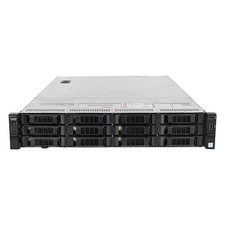
Dell PowerEdge R730xd 12LFF 2x Xeon E5-2695 v4 128GB RAM Server
$1338.00

Dell PowerEdge C4130 1U AI GPU Server | 2x E5-2690 v3 | 64gb Ram | 2x 1600W
$524.99

Dell Poweredge R730xd 12LFF 2*2660v4 4*1Gbe h730 2x 750W Server CTO
$248.00

Dell PowerEdge R530 2x E5-2630v4 H330 iDRAC8 Port Card Riser No PSU/RAM/HDD
$99.99

Dell Poweredge R630 2x Xeon E5-2680 v3 2.5ghz 24-Cores | 32gb | HBA330 | 2x 1...
$324.99
