-
using two videocards
Hi!
I've to say, that i'm also a Mircoshit user and really new with linux.
I'v got the low-energy Via Epia-M Mainboard with an S3 VGA-Card onboard and a secondary PCI Radeon 9000. ( http://www.viavpsd.com/ ) << currently down!?
Now I want to decide at bootpromt or before X starts, which card to use. WinXp is able to use both cards at the same time, but WinXp isn't working that stable °°
I know, that you can configure Knoppix to use kdm with one card and xdm with another, or so?!? does anyone know how?
acid.
-
Try:
Code:
X :0.1 | xterm -display :0.1 -e kde3
in one of the main consoles.
I suggest you simply disable the onboard video in the bios(unless your using it for something special).
Now I want to decide at bootpromt or before X starts, which card to use.
I think you can use the "linux single" command at the bootpromt and start X from a console(if you don't mind the hassle).
Similar Threads
-
By epdm2be in forum Hardware & Booting
Replies: 3
Last Post: 11-15-2003, 05:52 AM
 Posting Permissions
- You may not post new threads
- You may not post replies
- You may not post attachments
- You may not edit your posts
-
Forum Rules


Seagate ST6000NM0115 6TB 256MB 7200RPM 3.5" SATA 6.0Gb/s Enterprise Hard Drive
$159.99
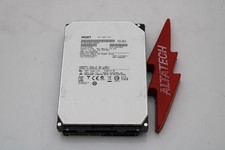
Hitachi HUS726060ALA640 6TB 7.2K SATA 3.5 6G HDD Hard Disc Drive
$109.99

Seagate 14TB Exos X14 7200RPM SATA 6Gb/s 256MB 3.5" Enterprise HDD ST14000NM0408
$354.99

HUS726060ALA640 HGST Ultrastar 6TB SATA 6Gbps 7.2K 3.5" Hard Drive OF21860
$129.99

Hitachi / HGST Travelstar HTS541010B7E610 1TB 2.5" SATA III HDD
$29.99

HGST HUS724040ALA640 4TB 7200 RPM SATA 3.5" Internal Desktop Drive 100% Health
$78.00
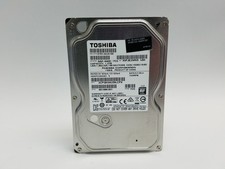
Toshiba DT01ACA100 1 TB 3.5" SATA III 3.5 in Desktop Hard Drive
$24.99

HITACHI ULTRASTAR 2TB 7.2K 6G 3.5INCH SATA HDD HUS724020ALA640 | TESTED WIPED
$34.95

HGST Ultrastar HUS726040AL5210 4TB 7200RPM SAS 12Gb/s Enterprise HDD
$41.00

Seagate Exos X16 ST10000NM010G 10TB 7200RPM SAS 12Gb/s 3.5" 512e/4Kn HDD
$199.00



 Reply With Quote