

 Reply With Quote
Try putting in your lilo.conf one of this lines:
vga=791 (for 1024x76
or
vga=788 (for 800x600)
or
vga=785 (for 640x400).
Glad if I could help...


Hi everyone,
I am running a HD install of Knoppix-3.2. It's 99.99% fantastic!!
I compiled & installed my first kernel, 2.6.1, and after some hair-pulling, got it to boot successfully. The one thing that's vexing me is: The TTY font size is huge, and I don't know how to reduce it (toldja it was a newbiw question!). When 2.4.22 boots, the TTY font size is nice & small - Is there a command I can pass the kernel to do this and more than that, a way to automate it?
TIA!!
Try putting in your lilo.conf one of this lines:
vga=791 (for 1024x76
or
vga=788 (for 800x600)
or
vga=785 (for 640x400).
Glad if I could help...
Aha! my lilo.conf has 'normal'; I'll try '791' Thanks!
dit it work as you expected?
Little off topic but probably a similar problem; I used to have knoppix-hd-install on my system with 2.6.0 and I did not see any of the "dmesg-output" until kdm came up. Otherwise the kernel ran just fine. Just curious what might have caused this. any ideas?
The framebuffer that is being used (vga=791 in the /etc/lilo.conf) is not working with the 2.6 kernel when you boot you should use Linux vga=normal at the lilo screen (change the Linux to whatever is displayed for the kernel being booted) or edit the /etc/lilo.conf and make the change there to be used everytime you boot do not forget to run /sbin/lilo after making the change to have it written to the disk.Originally Posted by EmDee
ok, cool, thanks a lot, I'll remember that for my next 2.6 trial! Are there any compile time options that I should know about regarding this issue?
If I remember correctly this is what I tracked it down too needing to be set.
If you want the little penguin logo.Code:# # Character devices # CONFIG_VT=y CONFIG_VT_CONSOLE=y CONFIG_HW_CONSOLE=y CONFIG_SERIAL_NONSTANDARD=y # # Graphics support # CONFIG_FB=y # CONFIG_FB_CYBER2000 is not set # CONFIG_FB_IMSTT is not set # CONFIG_FB_VGA16 is not set CONFIG_FB_VESA=y CONFIG_VIDEO_SELECT=y # CONFIG_FB_HGA is not set # CONFIG_FB_RIVA is not set # # Console display driver support # CONFIG_VGA_CONSOLE=y # CONFIG_MDA_CONSOLE is not set CONFIG_DUMMY_CONSOLE=y CONFIG_FRAMEBUFFER_CONSOLE=y CONFIG_PCI_CONSOLE=y CONFIG_FONTS=y CONFIG_FONT_8x8=y CONFIG_FONT_8x16=y # CONFIG_FONT_6x11 is not set # CONFIG_FONT_PEARL_8x8 is not set
And if you want the PC speaker to make noise.Code:# # Logo configuration # CONFIG_LOGO=y # CONFIG_LOGO_LINUX_MONO is not set # CONFIG_LOGO_LINUX_VGA16 is not set CONFIG_LOGO_LINUX_CLUT224=y
Code:# # Input Device Drivers # CONFIG_INPUT_MISC=y CONFIG_INPUT_PCSPKR=y
In fact, this was my problem exactly. When I set vga=791 in lilo.conf, no TTY. vga=normal = VGA!!. Still can't get the font size where I want it, but I think I'll wait for a few more revs before I try 2.6 again. I found in X when I opened > 1 konsole, there was serious weirdness ... none of my typing showed up, screen wouldn't clear, etc. Thanks for the sound tip also!!
 Posting Permissions


ATARI XF551 DISK DRIVE WITH AC POWER ADAPTER AND PARALLEL PORT ADAPTER, UNTESTED
$250.00
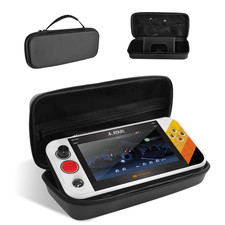
Carrying Case for My Arcade Atari Gamestation Go Retro Video Games Console,Stand
$48.51
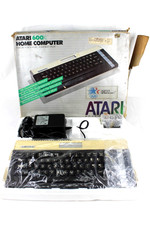
VTG Atari 600XL Home Computer System in Box ** Powers On ** Clean * Tested Works
$148.75

Atari 400 / 800 Computer Memory Module 16K RAM PCB CX853 - Works Perfectly
$18.95

Fujinet 1.7.1 Atari 400 800 800XL 130XE 65XE XEGS Assembled, Tested, Working
$99.99
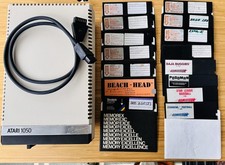
Vintage Atari 1050 Disk Drive w/ SIO Cable & 32 Games/Programs - UNTESTED
$67.76
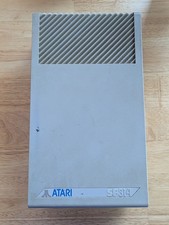
Vintage ATARI SF314 DS/DD 3.5" External Drive TESTED but can't read/write disks
$69.99

A8PicoCart Multicart for Atari 800xl /65xe / 130xe / XEGS
$16.95
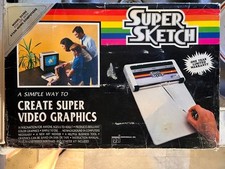
Vintage 1984: Super Sketch G2300 For Atari Home Computer
$72.00

Atari 400 Home Computer System includes Power Cord G2U
$159.99
