-
Knoppix cant find file system
hello new to the forums and knoppix as well. I had downloaded knoppix a while back version 3.1 and it worked fine (after seeing it on tech tv show the screen savers) I was running and intel celeron 850 256 sdram. I know have two AMD machines one is and athlon xp 1500 the other my machine is and athlon 2600+ with 256 ddr ram pc2100. I have failed to start knoppix on either machine first error I recived was "error only one processor found" I then found a cheat code "nosmp" and it got rid of that problem. But the next problem showed up saying can't find knoppix file system. I dont think it could be the cd or where I downloaded the iso image because it worked fine on the intel celeron 850. I then downloaded knoppix version 3.3 in 3.3 i got no error for the processor but in the next step it starts to probe scsi and bamb "can't find knoppix file system" Oh my mother board is and arbatron k600pro with a via chipset. Any help will be greatly appreaciated. I also have two hard drives "internal" one 20gb (windows partition) 40(just back up) and I am booting from a external usb Iomega cr-rw drive. I have usb ports on the mother board and i also have a 2.0 extention card. The on board usb ports say 1.1 but in the bios (phoniex bios) it says enable usb 2.0 support which i guess turns the 1.1 into 2.0 because I dont get that windows error that says "you have entered a non hi speed device into a usb port" could the usb be a problem. Thanx for any help
-
Senior Member
registered user
I think the usb cdrom is your problem. I can only guess that your bios provides minimal support for starting off the cd, but when the kernel has been loaded it does not find the usb unit and the compressed file system it needs to proceed. I may be wrong, though... If your hard disk is formatted in fat32, you could try the so-called poor man's install (see the "docs" section of this site).
-
Baldyeti thanx for the reply. but is there any measures I can take its a fairly new mother board with the latest version of the phoinex bios. I was able to install windows xp pro from my usb cd-rom. I have a usb 2.0 that connects onto the mother board I will try to boot from that and see what happens. I am currently booting from the onboard usb ports. Thanx 4 your help
-
try:
knoppix nodma
or knoppix26 nodma
Similar Threads
-
By crism in forum Hardware & Booting
Replies: 6
Last Post: 12-28-2004, 06:46 PM
-
By snippy in forum General Support
Replies: 12
Last Post: 12-04-2004, 02:49 PM
-
By Spool32 in forum Laptops
Replies: 4
Last Post: 11-18-2004, 08:26 PM
-
By MR.Error in forum General Support
Replies: 1
Last Post: 09-27-2004, 06:58 AM
-
By BiggJeff74 in forum General Support
Replies: 5
Last Post: 03-17-2004, 05:36 PM
 Posting Permissions
- You may not post new threads
- You may not post replies
- You may not post attachments
- You may not edit your posts
-
Forum Rules

Sk Hynix 8GB PC4-3200AA PC4-3200 260-Pin SO-DIMM Laptop RAM
$37.99

Corsair CMK32GX4M2B3000C15 Vengeance LPX DDR4 3000mhz Memory Kit - 32GB (2x16GB)
$164.95
SuperMicro Crucial/Micron Ram 16GB DDR4 2rx8 2666v MTA18ADF2G72AZ-2g6e1zi
$110.00

Corsair Vengeance DDR3 8GB 16GB 32GB 1866MHz PC3-14900 Desktop RAM Memory DIMM
$43.00
SAMSUNG 16GB 2Rx4 PC4-2133P M393A2G40DB0-CPB3Q DDR4 Memory RAM *HP 752369-081
$75.00
Crucial Pro 32GB DDR4-3200 UDIMM Desktop Memory (single UDIMM)
$230.00
![[ BULK LOT OF 10 ] 8GB DDR3 LAPTOP RAM SAMSUNG, HYNIX, etc. picture](/store/img/g/qNwAAeSwPEtqobcJ/s-l225/-BULK-LOT-OF-10-8GB-DDR3-LAPTOP-RAM-SAMSUNG-HYNIX-.jpg)
[ BULK LOT OF 10 ] 8GB DDR3 LAPTOP RAM SAMSUNG, HYNIX, etc.
$89.99
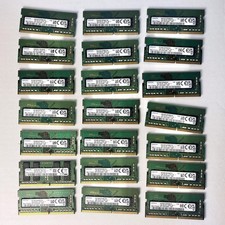
Samsung (21x16GB) 336GB 1Rx8 PC4-3200AA, PC4-2666V Laptop Memory DDR4
$1299.00
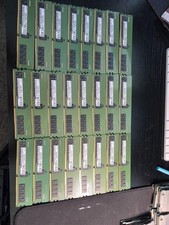
Samsung 16GB DDR4 3200MHz ECC (1x16GB)
$100.00
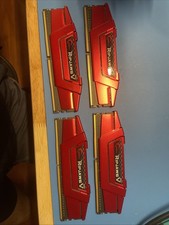
G Skill Ripjaws V DDR4 4x4GB SN23262913685-…-23262913688
$50.25



 Reply With Quote