-
Senior Member
registered user
Oh my, I have been so fucused on this, but didn't realize that you are talking about your floppy and a cdrom - the floppy I have no clue, haven't used my floppy since I installed knoppix - but the cdrom - I do know... I take it you have one cdrom, and it is also a dvd player??? If so, then we got ourselves good here...
Ok, from my system,
I have a dvd device on scd0, and a CDRW device on scd1... As for the /mnt/ part... My Knoppix v3.3 setup everything the way it is now, but I "tweaked" a few things, in other areas of the fstab...
Here is my fstab: (cd area only)
/dev/cdrom /cdrom iso9660 defaults,ro,user,noexec,noauto 0 0
/dev/cdrom1 /cdrom1 iso9660 defaults,ro,user,noexec,noauto 0 0
/dev/dvd /dvd iso9660 defaults,ro,user,noexec,noauto 0 0
/dev/cdaudio /cdaudio iso9660 defaults,ro,user,noexec,noauto 0 0
my dvd and cdaudio are the same as cdrom, though they use different directories (folders) (mount points)
From what I can see, the only issue here is, where does /dev/dvd and /dev/cdaudio point to...
(untimately, and if all three are one-in-the-save device)
In a Root Konsole, try the following:
ls -l /dev/dvd
ls -l /dev/cdaudio
(note that the commands above, if I type them in uppercase for clarity, it is: LS -L [device] )
The command stands for List Structure, with a switch of show Links...
mine look like this:
knoppix@Polaris:~$ ls -l /dev/dvd
lrwxrwxrwx 1 root root 10 Jan 4 06:10 /dev/dvd -> /dev/cdrom
knoppix@Polaris:~$ ls -l /dev/cdaudio
lrwxrwxrwx 1 root root 10 Jan 4 06:10 /dev/cdaudio -> /dev/cdrom
Note the "->" pointer - both dvd and cdaudio point to /dev/cdrom, so if I do a ls -l /dev/cdrom, this is what I get:
knoppix@Polaris:~$ ls -l /dev/cdrom
lrwxrwxrwx 1 root root 9 Jan 4 06:37 /dev/cdrom -> /dev/scd0
Note that this device "points" to /dev/scd0 - which you can find out what scd# is by investigating output of dmesg command...
So, if you have about the same thing, you might be able to "duplicate" the directory/folder named /dev/dvd and name the duplicate /dev/cdrom - then re-point your cdrom entry to a load point/mount point of /cdrom - as for the cdrom1 - that one we dont have a duplicate or "sample" to use for that one...
What I propose:
Copy the directory/folder /dvd and name it as /cdrom - ensure the properties are identical to /dvd - and change your mount point for your cdrom to the new /cdrom directory/folder.
So, your new fstab entries would look like this:
/dev/cdrom /cdrom iso9660 defaults,ro,user,noexec,noauto 0 0
/dev/dvd /dvd iso9660 defaults,ro,user,noexec,noauto 0 0
/dev/cdaudio /cdaudio iso9660 defaults,ro,user,noexec,noauto 0 0
Here is what I see needs to be done:
1) Create a DVD icon, and see if it Auto-Mounts when you open it. If it does, we are in business...
2) As root, copy the /dvd folder and paste as /cdrom - make sure the properties for cdrom folder are identical to the dvd folder.
3) As root, edit your fstab file, and point your cdrom to the new folder you just created - /cdrom
4) Delete, or redo the cdrom icon on your desktop - make sure that it points to the NEW mount point - not /mnt/cdrom but to /cdrom -=- you will need to do this for any, and all, users that have this icon on their desktop as well.
5) test it out - All of this assumes that you can use the icon DVD on your desktop, and you can open a view of your cdrom w/o having to mount it first. If this is the case, the changes made to cdrom, should follow same as the dvd one.
6) Clean-up details - once the /cdrom folder is being used for the cdrom, you can evaporate the /mnt/cdrom folder. All of the changes above ASSUME that your cdrom is NOT MOUNTED. If it is, you need to UNMOUNT it BEFORE doing all of this.
Something I have learned about Knoppix/Linux - through a lot of help from others here - mount points are simply a folder, that when a device is mounted, the folder is used to hold the contents of that device - so changing mount points is pretty easy, and straight-forward, once this realization is figured out. The properties of these "mount point" folders, determines how, and who, can access them. Pretty neato, in my oppinion 
I'll wait for a response,
Cuddles
Similar Threads
-
By yusoweird in forum Hdd Install / Debian / Apt
Replies: 2
Last Post: 12-11-2004, 04:22 AM
-
By Dosmaen in forum Hardware & Booting
Replies: 4
Last Post: 04-17-2004, 08:43 PM
-
By Mokoshi in forum Hardware & Booting
Replies: 3
Last Post: 02-17-2004, 04:52 PM
-
By Raj in forum General Support
Replies: 5
Last Post: 02-20-2003, 02:59 AM
-
By Koga in forum General Support
Replies: 3
Last Post: 01-11-2003, 12:07 PM
 Posting Permissions
- You may not post new threads
- You may not post replies
- You may not post attachments
- You may not edit your posts
-
Forum Rules


USB 3.0 Flash Drive 32GB 64GB 128GB Memory Stick Thumb Stick Lot Pack
$826.09
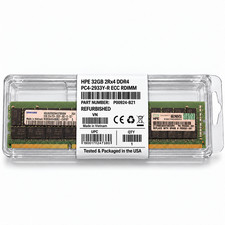
HPE 32GB 2Rx4 PC4-2933Y-R DDR4 Svr RAM P03052-091 P00924-B21 M393A4K40DB2-CVFBY
$270.00
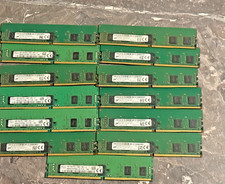
Bulk lot of 13 × 4GB DDR4-2400 ECC Registered RDIMM server memory modules
$165.00

Samsung 32GB (1x32GB) PC4-17000 (DDR4-2133) LRDIMM Memory (M386A4G40DM0-CPB0Q)
$120.00

Kingston 32GB 64GB 128GB 256GB USB 3.0 Flash Drive Thumb Memory Stick Pen lot
$285.90
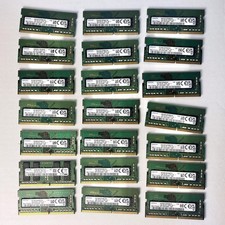
Samsung (21x16GB) 336GB 1Rx8 PC4-3200AA, PC4-2666V Laptop Memory DDR4
$1299.00

Wholesale 5/10/100PCS 1GB 2GB 4GB 8GB 16GB 32GB USB 2.0 Flash Drive Memory Stick
$378.00
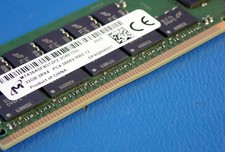
MICRON MTA36ASF4G72PZ-2G6E1 | 32GB PC4-2666V ECC RDIMM Server RAM
$155.00

2 in 1 USB 3.0 Card Reader Micro TF card Reader usb adapter High Speed Cardreder
$3.99

P43330-0A1 HPE 32GB 2RX8 PC5-4800B DDR5 SERVER RAM P43328-B21 / HMCG88MEBRA107N
$1100.00



 Reply With Quote