-
Senior Member
registered user
Do you still have the Knoppix ISO saved on your Windows partition? Or can you download it there? If you can, you can use the "bootfrom" cheatcode to load Knoppix from the ISO, saved to your Windows partition, even if it's an NTFS partition, and have access to your CD burner.
AFAIK, you still have to have the Knoppix CD to boot from (or you can use boot floppies).
So if you saved it to the root level of your Windows drive (i.e. C:\knoppix.iso), you could start it up like this:
boot: knoppix26 bootfrom=/dev/hda1/knoppix.iso .... (put your other cheatcodes here)
...and then eject the Knoppix CD and use your burner.
BTW, just for kicks I tried ejecting the MandrakeMove CD and using K3B. It, uh, locked up the computer. 
-
Senior Member
registered user
You can't eject the CD if you're running a liveCD boot! The toram cheatcode may help here, but what you want to do is burn another CD? Where is the ISO file you're going to burn from then?
BTW, if you don't have that much RAM, maybe a Pocket CD ReMaster of KNOPPIX like DAMN-SMALL-LINUX also has toram? DSL is only about 50MB as opposed to KNOOPPIX's 700MB.
Oh, as for the NTFS problem, I've never used captiveNTFS, all my PCs are FAT32 whe nI purchase them. Then I use qtparted and knoppix-installer to do an hdinstall. I'm wondering if qtparted works with NTFS? Then you could save the ISO in another partition to burn from. In fact, maybe you could make yet another partition and use the bootfrom cheat?
Good Luck,
AJG
-
Senior Member
registered user

Originally Posted by
A. Jorge Garcia
You can't eject the CD if you're running a liveCD boot! The toram cheatcode may help here, but what you want to do is burn another CD? Where is the ISO file you're going to burn from then?
BTW, if you don't have that much RAM, maybe a Pocket CD ReMaster of KNOPPIX like DAMN-SMALL-LINUX also has toram? DSL is only about 50MB as opposed to KNOOPPIX's 700MB.
Oh, as for the NTFS problem, I've never used captiveNTFS, all my PCs are FAT32 whe nI purchase them. Then I use qtparted and knoppix-installer to do an hdinstall. I'm wondering if qtparted works with NTFS? Then you could save the ISO in another partition to burn from. In fact, maybe you could make yet another partition and use the bootfrom cheat?
Good Luck,
AJG
Qtparted works with NTFS, it was a life saver, I was about to buy some software ebfore I heard it could resize NTFS, however when you restart windows for some reason it want to redetected and reinstall driver. That can be annoying but nothing more.
Of course, knoppix's version (qtparted and the NTFS resizer plugin) are terribly out of date. It can olny resizer to a point where there is no data (it there is a fragment or file behing of 20 gigs of free space, you can only resize to the data infront the fragment)
http://www.sysresccd.org/
System rescue CD as the most uptodate version of both, Which can move data around to get to the empty space.
on startup type menu and hit enter for a GUI version of the options.
-
Senior Member
registered user
OK, I've always steered clear of NTFS b/c I did not want to damage anything. So, let me get this straight: qtparted will resize an NTFS partition non-destructively without my doing anything special like play with captiveNTFS?
TIA,
AJG
-
Senior Member
registered user
Originally Posted by
A. Jorge Garcia
You can't eject the CD if you're running a liveCD boot! The toram cheatcode may help here, but what you want to do is burn another CD? Where is the ISO file you're going to burn from then?
If you save the Knoppix ISO on the NTFS partition, boot from the live CD, and then use the "bootfrom" cheatcode, you can indeed eject the live CD and use K3b and your CD burner. (K3b writes its temp files to a directory in /var on the ramdisk.) Tested, works.
The problem is, how big of a data CD can you create? How much can you burn at one time? On this computer, which only has 128M of RAM, there's only ~90M left on the ramdisk. K3b creates an ISO file in its temp directory, then writes it to CD. So I can only burn ~90M of data at one time.
So if the file I wanted to burn was bigger than 90M, I'd be sunk. If I only had smaller files, however, I could use "multisession" and do it in chunks.
Tedious, but it can be done, if you only have an NTFS partition.
Edit: The whole point being, when you use "bootfrom", Knoppix runs from the ISO saved on your hard drive, not off the live CD.
-
Senior Member
registered user
[quote="eco2geek"]
Originally Posted by
A. Jorge Garcia
You can't eject the CD if you're running a liveCD boot! The toram cheatcode may help here, but what you want to do is burn another CD? Where is the ISO file you're going to burn from then?
If you save the Knoppix ISO on the NTFS partition, boot from the live CD, and then use the "bootfrom" cheatcode, you can indeed eject the live CD and use K3b and your CD burner. (K3b writes its temp files to a directory in /var on the ramdisk.) Tested, works.
The problem is, how big of a data CD can you create? How much can you burn at one time? On this computer, which only has 128M of RAM, there's only ~90M left on the ramdisk. K3b creates an ISO file in its temp directory, then writes it to CD. So I can only burn ~90M of data at one time.
So if the file I wanted to burn was bigger than 90M, I'd be sunk. If I only had smaller files, however, I could use "multisession" and do it in chunks.
quote]
I believe there is an option is K3b to write on the fly (straight form source without makeing a iso.) Not to sure if it uses /tmp but its worth a shot.
-
Senior Member
registered user
Originally Posted by
A. Jorge Garcia
OK, I've always steered clear of NTFS b/c I did not want to damage anything. So, let me get this straight: qtparted will resize an NTFS partition non-destructively without my doing anything special like play with captiveNTFS?
TIA,
AJG
Right. Works like a charm.
-
Senior Member
registered user
why not make a copy of that knoppix iso rename it swap.iso.
then mount it as a rw loop device,
if you then wipe it, mke2fs... mount it then use THAT for /tmp?
should work ok as it would have same size... as far as NTFS is conserned.
-
Senior Member
registered user
>>
Right. Works like a charm.
<<
OK, good!
This is the problem I have. I get all my PCs at school with VFAT32 when they are purchased and then I setup half the hdd for KNOPPIX to run a dual boot with lilo in the mbr. So I've had no problems with most of them. However, there is one PC that is NTFS but it has a nice burner that I could use! So I'd like to use bootfrom or knoppix-installer using a linux partition created with qtparted. I should have no problem with this, right?
I guess the problem with NTFS was using KNOPPIX to write files directly to an NTFS partition? I thought I couldn't even use qtparted!
Running Scared,
AJG
-
Senior Member
registered user
AJG,
Do you ever get old computers donated to your school, that really aren't good for much? Or do you have access to a surplus store that sells used computer parts?
If you have the time/inclination, you might try hooking up a surplus hard drive to that computer with Win2K or XP on it, as a slave, format it with NTFS, then run Knoppix and play around with QTParted to see if it works to your satisfaction.
(I've used QTParted a couple times now, but never to resize an NTFS partition.)
- e2g
Similar Threads
-
By tlo in forum General Support
Replies: 3
Last Post: 05-27-2005, 10:43 PM
-
By tadpole in forum Customising & Remastering
Replies: 0
Last Post: 03-31-2005, 05:39 PM
-
By jon1234444 in forum General Support
Replies: 0
Last Post: 01-20-2005, 08:14 AM
-
By OmegaOne in forum General Support
Replies: 6
Last Post: 12-09-2003, 02:25 PM
-
By j.drake in forum General Support
Replies: 14
Last Post: 09-08-2003, 04:39 PM
 Posting Permissions
- You may not post new threads
- You may not post replies
- You may not post attachments
- You may not edit your posts
-
Forum Rules


Samsung SCXSTP000, SCX-STP000 (Swingline Staple Cartridge - 3 Refills)
$57.99
Samsung Galaxy S10 10.9" FE 128GB WiFi Tablet SM-X520NZACXAR S-Pen Keyboard 2025
$299.99
CR2032 CMOS Battery for Notebook Computers 2-pin 2 wire
$3.55
USB C to Type C Cable Fast Charger For Samsung Galaxy S8 S9 S10 Plus Note 10 12
$5.00

Kids Case for Samsung Galaxy Tab A9+/A9 plus 11 Inch 2023 Case, with Strap, Shoc
$27.99
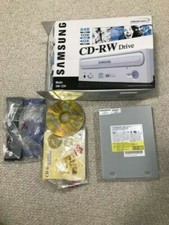
SAMSUNG CD-RW DRIVE MODEL SW-224 AMAZING CONDITION+ORIGINAL BOX NEVER USED
$30.00
Samsung 850 Pro Series 2TB 2.5inch SATA3 6Gbp Internal SSD MZ-7KE2T0 5 Available
$189.00

Samsung DVI to DVI Cable 6 ft Digital Video Interface Audio Video NEW
$30.89

Original for Samsung NP950QCG-K01US LCD Screen Touch Full Top Assembly FHD Blue
$299.00

Samsung Galaxy View Tablet 18.4 SM-T670/677A Digitizer 100% Original Oem
$152.99



 Reply With Quote