-
Is my memory Gone?!
Hi, I am a newbie to Linux and not very computer hightech. I got the Knoppix CD and proceeded with trying it out. I loaded into it fine the first time I tried but when I was using it on KDE all the icons and everything disappeared randomly. I didn't know what happened so I tried to shut it down. I couldn't figure out how to shutdown the system, though, so finally I just hit the button on my CPU.
The problem is that now when I try to load into Knoppix with the CD I get errors about a lack of memory for running KDE. It says I need 85 memory. My RAM should have like 125 at the least, but I am wondering if shutting down Knoppix screwed up my RAM. What should I do and how do I fix this? Thanks, any info will really help.
-
Senior Member
registered user
PCalitracck,
First, not too sure how "hightech" you are here, but, the only thing I can think of...
Considering you were running off the CD, nothing "should" have hit your hard drive, so, chances are, your hard drive is safe and sound. As for the memory issue...
The only thing I can think of is that, somehow, during the hard-reset, your BIOS may have gotten lost. Have you just tried to look at your BIOS? In simple terms, when your computer is booting, while it shows the memory on the boot screen, look for something like: Press DEL to go to Advanced Settings, or something like that - it could be DEL, or F1, or any other forms of keypresses. Get into your BIOS, and the first screen in your BIOS, usually GENERAL SETTINGS, will show your memory, non-changable, plus the date, time, and other stuff. If things look good, go directly to SAVE SETTINGS, don't touch anything - simple terms here - you don't want to change anything, you just want to "refresh" your BIOS settings.
Try booting Knoppix again, if you have another operating system, you might try it as well, this is a "dual" testing idea - do both operating systems report the same problems? Or is it just Knoppix?
Hopefully this helps you a little, at least until the "big guns" reply here 
Cuddles
-
I wen to the BIOS settings and everything looked fine I think... Base Memory was 640KB and Extended Memory was 126MB... I am running Windows 2000 as my main OS and it works fine... I tried Knoppix 2 times after the initial failure before posting this message and I will go try it again and then report back... Thanks for your help.
-
It is working again!!! Thanks alot! Whatever it did in the BIOS thing did the trick... I specifically saw Knoppix say it recognized 126MB of memory this time and I am using it write now to write this message.. everything is working great again.. THANKS! Sorry for being such a newb...I'll figure this out one of these days.. hehe
-
Senior Member
registered user
PCalitracck,
Great 
btw - I was guessing on that one. I have had, many, occasions that "something" just gets the BIOS wacky [wacky? stupid word to use here], and by just going in and saving it back out, it tends to get things working again - don't know why though - because the information is correct when you come into the BIOS, possibly some "backup" copy of it or something - kind of like the backup copy of your FAT, if they are not sync'ed the same, a lot of OS's get wierded out about it. (Windoze is that way)
Hopefully, it won't happen again, but if it does, you might try this trick again - as I said - sometimes a little BIOS refresh helps 
Glad I helped you out on this one, and that your back up and running,
Cuddles
Similar Threads
-
By bob151 in forum General Support
Replies: 1
Last Post: 05-11-2005, 11:26 PM
-
By pjafrombbay in forum Hardware & Booting
Replies: 2
Last Post: 05-03-2005, 06:58 AM
-
By billyjobob in forum General Support
Replies: 7
Last Post: 11-04-2003, 07:17 AM
-
By pro-logic in forum General Support
Replies: 3
Last Post: 10-14-2003, 10:26 PM
-
By rrolsbe in forum General Support
Replies: 1
Last Post: 09-12-2003, 09:42 PM
 Posting Permissions
- You may not post new threads
- You may not post replies
- You may not post attachments
- You may not edit your posts
-
Forum Rules

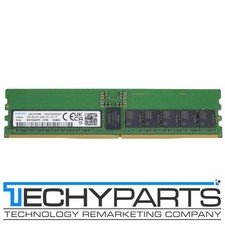
Samsung M321R4GA0PB1-CCPWC 32GB 1Rx4 DDR5-6400 PC5-51200 CL52 REG ECC 288p RDIMM
$1599.99
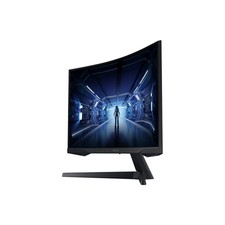
SAMSUNG LC34G55TWDNXZA 34" Odyssey G55T WQHD 165Hz 1ms(MPRT) HDR Curved Gaming
$127.00

New Samsung 512GB FIT Plus USB 3.2 Gen 1 Type-A Flash Drive MUF-512AB/AM NEW
$120.00

Samsung Galaxy Tab S10 Lite 10.9" 128GB Silver Wi-Fi SM-X400NZSAXAR
$206.00

Samsung MLT-R116 Imaging Unit Xpress M2625 M2675 M2825 M2875 M2885 M3015 OEM NEW
$49.99
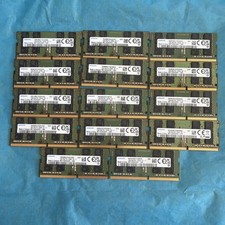
Samsung 16GB Lot Of 14 Modules (224gb Total) 2Rx8 PC4-3200AA Laptop Memory
$882.00

Samsung SCXSTP000, SCX-STP000 (Swingline Staple Cartridge - 3 Refills)
$57.99

Magnetic Leather Flip Case with Stand for Samsung Tab S9 S9+ S10+ S10 Ultra
$20.99

Samsung Galaxy Tab Active 3/ 64 gig/WIFI
$85.00
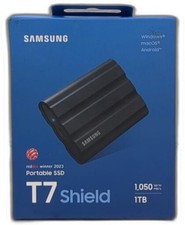
Samsung T7 Shield 1tb, Up To 1050mb/s, Usb 3.2 Gen2, Rugged, Ip65 Rated, For
$187.99



 Reply With Quote