

 Reply With Quote
Yes, you can have the same autodetection on a hd-installed knoppix. You will see "knoppix style" and "debian style" somewhere in the installer. Knoppix style uses the same autodetection the cd uses.Originally Posted by raid517


Hi, I am very impressed with Knoppix and was extremely surprised that it was able to correctly configure the SPDIF out on my Audigy 2 sound card. (Well all I had to do was type alsa at the boot prompt).
It is just a shame there wasn't a similar option to configure my ATI 9800 Pro video card. (I mean really there are only two players that count for video acceleration and that is Nvidia and ATI, so you wouldn't think including the correct drivers would be such a hard thing to do).
Well anyway, I was wondering if I did a hard disk install, would I be able to have the same great hardware detection set up by default the way it is on the CD? Specifically would it be a very complicated task to have Knoppix automatically configure SPDIF out for me? I'm afraid I don't have any conventional speaker cable. How would I do this without having to specify that Knoppix should use the alsa driver at the boot prompt?
Also, how hard is it, what do I have to do to install the latest ATI video drivers? In most other distributions I tried (except Gentoo) doing this was a real pain - and I never quite managed to do it. Having SPDIF sound and accelerated video working would be something of a first in Linux for me.
Any input anyone can offer is very welcome.
GJ
Yes, you can have the same autodetection on a hd-installed knoppix. You will see "knoppix style" and "debian style" somewhere in the installer. Knoppix style uses the same autodetection the cd uses.
Once you install to the HD for the alsa you can use /etc/init.d/alsa-autoconfig to have alsa configured then you would either use the alsamixer in a console window to set the default volumes or edit the file /etc/init.d/bootmisc.sh and put the line aumix -w 75 -v 75 near the bottom of the file to have the defaults set from there on boot. And for the graphics card if it is supported by the ATI drivers then you can use Kano's script to download and install the driver never tried the ati one but the nvidia worked fine on my test machine.
Dude getting SPDIF (and also the ATI drivers) to work has always been a nightmare in Linux for me. How easy is it to get SPDIF out working on an Audigy 2? I'm sure it can't be as straighforward as just increasing the volume on the SPDIF line?
Also oddly (although it's no bid deal), I appear to have SPDIF out sound working on alsamixer through a channel titled 'Wave out'. Why wave out and not PCM, or 'Digital', or something else?
The only big problem I can see with the sound ATM is that I can't change the master volume control in the task bar for another mixer control that I choose, which (since it works as a master volume control) in my case would be this 'wave out' channel.
It would be cool to be able to select your own individual taskbar mixer control.
GJ
 Posting Permissions

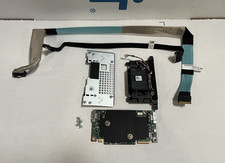
Dell PERC H755 3KDWX 8GB 12Gb SAS RAID Controller With Battery & Cables
$949.99

Broadcom 9600-24i RAID Controller PCIe Gen 4.1 Tri-Mode NEW 05-50111-01004
$649.99

EMC KTN-SL3 15-Bay Disk Array Enclosure w/2x 303-108-000E Cards, Dual PSU,No HDD
$239.99

Intel VROC Premium RAID Controller Card PCIe Add-On Module VROCPREMMOD
$265.00
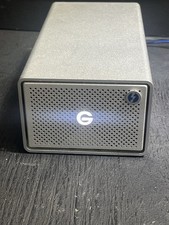
G-Technology G-RAID 24TB Dual-Drive External HDD TB3 USB 3.1 7200RPM Silver
$299.99

MegaRAID 9580-8i8e 16-port 12G SAS/SATA/NVMe 8GB PCIe RAID - 05-50076-00
$1619.19

Broadcom LSI 9305-16i 12Gbps SAS-3 PCIe x8 HBA 16-Ports Raid Controller
$64.99

Dell PowerEdge HBA330 LP PCI-E 12GBs RAID SAS Controller Adapter J7TNV
$18.95

Areca ARC-1882IX-24 (16i4e)24-Port RAID Controller Card w/BBU /HDD Monitor Board
$300.00
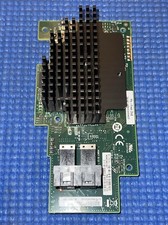
Intel® Integrated RAID Mezzanine Module RMS3HC080 SAS/SATA H24093-204
$24.97