
Page 1 of 3 123 LastLast
Results 1 to 10 of 25

Thread: Knoppix will not run in full screen? Dell laptop

  1. #1
    Junior Member registered user
    Join Date
    Apr 2003
    Posts
    11

    Knoppix will not run in full screen? Dell laptop

    im only using about 50% of the screen on my laptop. there is a black border all the way around the screen. iv looked around on this board and didnt find a fix. can anyone help?

    it has been this was for 3.2 and 3.3

  2. #2
    Junior Member registered user
    Join Date
    Apr 2003
    Posts
    11
    i have also tried the cheat code for 1024x768. no help

    also using a dell inspron 8000 with a ge force 2go card

  3. #3
    Senior Member registered user
    Join Date
    Jul 2003
    Posts
    130
    It may be a problem with the video driver. Did you try specifying xmodule=vesa as a cheat code? If you know what video card the laptop has, you could try the correct module, like xmodule=ati, etc.

    I have a Dell Inspiron 8000 with ATI rage mobility M4. During bootup, X server fails to start and Knoppix automatically falls back to the vesa driver and that works. Good luck.

  4. #4
    Junior Member registered user
    Join Date
    Apr 2003
    Posts
    11
    Quote Originally Posted by m_yates
    It may be a problem with the video driver. Did you try specifying xmodule=vesa as a cheat code? If you know what video card the laptop has, you could try the correct module, like xmodule=ati, etc.

    I have a Dell Inspiron 8000 with ATI rage mobility M4. During bootup, X server fails to start and Knoppix automatically falls back to the vesa driver and that works. Good luck.
    ok i tried: xmodule=vesa and xmodule=nvidia. neither works. got not found errors.

    any other ideas? im lost here lol

  5. #5
    Junior Member
    Join Date
    Jan 2004
    Posts
    4
    hey i dunno if this'll help but i heard you can fix it by changing the video buffer (default 1mB) in bios to 8mb. dunno if it works though.

    reply if it is successful.

  6. #6
    Junior Member registered user
    Join Date
    Apr 2003
    Posts
    11
    Quote Originally Posted by a_passerby
    hey i dunno if this'll help but i heard you can fix it by changing the video buffer (default 1mB) in bios to 8mb. dunno if it works though.

    reply if it is successful.
    im not sure how that will help but ill check it out when i get home

  7. #7
    Junior Member registered user
    Join Date
    Dec 2003
    Posts
    27
    probably wont work as you wont have access to those kinds of settings in notebook bios.

  8. #8
    Junior Member
    Join Date
    Jan 2004
    Posts
    4
    yeah u right. i tried changing but couldn't.

    i got it from ->

    http://www.linuxquestions.org/questi...ht=dell+screen

    if you wanna check it out.

  9. #9
    Junior Member registered user
    Join Date
    Apr 2003
    Posts
    11
    hmm. still having this problem and still cant find an answer! lol

  10. #10
    Junior Member
    Join Date
    Jan 2004
    Posts
    3
    You did not mention you tried the most prominent fix:
    Start with knoppix vsync=60
    It works on my Toshiba Satellite.

Page 1 of 3 123 LastLast

Similar Threads

  1. Not full screen
    By l_zuly in forum General Support
    Replies: 0
    Last Post: 04-02-2005, 04:35 AM
  2. Knoppix annoyance on Dell Laptop
    By katana5 in forum Laptops
    Replies: 4
    Last Post: 01-18-2005, 04:25 PM
  3. Knoppix Hd İnstall Problem( Full screen L99 )
    By ofenerci in forum Hdd Install / Debian / Apt
    Replies: 0
    Last Post: 01-16-2005, 12:31 AM
  4. When full screen is not really full screen
    By Incognito in forum General Support
    Replies: 2
    Last Post: 01-12-2005, 04:55 PM
  5. Dell Laptop no boot to Knoppix
    By embsupafly in forum General Support
    Replies: 2
    Last Post: 11-24-2003, 12:21 AM

Posting Permissions

  • You may not post new threads
  • You may not post replies
  • You may not post attachments
  • You may not edit your posts
  •  


9300-8i LSI SAS3008 8-Port 12Gb PCIe IT mode ZFS FreeNAS unRAID 2*SFF-8643 US picture

9300-8i LSI SAS3008 8-Port 12Gb PCIe IT mode ZFS FreeNAS unRAID 2*SFF-8643 US

$49.50



Broadcom 9600-24i Tri-Mode RAID Controller 4.0 NVMe SAS SATA NEW 05-50111-01003 picture

Broadcom 9600-24i Tri-Mode RAID Controller 4.0 NVMe SAS SATA NEW 05-50111-01003

$639.69
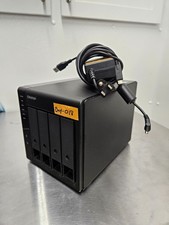


QNAP TR-004 4 Bay USB-C Hardware RAID Enclosure DAS 3.5 2.5 SATA Tested Working picture

QNAP TR-004 4 Bay USB-C Hardware RAID Enclosure DAS 3.5 2.5 SATA Tested Working

$149.99
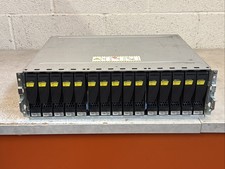


Dell EMC 15-Bay 3.5

Dell EMC 15-Bay 3.5" SAS Disk Array Enclosure 12Gbps Dual LCC - 2x Power Supply

$249.00
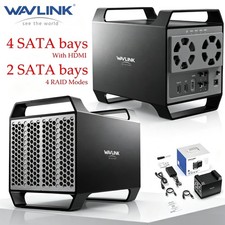


WAVLINK RAID 2 Bay Hard Drive Docking Station SATA 2.5''3.5'' SSD HDD USB C 4Bay picture

WAVLINK RAID 2 Bay Hard Drive Docking Station SATA 2.5''3.5'' SSD HDD USB C 4Bay

$107.99



2-Bay/4-Bay Hard Drive Enclosure for 3.5

2-Bay/4-Bay Hard Drive Enclosure for 3.5"/2.5'' SATA HDD/SSD 10Gbps USB-C 3.2

$119.99



Broadcom LSI 9305-16i 12Gbps SAS-3 PCIe x8 HBA 16-Ports Raid Controller picture

Broadcom LSI 9305-16i 12Gbps SAS-3 PCIe x8 HBA 16-Ports Raid Controller

$64.99
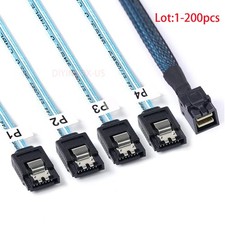


Lot Mini SAS SFF-8643 To 4 SATA 7pin Hard Disk 6Gbps Data Server Raid Cable 1M picture

Lot Mini SAS SFF-8643 To 4 SATA 7pin Hard Disk 6Gbps Data Server Raid Cable 1M

$1150.00



Vintage Promise EIDEMAX Enhanced IDE Disk Controller ISA Non-RAID Card Boxed picture

Vintage Promise EIDEMAX Enhanced IDE Disk Controller ISA Non-RAID Card Boxed

$34.99



Intel VROC Premium RAID Controller Card PCIe Add-On Module VROCPREMMOD picture

Intel VROC Premium RAID Controller Card PCIe Add-On Module VROCPREMMOD

$265.00
