-
Ctrl-Alt-F1 causes screen to go blank
I have a new Compaq Evo D510U desktop computer.
Knoppix single boot CD works great with video and
network, etc. However, when I try to switch to
another root console with Ctl-Alt-F1 The screen
goes black. Therefore I cannot run hdinstall.
Does anyone know how to solve this? Has anyone
installed Debian on this machine at all?
Thank you,
Marc
-
Hdd Install, Ctrl-Alt-F1 blank screen
I don't know why this is never mentioned earlier but I had this problem a few months ago.
Press Ctrl-Alt-F2 and *not* Ctrl-Alt-F1 and everything goes fine 
-
Hdd Install, Ctrl-Alt-F1 blank screen
Thank you for the reply. Ctl-Alt-F2 did not work either. I did a clean boot with the knoppix cd. Then once KDE was finished starting I hit C-A-F2 w/o first hitting C-A-F1. It still didn't work.
Please advise again. If you can send copy of your response to me at [email protected] it would be appriciated.
Thank you,
Marc
-
another option is to boot in text mode (I don't know the boot cheat code now) and start knx-hdinstall.
-
if you do sudo /usr/local/bin/knx-hd install it will work from GUI. I did it from gui. Pretty sweet
-
Senior Member
registered user
On your Compaq are you seeing the boot startup, the "tux" in the upper left and the hardware detection, etc?
If you are not seeing that your video card won't support the vga mode used by default in the knoppix lilo boot process, so try starting with:
knoppix vga=normal (plus any other boot-option codes you need)
and see if that works. I've had to do that on about 50% of the computers I've tried knoppix on to have a usable console.
HTH
rock
-
can you post exact modification that you did to lilo.conf ?
-
ok doing vga=normal fixed the problem only partially. I can get a console but it still takes a crap while trying to come back to the original console and upon logout it doesn't come back to a graphical login just black screen
Similar Threads
-
By JoeNEEDSHELP in forum General Support
Replies: 1
Last Post: 04-19-2004, 03:42 AM
-
By Fish in forum Hardware & Booting
Replies: 1
Last Post: 03-18-2004, 10:37 PM
-
By slime101 in forum Laptops
Replies: 4
Last Post: 12-26-2003, 01:33 AM
-
By gavin in forum General Support
Replies: 1
Last Post: 10-08-2003, 02:06 PM
-
By delautier in forum Hdd Install / Debian / Apt
Replies: 1
Last Post: 07-01-2003, 12:14 PM
 Posting Permissions
- You may not post new threads
- You may not post replies
- You may not post attachments
- You may not edit your posts
-
Forum Rules


Vintage Apple II Avant-Garde Creations Super Shape Draw And Animate 1981
$295.00

Vintage Apple Monitor IIc 9" Green Monochrome 06/1985 A2M4090 October 1984 Stand
$275.00

Rare Vintage Macintosh Apple Wooden Disk Storage Box Dovetailed
$69.95

LARGE LOT Vintage Apple Macintosh Mouse Cables Accessories SCSI etc - UNTESTED
$80.00

Retro Vintage Apple M0110A Compact Wired Mechanical keyboard for Macintosh Plus
$64.95

Vintage Apple Macintosh 128K 512K Carrying Case Rainbow Logo Excellent Cond
$140.00
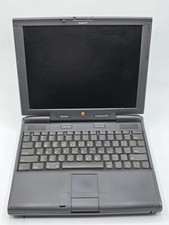
Apple PowerBook 3400c TFT LCD RARE Vintage Laptop untested
$139.99
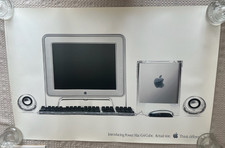
Vintage Apple Power Mac G4 Cube Poster (2000) 36 x 24 - Think Different
$29.99
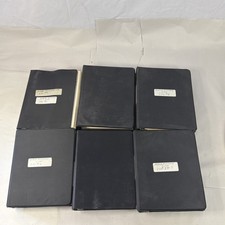
Vintage Apple Assembly Line Newsletter Vol: 1,2,3,4,5,6,7 From 1984
$179.99

Vintage Apple Multiple Scan 15av Display Monitor M4681
$299.99



 Reply With Quote