-
Junior Member
registered user
HD *RE-install
Has anyone tried re-installing a new version of knoppix over an older one and been able to keep the configuration the same? I want to install k3b, and my luck trying to get it installed has been fruitless. I hear that it works with the new knoppix version. I cant seem to get it in there though. i am not able to install k3b because of the kdelibs4 /libarts1 dependancies... and apt-get wont install those either because of a bunch of other dependencies. I followed a few other resources for installing KDE3.. which has kdelibs4 in it.. and after all the purging of kde and attempt to re-install kde from other sources, i still came up short.
any help on this would be greatly appreciated.
-Matt
 Posting Permissions
- You may not post new threads
- You may not post replies
- You may not post attachments
- You may not edit your posts
-
Forum Rules

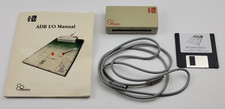
Vintage Motion Control AB Beehive Technologies ADB I/O Interface Apple Macintosh
$239.99

Vintage HP Hewlett Packard 2112A 21MX 1000 M-Series 16-Bit Minicomputer
$419.99

Vintage Jetway J-620BF Socket 370 Celeron AT Motherboard SiS 620 Brand New
$75.00

Vintage 1986 Goldenrod Research Corp CP/M Desktop Computer Syste w/Keyboard
$350.00
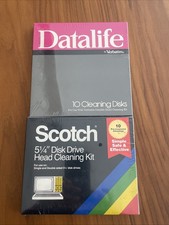
Vintage 5.25" Floppy Disk Drive Cleaning Kit Lot (1 Scotch 3M + 1 Verbatim) NOS
$49.00
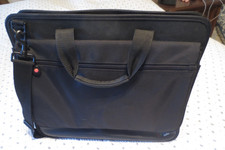
VINTAGE 16" BLACK NYLON IBM THINKPAD NOTEBOOK LAPTOP MESSENGER CARRYING CASE BAG
$32.95
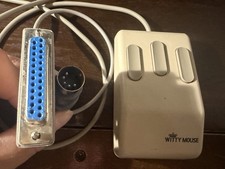
Vintage Witty Mouse 3 Button Mechanical Ball Mouse DB25 Serial PC Tested Working
$35.00
![Apple Macintosh Boot Disk System [1.0 - 8.0] 400/800k/1.4 Floppy for Vintage Mac picture](/store/img/g/EhEAAOSwg7ZnexmU/s-l225/Apple-Macintosh-Boot-Disk-System-1-0-8-0-400-800k-.jpg)
Apple Macintosh Boot Disk System [1.0 - 8.0] 400/800k/1.4 Floppy for Vintage Mac
$14.75

Vintage ECS Micro-ATX Desktop Case | Beige/Dark Grey | *READ*
$80.00

Vintage Toshiba Satellite 4090XDVD Intel Celeron 400Mhz Retro - Powers up Cards
$57.59



 Reply With Quote