

 Reply With Quote
as root type
scanpci -v -v
look for the one with the wireless card and post it up....


i have a built in wireess card in my toshiba staellite 2450 can i get some thing to recognize it??
as root type
scanpci -v -v
look for the one with the wireless card and post it up....
i am having trouble discerning which card is my wreless card and what do you mean post it up, bear with me i have only used knoppix for a matter of days at this point so i am still hadcore n00b
i have discovered which card is my wireless how do i set it up??
Ok, gowator is just trying to see the specs of your card so you need to post that information into your reply to this forum thread.Originally Posted by Philly_Blunt
Actually I think it might be helpful to see the output of the following command
When I do that, I get the info on eth0 and eth1 . Here is the info on eth1 (my wireless card)Code:dmesg |grep eth
That tells me all I need to know about my wireless card.Code:eth1: Station identity 001f:0001:0007:001c eth1: Looks like a Lucent/Agere firmware version 7.28 eth1: Ad-hoc demo mode supported eth1: IEEE standard IBSS ad-hoc mode supported eth1: WEP supported, 104-bit key eth1: MAC address 00:02:2D:64:05:B8 eth1: Station name "HERMES I" eth1: ready eth1: index 0x01: Vcc 5.0, irq 10, io 0x0100-0x013f
You can simply hilight this information in Konsole and go up to the top and choose Edit/Copy and then paste it into your reply.
Or you can have it exported directly to a text file in your home directory like this:Then cut and paste that information into your reply.Code:dmesg |grep eth |cat > eth.txt
BTW, have you tried running wlcardconfig? This is the setup utility for wireless cards. If you haven't tried it yet, plug in your card and give it a try. Post back results.
Adam
the scanpci worked beautifully yesterday but today i getwhat does that mean??Fatal Error:
xf86EnableIOPorts: Failed to set IOPL fo
nm i wasnt in the root (hits self) i still cant tell which is my wireless card i have narrowed it down to two
possibility 1:
possibility 2:pci bus 0x0002 cardnum 0x0a function 0x00: vendor 0x104c device 0xac50
Texas Instruments PCI1410 PC card Cardbus Controller
STATUS 0x0210 COMMAND 0x0007
CLASS 0x06 0x07 0x00 REVISION 0x01
BIST 0x00 HEADER 0x02 LATENCY 0xa8 CACHE 0x04
BASE0 0x20002000 addr 0x20002000 MEM
BASE1 0x020000a0 addr 0x020000a0 MEM
BASE2 0xb0030302 addr 0xb0030300 MEM
BASE3 0x20400000 addr 0x20400000 MEM
BASE4 0x207ff000 addr 0x207ff000 MEM
BASE5 0x20800000 addr 0x20800000 MEM
BASEROM 0x000040fc addr 0x00000000 not-decode-enabled
MAX_LAT 0x05 MIN_GNT 0x40 INT_PIN 0x01 INT_LINE 0xff
BYTE_0 0xa3 BYTE_1 0x12 BYTE_2 0x01 BYTE_3 0x
i believe that that is the one how do i make it work now, btw wlconfig doesnotworkpci bus 0x0002 cardnum 0x07 function 0x00: vendor 0x104c device 0x8023
Texas Instruments TSB43AB22/A IEEE-1394a-2000 Controller (PHY/Link)
CardVendor 0x1179 card 0x0001 (Toshiba America Info Systems, Card unknown)
STATUS 0x0210 COMMAND 0x0000
CLASS 0x0c 0x00 0x10 REVISION 0x00
BIST 0x00 HEADER 0x00 LATENCY 0x40 CACHE 0x08
BASE0 0x20001000 addr 0x20001000 MEM
BASE1 0x20004000 addr 0x20004000 MEM
MAX_LAT 0x04 MIN_GNT 0x02 INT_PIN 0x01 INT_LINE 0
 Posting Permissions


Kingston 32GB 64GB 128GB 256GB USB 3.0 Flash Drive Thumb Memory Stick Pen lot
$285.90
Micron 32GB 2Rx4 PC4-2666V MTA36ASF4G72PZ-2G6E1QG ECC REG Server Memory RAM
$240.00

2 in 1 USB 3.0 Card Reader Micro TF card Reader usb adapter High Speed Cardreder
$3.99
Samsung 32GB (2 x 16GB) PC4-2666V DDR4 ECC Server Memory M393A2K43BB1-CTD7Q
$169.95
Samsung 32GB DDR4 RDIMM ECC Registered PC4-2666V M393A4K40CB2-CTD7Y
$175.00
Major Brand 8 GB PC3L-12800 (DDR3-1600) 2Rx8 DDR3L Laptop Memory RAM
$10.99

SK Hynix 64B PC4-2933Y Server Memory DDR4 RAM HMAA8GR7MJR4N-WM
$499.99
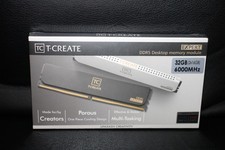
Team Group T-Create Expert RAM 32gb (2 x 16gb) 6000 Mhz DDR5 Desktop Memory Modu
$399.95

x4 Intel 128GB NMB1XXD128GPS Optane Memory 200 Series PMEM Module 3200 DDR4 RAM
$329.99
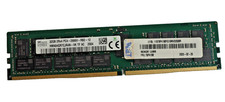
SK Hynix 32GB 2Rx4 PC4–2666V HMA84GR7CJR4N–VK ECC REG Server Memory RAM
$240.00