

 Reply With Quote
Go there: http://support.microsoft.com/!


Hi,
My winxp pc stops irregulaly and I suspect it's caused by my NVIDIA GeForce4 440 with AGP8X card. Once in a while, the pc stops doing anything, then the screen blackens for a second, and here it's alive again. Is my diagnosis sound? What can I do to solve this problem?
Ran
Go there: http://support.microsoft.com/!
Hi EmDee,
Do you have anything specific in mind?
Ran
no, dude, but this is a Linux forum as other people have told you before!Originally Posted by chermesh
Cross-posting won't help either; there's just no support for you here!
I suggest you come back once youre running Linux, and in the meantime get lost!
That's a little rude don't you think. To the OP to track down the problem get a Knoppix CD boot with it and run for a couple of hours play some video files if everything goes well then XP is the problem. If problems then you start by putting another card in the box and see if the problems persists if it does then there is something wrong with the MB/BIOS setup so you start playing around with the settings in the BIOS and see if that makes any change if possible put the suspect card in another computer see if you get the same symptoms. You may want to run a ram test on the machine, flaky ram is can be the cause of many problems you think are related to different hardware if possible put a couple of different sticks in there. These are the sorts of things to do to track the problem down.
Yup, that is rude but I don't see Knoppix being mentioned here at all, though I'm not really sure what "winXP PC" means.. Could either be any-generic-PC-capable-of-running-WinXP-with-Knoppix-loaded-from-LiveCD or just some PC running XP. But for now I'll assume it's the latter which makes asking for help in a Linux-only forum highly inappropriate especially when one has previously been told to go ask some other place! See: http://www.knoppix.net/forum/viewtopic.php?t=7503 Then copy'n'posting the exact same question to another section of the forum just makes this seem very impudent. This could all be a misunderstanding, so Mr. chermesh, feel free to correct yourself, but...
Now for the problem itself, faulty memory was the first thing I thought of, too! But without spare dimms thats extremely hard to track down, there are memory testing apps a la memtest86 but those don't put as much load on the system as a real fully loaded OS would and most ram only goes bad above a certain temperature. But lets not forget about the ram on the graphics card itself; I have yet to find a memory testing app for these but if a graphics card behaves correctly when using a generic vesa driver instead of an accellerated driver you can be sure its the memory! Also, overclocked/undercooled systems are a common source of problems, believe me, I have seen lots of strange stuff happening with theseMan, it's really hard to tell...
That is still no excuse for rudeness a polite pointer to the etiquette of the forum was all that was required I see far too much of that when surfing the web and there is no need of it. I usually try but not always succeed to follow the old adage "If you do not have anything nice to say, say nothing at all" but that's just me.
To EmDee,
Just to clarify my posting and reposting. I looked for a hardware related forum and thought the current could serve my needs. When I read your first linux related comment, I thought that the current site, offers an alternative, pc related forum. That's why I let myself copy and paste my original question. I made a mistake and thought that I'm posting my repost in another forum.I'll assume it's the latter which makes asking for help in a Linux-only forum highly inappropriate especially when one has previously been told to go ask some other place! See: http://www.knoppix.net/forum/viewtopic.php?t=7503 Then copy'n'posting the exact same question to another section of the forum just makes this seem very impudent. This could all be a misunderstanding, so Mr. chermesh, feel free to correct yourself, but...
So sorry for my misunderstandings and thank you Stephen for your hospitality.
Ran
 Posting Permissions


Dell 6P85J 4TB ST4000NM0063 7.2k 6Gb/s 3.5� SAS SED Hard Drive with Tray
$39.99

Western Digital HUS726T4TAL5204 4TB 7.2K SAS 12Gb/s 3.5" 512e HDD NetApp X375A
$64.00

(ST8000NM0045) SEAGATE ENTERPRISE 8TB 7200RPM 4Kn SATA 6Gb/s 3.5" HARD DRIVE
$199.99

DELL 2TB Enterprise HDD (7200RPM, 3.5", SATA III, 128MB Cache) HUS722T2TALA600
$49.95

Seagate ST500DM009 BarraCuda 500 GB 3.5" SATA III Desktop Hard Drive
$14.99
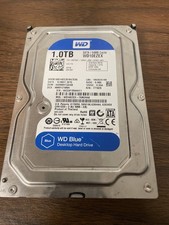
Western Digital WD Blue 1TB SATA 3.5in 7200RPM 64MB Internal HDD WD10EZEX
$14.99

HGST HUS724040ALA640 HDD 4TB SATA 6Gb/s 7.5K 3.5" 0F19459 512 b/s
$78.00

Dell ST6000NM0034 1HT27Z-150 NWCCG 6TB SAS 3.5 7.2K ENTERPRISE SERVER DRIVE
$68.99

Seagate ST12000NM0127 12TB 256MB 7200RPM 3.5" SATA 6.0Gb/s Enterprise Hard Drive
$318.99
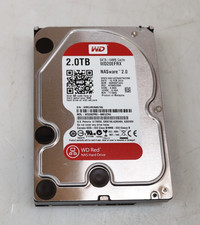
Western Digital 2TB WD20EFRX-68EUZN0 3.5" SATA Red NAS Hard Disk Drive
$69.99