-
Newbie IP Question
I'm trying to get online with my cable modem using Knoppix but I can't quite figure out what IP settings go where when I try to config my stuff.
When I do an ipconfig -all in the command prompt of Win2000Pro, I get the following items.
Connection-specific DNS Suffix
Physical Address
DHCP Enabled
Autoconfiguration Enabled
IP Address
Subnet Mask
Default Gateway
DHCP Server
DNS Servers (3 of these)
Knoppix appears to want (Some of these might not be exact as I jotted down a shortened version of it):
IP for eth0
Network Mask
Broadcast Address
Default Gate
Name Sever
What numbers should I use where, or am I missing a number I need? I'm not using any type of hardware besides ethernet cables to connect my computer to my modem. I believe my IP is static as well.
(I DID take a look through the documentation for anything concerning this, but I didn't notice anything. Of course, I could just be stupid and blind, which is always a bad combination.  [And sorry if I messed up on classic 'nettiquette' for this board])
-
Senior Member
registered user
Re: Newbie IP Question

Originally Posted by
Blackavar
I'm trying to get online with my cable modem using Knoppix but I can't quite figure out what IP settings go where when I try to config my stuff.
When I do an ipconfig -all in the command prompt of Win2000Pro, I get the following items.
Connection-specific DNS Suffix
Physical Address
DHCP Enabled
Autoconfiguration Enabled
IP Address
Subnet Mask
Default Gateway
DHCP Server
DNS Servers (3 of these)
Knoppix appears to want (Some of these might not be exact as I jotted down a shortened version of it):
IP for eth0
Network Mask
Broadcast Address
Default Gate
Name Sever
What numbers should I use where, or am I missing a number I need? I'm not using any type of hardware besides ethernet cables to connect my computer to my modem. I believe my IP is static as well.
(I DID take a look through the documentation for anything concerning this, but I didn't notice anything. Of course, I could just be stupid and blind, which is always a bad combination.
[And sorry if I messed up on classic 'nettiquette' for this board])
Code:
Knoppix                        Windows

Ip for eth0                    IP Address
Netmask                        Subnet Mask
Broadcast                      Use IP Address with .255 on the end
Nameserver		               DNS  Servers (only one required)
Default Gateway                Default Gateway
By "Use IP Address with .255 on the end" I mean if IP Address=192.168.0.1 then Broadcast=192.168.0.255.
-
Hi, Blackavar
I don´t know if you have DHCP by default, if don´t, just type "pump" as root and you will get an IP, netmask and broadcast from your DHCP server, and, if you have a DNS server, you will get it too.
-
Senior Member
registered user
Normally your cablemodem should provide an ip adress to you.
In most cases the cablemodem is only a small router/gateway,in which a dhcp server is present which is programmed in this way to handover only 1 ip adress.
When using a cable modem the thing to watch out for when using 2 pc's ,and switching one pc to the other. Is that certain providers program their cablemodem in that way that the leasetime of the handed over ip adress could 1/2 hour and more.
This means that before trying the internet with another pc directly on the same cablemodem ,you first have to do a 'release' of your first pc.
In windoze you type in a command window : 'ipconfig /release' .
If you don't do that,you'll have to wait for 1/2 hour (or more) until you receive your ip adress from your cablemodem.(you'll notice then in knoppix when starting autoconfig for networkcard ,won't receive any ip).
hope this'll help .. Greeetzzz...
-
Originally Posted by
ktheking
This means that before trying the internet with another pc directly on the same cablemodem ,you first have to do a 'release' of your first pc. In windoze you type in a command window : 'ipconfig /release' .
Question for ktheking:
Is this command necessary if the cable modem is hooked up to a Linksys router (wired)?
Does the 'ipconfig /release' command do anything to Windows (i.e. make it unable to surf the net)?
Edit:
I cannot get onto the net and when I tried to automatically configure the DHCP, it comes back with an error.
Also, could it be that it does not recognize my onboard ethernet: MCP integrated NVIDIA MAC + Realtek 8201BL PHY?
-
Junior Member
registered user
I also cannot get onto the net and when I tried to automatically configure the DHCP, it comes back with an error
If you do a ifconfig in the console and see eth0, then your nic is detected. It probably does not have an IP address assigned by your Modem/Router. I've run into that problem with older Knoppix versions, which didn't like Linksys DHCP for some reason. To fix manually, type netcardconfig and enter the IP settings by hand. You'll need to know your DNS IP addresses though.
-
Senior Member
registered user
Is this command necessary if the cable modem is hooked up to a Linksys router (wired)?
No.In this case the MAC adress from your router is the one known to your cable provider.(unless you enabled mac forwarding)
Does the 'ipconfig /release' command do anything to Windows (i.e. make it unable to surf the net)?
Yes. It does what it says => release the ip. meaning it sets itself back to default (169.254....)
Also, could it be that it does not recognize my onboard ethernet: MCP integrated NVIDIA MAC + Realtek 8201BL PHY?
Indeed ,if you got the nforce nvidia chipset with onboard LAN ,this LAN isn't recognized by knoppix at boot.
Use the customized knopppix 'overclockix' which has the right nvidia drivers integrated,to enable your nvidia lan.
Greeztzzz
-
Thank! I'm up and running on the internet using Overclockix -- that solved my internet connection problem!
Similar Threads
-
By FLSAFARI in forum General Support
Replies: 2
Last Post: 03-10-2005, 10:29 PM
-
By Fred666 in forum Hardware & Booting
Replies: 8
Last Post: 08-26-2004, 03:43 AM
-
By mover50 in forum General Support
Replies: 1
Last Post: 06-28-2004, 01:56 AM
-
By Drago in forum General Support
Replies: 2
Last Post: 10-21-2003, 10:10 PM
-
By linuxfool in forum General Support
Replies: 3
Last Post: 03-21-2003, 03:54 AM
 Posting Permissions
- You may not post new threads
- You may not post replies
- You may not post attachments
- You may not edit your posts
-
Forum Rules


USB 3.0 Flash Drive 32GB 64GB 128GB Memory Stick Thumb Stick Lot Pack
$826.09

TF/SD Card Adapter Camera Reader Android Type-c For iPhone17 Pro Max Plusm lot
$573.98

USB 3.0 Micro SD SDHC TF Card Reader Memory Adapter for PC Laptop Camera lot
$3.49

RAMAXEL Lenovo 32GB LPDDR5X CAMM2 7500MHz Laptop RAM | UNTESTED
$445.00

Kingston 32GB 64GB 128GB 256GB USB 3.0 Flash Drive Thumb Memory Stick Pen lot
$285.90

USB 3.0 Micro SD SDHC TF Card Reader Memory Adapter for PC Laptop Camera lot
$3.75

Intel Optane NMA1XXD128GPS DDR4 2666 4Rx4 ECC 128GB Server Ram
$80.00
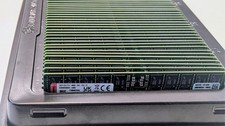
1600GB 25x64GB lot tray PC5-4800 RDIMM DDR5 ECC RAM KSM48R40BD4-64MD kingston
$70000.00

128GB (8x16GB) DDR4 PC4-2133P-R ECC Server Memory RAM Upgrade HPE Z640
$516.26

SMART(Micron)SafeStor 32GB(1X32GB) 1RX4 NN4-3200AA(DDR4) HPE Server Memory
$159.98



 Reply With Quote