-
Booting Knoppix HD install on USB hd with no floppy?
I know a lot of people have asked about this topic. But no one seems to have an answer. I am trying to get a knoppix hd install to boot from a USB external HD. I'm using a laptop that supports booting from USB but has no floppy. Everything installs fine. I then try to boot up and LILO runs from the MBR of the external drive. It starts the kernel but cannot finish booting because it can't find a file system. The kernel then panics saying it can't find init. I've had the same problem trying to install Mandrake. I'm fairly new to linux. Is there any way I can get it to start? Others have suggested RUNT or Flonnix, but I have no floppy to boot from. Any suggestions?
-
Senior Member
registered user
Oops
I think I double posted since this is essentially the same error I get
http://www.knoppix.net/forum/viewtopic.php?t=7545
However, just to clarify, the problem (for me) was installing onto an IDE disk not a USB with the USB disks plugged in.
One is a flash memory and the other an archos MM drive.
I have seen similar problems with fdisk before when it can't read a partition table (infact I trashed a drive doing it in MDK once)
-
I had similar problems trying to boot off a HD greater than /dev/hdh.
Knoppix does not come with any /dev/ files beyond hdh.
1. Boot knoppix off CD and mount the USB HD with the knoppix installation on it.
2. Check to see of /dev/hdX exists - where X represents the USB hard drive.
3. If not you must create the hdX dev file using the MAKEDEV script in the dev dir.
4. You must insure that lilo.conf on the hard drive installed system has your usb drive dev file configured correctly. If not config it and then chroot to your installed system and run lilo to commit changes.
5. You must insure that /etc/fstab on your hard drive installed knoppix has your usb drive dev file specified correctly.
-
I'm not having any problem installing to the usb hard drive. It's just trying to get it to boot. Everything installs fine to /dev/sda1. LILO runs fine and starts the kernel properly. It's just when I try to boot the kernel doesn't seem to be able to see the usb drive it's running off of.
-
You are having a simple problem.... all the drivers the kernel needs to access a USB Storage device are not compiled into the kernel. Whatever drivers are needed (including the USB Storage driver) are configurged in the Knoppix kernel to be modules. SOooooo, you have a situation in which the bootloader gets the kernel loaded in (using its code and the BIOS) and then the kernel attempts to access the device, but does not have the code in memory to access the drive (and the modules it needs are sitting on that drive).
I can't give you all the details, but you have one of 2 choices:
1) reconfig and recompile the kernel with the config on all drivers necessary for USB Storage devices set to "Y" (not "M").
2) setup a boot floppy (maybe not possible on your system???) that loads a kernel and an initrd image containing the necessary drivers which then attaches the USB drive and mounts the partitions and moves the system root there... (given your lack of floppy drive, this could theoretically also be done on an extremely small partition of your main hardrive that is then used to boot into the USB drive...)
Hope that helps...
-
Senior Member
registered user

Originally Posted by
visage
I'm not having any problem installing to the usb hard drive. It's just trying to get it to boot. Everything installs fine to /dev/sda1. LILO runs fine and starts the kernel properly. It's just when I try to boot the kernel doesn't seem to be able to see the usb drive it's running off of.
If you are running knoppix-installer from a root shell then check the shell output.
Error messages go here, not a dialog box.
The USB module chicken and egg is true but why do I get the same problem installing onto an IDE drive with the USB drive plugged in???
Ill delete my seperate thread.
Similar Threads
-
By Robinhood in forum Hardware & Booting
Replies: 3
Last Post: 03-30-2005, 12:05 AM
-
By victorhooi in forum Hardware & Booting
Replies: 2
Last Post: 02-13-2005, 07:40 AM
-
By Loque in forum Hdd Install / Debian / Apt
Replies: 1
Last Post: 07-04-2003, 06:45 PM
-
By MikeyMustang in forum General Support
Replies: 5
Last Post: 05-03-2003, 03:47 PM
-
By hickorynut in forum Hdd Install / Debian / Apt
Replies: 4
Last Post: 01-27-2003, 05:37 AM
 Posting Permissions
- You may not post new threads
- You may not post replies
- You may not post attachments
- You may not edit your posts
-
Forum Rules

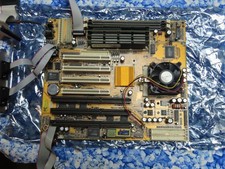
Vintage PC Chips M571 Socket 7 Motherboard V3.2A K6500 CPU 384MB EDO DRAM cables
$74.99

🔥 RARE VINTAGE HP 2112A 21MX M-SERIES 16-BIT MINICOMPUTER HP
$299.99

Lot of 2 Vintage Plextor PX-43CS SCSI CD-ROM Caddy Drives + 4 Caddies Used
$55.99

🔥 RARE VINTAGE HP 2113A 21MX 1000 E-SERIES MINICOMPUTER CHASSIS BACKPLANE
$249.00
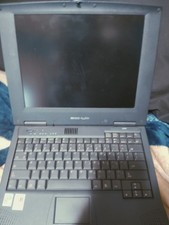
Vintage Laptop HP Hewlett Packard Pavilion N3110 Celeron 433 MHz *Please Read*
$50.99
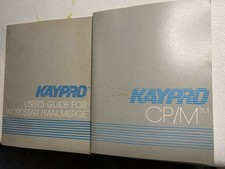
Vintage Kaypro WordStar MailMerge User Guide + CP/M Manuals Pair No Disks
$24.99

Original Vintage Old Style STANDARD Black CD Jewel Case (Heavy Duty) 90g Lot
$316.95
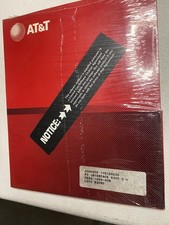
Vintage AT&T PC 6300 PC Interface Sealed Communications Series Factory Sealed
$24.99

Vintage Jetway J-620BF Socket 370 Celeron AT Motherboard SiS 620 Brand New
$75.00

Vintage Microsoft Visual Studio.NET Professional Software suite Version 2002 New
$82.00



 Reply With Quote