-
installed on to HD but can't boot
ive succesfully installed knoppix multiple times but when i try to boot it without the cd, lilo doesnt even run and it goes straight into windows. so i tried using a boot disk when its wirting it it gives me error messages and when i try to boot from it after installation it gives me this error message " boot failed/invalid replace disk and then press return". what in the world do i do?!!! please help me
-
Hi
I've had similar problems.
I had a Promise TX2 IDE card connected.
It mucks up Knoppix so bad, Lilo can't even wirte to the HD.
You probably also have some hardware device connected
which is not supported by Knoppix (or any Linux) and
goofs up everything uncontrollably and mysteriously.
Try disconnecting any PCI cards and try installing again.
Mark
-
You might try booting with the windows bootloader.
- Choose NO when asked to put lilo in mbr so it goes into your linux partition instead.
- copy your bootsector to a file: $dd if=/dev/hdXX of=/bootsect.lnx bs=512 count=1
(change XX to whatever your linux partition is.)
- copy the bootsect.lnx to a floppy and transfer it to C:\
- add the following line as last line to C:\boot.ini: C:\bootsect.lnx="Knoppix"
Downside is that you have to remember to do it every time you run lilo after changing it.
-

Originally Posted by
Markus
- copy your bootsector to a file: $dd if=/dev/hdXX of=/bootsect.lnx bs=512 count=1
i cant access my hardrive in order to do that. whenever i type that in a root console is says "bash /dev/hdb1(my linux partition) access denied" what is going on here?
-
Are you doing this when booted from the CD?
It won't write to the root of the CD, you have to write the output somewhere else.
Right-click the hdb1-icon on the desktop and change to read-write mode, then do:
$dd if=/dev/hdb1 of=/dev/hdb1/bootsect.lnx bs=512 count=1
You should now have a file named bootsect.lnx in your linux partition.
Now you can format a floppy with: $ mkfs.msdos /dev/fd0
Mount it with: $ mount /dev/fd0
copy over the file: $ cp /dev/hdb1/bootsect.lnx /floppy
-
nope same thing happens "bash: /dev/hdb1 permission denied" now what?!
-
Senior Member
registered user
I'd try another floppy.
Do a full format in KFloppy -- format it to DOS
and try again.
It would be helpful to know that those errors were.......
-
You didn't say if you're doing this from the live-CD.
If so, you could try:
sudo mount -t ext3 /dev/hdb1 /mnt/hdb1 (assuming it is ext3 you've chosen)
sudo chroot /mnt/hdb1
sudo dd if=/dev/hdb1 of=/dev/hdb1/bootsect.lnx bs=512 count=1
Although, you might as well try what fingers99 suggested.
-
-
How about posting your lilo.conf so we can see where it's at.
You'll find it at /mnt/hdb1/etc/lilo.conf
Did you manage to copy over the files ok when installing?
That is, does it at least write to hdb1?
Try mounting your hdb1 with:
$ mount /dev/hdb1 /mnt/hdb1
and then checking what you have mounted with:
$ mount
Hopefully you get a (rw) at the end of the line containing hdb1.
You can also try booting the CD with:
$knoppix nodma (+ other cheatcodes you usually use)
As for copying to floppy:
$ mount /mnt/floppy
$ cp /dev/hdb1/bootsect.lnx /floppy
$ umount /mnt/floppy
Just a thought, do you have some sort of virus protection on in your BIOS
preventing writing to the master boot record. Might be worth a check.
Similar Threads
-
By gamezealot in forum Hdd Install / Debian / Apt
Replies: 12
Last Post: 01-21-2005, 09:43 PM
-
By rniles in forum Hdd Install / Debian / Apt
Replies: 1
Last Post: 12-19-2004, 09:05 PM
-
By helios17 in forum General Support
Replies: 7
Last Post: 11-27-2004, 06:27 AM
-
By Rib in forum Hdd Install / Debian / Apt
Replies: 0
Last Post: 08-07-2004, 12:43 PM
-
By 5y573m f41lur3 in forum Hdd Install / Debian / Apt
Replies: 6
Last Post: 05-20-2004, 12:04 AM
 Posting Permissions
- You may not post new threads
- You may not post replies
- You may not post attachments
- You may not edit your posts
-
Forum Rules


Netac DDR4 32GB 16GB DDR4 3200MHz UDIMM C16 Desktop Internal Memory RAM Kit
$99.99

Major Brand 16GB (2x8GB) PC3-12800U DDR3-1600MHz DDR3-12800 DESKTOP RAM NON-ECC
$29.99

A-Tech 8GB DDR3 1600 PC3-12800 Laptop SODIMM 204-Pin Memory RAM PC3L DDR3L 1x 8G
$21.68
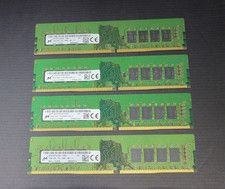
64GB (4x16GB) Micron PC4-2666V MTA16ATF2G64AZ 16GB UDIMM DDR4 Desktop Memory
$239.99
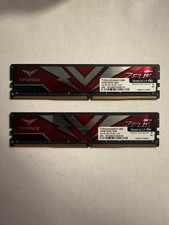
TEAMGROUP T-Force Zeus 64GB (2x32GB) DDR4 2666MHz PC4-21300 Desktop RAM Kit
$199.99
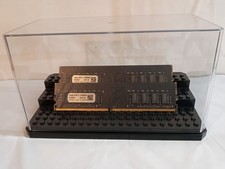
32GB KIT (2x16GB) DDR4 2666MHz PC4-21300 - 288 pin DESKTOP Non ECC - Black/Gold
$121.00
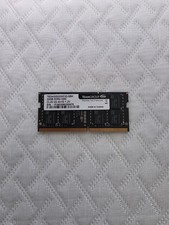
TEAMGROUP 32GB PC4-3200 SODIMM DDR4 TED432G3200C22-SBK
$150.00

Samsung 16GB LPCAMM2 PC5 7500 DDR5 LPDDR5X CAMM2 M561K1LC4DM0-CCTGM RAM Memory
$189.00

Micron 32GB 1x32GB DDR5 5600 CL46 ECC Unbuffered SO-DIMM MTC20C2085S1TC56BD1
$399.00

RAMAXEL Lenovo 32GB LPDDR5X CAMM2 7500MHz Laptop RAM | UNTESTED
$445.00



 Reply With Quote

