

 Reply With Quote
The knoppix.iso is a ready-to-burn image. Do not extract anything just burn it.


No matter what I do, I'm unable to boot from the CD directly or the floppy.
When I try to boot from the cd, it just skips right over it and goes to IDE. Plug & Play OS is off in bios.
When I try it with a boot floppy, it takes me to a blue screen with a boot: "prompt" comming up..
I type in knoppix and hit enter or any of the commands in help, and it loads from the floppy, then it says invalid disk, please insert another.
Also, on the burned CD, do you have the entire extracted iso onto the cd or just the knoppix folder?
The knoppix.iso is a ready-to-burn image. Do not extract anything just burn it.
Ozzay,
ISO files are a IMAGE file, used in burning multiple copies of a specific media, either floppy, and in this case, CD-ROM's.
If you are familiar with duplicating disks, you have an option of saving the "image" to a hard drive, so it can be used to make more than one "copy" of the source.
As in floppies, and in the Windoze world, you can select to save the SOURCE to hard disk, and re-use the "image" to write more TARGET disks. You can do the same thing with CD-ROM's. The people who distribute the Knoppix CD-ROM have "saved" this "image" of the SOURCE as a ISO file. The ISO file is a SOURCE IMAGE of what needs to be written to the target media. Your burning software has an option to burn a CD-ROM from a IMAGE FILE, this takes out the need for you to have the SOURCE in a complete installed form, directories and files, permissions, etc... -=- and still create a target CD-ROM, with the original stuff intact.
If you have the ISO file, you need to locate in your burning software program the option to burn a CD-ROM from a IMAGE FILE. Your burning software should then take the ISO IMAGE FILE and create an exact image of what the SOURCE looked like when the ISO file was created. You need to use the ISO IMAGE File because, in the case of burning this CD-ROM in windows, Windows does not have a clue how to use the file system, or files, or permissions, that Linux OS uses. With the use of the ISO IMAGE File, it doesn't have to understand it, it just reads it as a "image" and writes it to the CD-ROM, verbatum, and without any translations.
So, if you are trying to "extract" the ISO file to anything, it won't work, you need to use that ISO file as a image for your burning software, and the nice thing about using the ISO file over some form of ZIP technology, is that it can be used with any burning software, and with any OS, because the OS doesn't need to read and decypher the ISO file.
Hope this helps you out, Ozzay,
Cuddles
I know what an ISO is, It is just the image burning part in the burning software I normally use doesn't work..
I downloaded another burning app and got it to work.
Thanks for the help.
Linux is running great for the most part, a lot faster than win2k.
The only problem I'm having now is that I can't get wine to work. It won't let me configure it under root, and the permissions don't seem to work right for the other accounts.
 Posting Permissions


Dell T7910 Workstation Tower Homelab AI Server PC - Xeon CPU - NO HDD/RAM/GPU
$279.99

Intel Xeon Phi 5110P 60-Core 1.053GHz Coprocessor
$50.00

Intel Xeon E5-2680 V2 2.8GHz 10-Core 25MB 8GT/s SR1A6 LGA2011 B Grade Server CPU
$7.95

Dell Precision Tower 7810 Xeon E5-2630 v3 @ 2.40GHz , 32GB Ram, NO HDD, NO OS
$239.99

Lenovo ThinkStation P520c Intel Xeon W-2133 6-Core 3.60GHz -NO RAM/ HDD/ GPU/ OS
$127.54

Intel Xeon E5-2699 V4 2.20GHz 55M 22-CORES LGA2011-3 Server Processor 145W SR2JS
$84.49
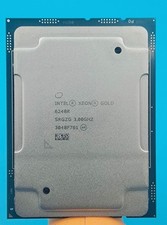
Intel Xeon Gold 6248R 3.0GHz 24-Core SRGZG 35.75MB LGA3647 Server CPU Processor
$269.99
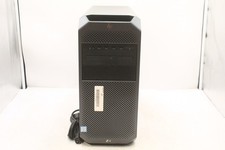
HP Z4 G4 WORKSTATION | INTEL XEON W-2245 3.9GHZ | 512GB | 16GB | NO OS
$299.99

For Parts - Lenovo ThinkServer TS460 Part Number: 70TT-0020UX
$149.99

Dell Precision T1700 Workstation Intel Xeon 16G Ram 256GG SSD Nvidia 600 Win 10
$109.99