

Hi, I've been using Linux for just a week.
I want to remove a package (libglib 2.2.3) and install a newer version (2.3.2) of it which I have compiled myself.
Normally I would remove by using 'apt-get remove', but apt-get also wants to remove all the packages that depend on the package I want to remove.
This shouldn't be necessary, because I'm going to install a newer version after the old version is removed.
The reason I want to replace libglib with a newer version is because an other application that I want to compile complain about me having the old libglib. This is the error message:
Now, I have read the manual of apt-get that is on the top of this forum, and it said that it is impossible to remove a package without removing the dependencies also... so my question is, is there another way to remove a package?checking for GLIB - version >= 2.1.3...
*** 'pkg-config --modversion glib-2.0' returned 2.3.2, but GLIB (2.2.3)
*** was found! If pkg-config was correct, then it is best
*** to remove the old version of GLib.
Thanx in advance,
Eric.
 Posting Permissions


Kingston 32GB 64GB 128GB 256GB USB 3.0 Flash Drive Thumb Memory Stick Pen lot
$285.90
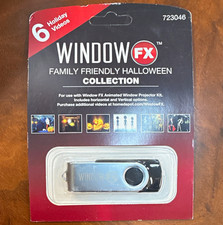
Window FX Family Friendly Halloween Collection USB Flash Drive 6 Videos 723046
$24.99

Microsoft Windows 11 Pro 64bit - New Sealed – Flash USB 1 PC
$49.99

128GB USB 14-in-1 MacOS bootable Installer repair recovery tech support service
$39.99

USB 3.0 Flash Drive 32GB 64GB 128GB Memory Stick Thumb Stick Lot Pack
$826.09

USB Type-A Flash Drive Metal Memory Stick High Speed USB Drive 128GB 256GB 512GB
$8.47

Lot 5/10pcs USB Flash Drive Memory Stick 1MB-64GB Pendrive Thumb Drive 8GB 32GB
$282.00

1/ 10/ 100pcs USB 2.0 2GB, 4GB ,8GB ,16GB ,32GB ,64GB 128GB USB Flash Drives Lot
$269.10

Zero Trace Pen: All-in-one Tor Network Anonymous Drive + Cryptocurrency Wallet
$147.00

FLASHFORGE 3D Printer AD5X Multi-Color IFS Auto Refill High Speed Printing US
$349.00


 Reply With Quote