

 Reply With Quote
At the extreme left. (The "help bubble" says: Start Applications).


Hi room!
I have just installed knoppix 3.3 in my laptop. Everything works fine but I do not find the k menu icon my desktop.
Where is it? How can I get it?
Thanks
Fab
At the extreme left. (The "help bubble" says: Start Applications).
Fab,
I hope you aren't saying that you don't have the KMenu, just that you can't find it on your desktop...
The "KMenu" is the same, in the Windows World, as the "Start Menu".
It is, most likely, always found at the bottom of the screen, and to the far left. Just like, in most all Graphical User Interfaces, GUI's, that the clock can be found on the bottom of the screen, and to the far right.
Again, I hope all you needed was to find where your KMenu is/was, and that the literal meaning of your post is NOT that a KMenu is not on your desktop. That one could be difficult.
Hope this helps,
Cuddles
 Posting Permissions


Refurbished Working 1960's Heathkit EC-1 Educational Electronic Analog Computer
$2999.99

Vintage George A Philbrick Researches Tube Analog Computer Module Serial 005503
$109.99

1969 EAI TR-20 Analog Computer Programming PACE Philbrick Electronic Associates
$36.00
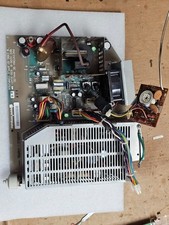
Retro Working Macintosh SE SE30 Analog Board 820-0206-B 630-0147 w/Power Supply
$107.95

Vintage Goodyear Electronic GEDA Analog Computer Plug -- Extremely Rare
$179.00

Vintage 1970’s Analogic MP2110 10-Bit A/D Converter Computer Circuit Board
$24.99

Vintage Donner Scientific Analog Computer Patch Cords Banana Plugs & Resistor
$100.00

Vintage Analog Computing Magazines For Atari Computer Owners No 11-20 Acceptable
$75.00

VINTAGE Apple Unidisk Analog Card - Circa 1986 | P/N 820-0190-A
$22.67
Vintage HP 82166A HP-IL Converter Custom “The BOX” TTL/DAC Interface Controller
$499.99