-
alsa drives me crazy!!
I have trouble with my Yamaha soundcard (ymfpci, ym744, hoontech xg). I've connected it using an spdif to my reciever. All i have to do is to unmute some channels using alsamixer. But it won't work.
Code:
root@paula:/etc/init.d# ./alsa-autoconfig
Preparing modules for alsa...
Building card database..
Configuring ymfpci...
Running update-modules...
Creating snddevices...
Setting default volumes...
root@paula:/etc/init.d# alsamixer

alsamixer: function snd_ctl_open failed for default: No such file or directory
What can I check now? I have played around with self built driver from www.alsa-project.org and the apt-get port form testing.
Well this make be feel dizzy.. I spent the whole day and can't start alsamixer. It suxxs.
\thomsen
-
Re: alsa drives me crazy!!
it's me again. I checked this:
Code:
root@paula:/proc/asound# tail /proc/asound/cards
--- no soundcards ---
I suppose it should be something else than this ?
\thomsen
-
Re: alsa drives me crazy!!
ahja. Some good news:
I've found out that in
always the "ymfpci" was loaded. This probably wrong. Then when doing this:
Code:
% rmmod ymfpci
% modprobe snd-ymfpci
% alsamixer
everything went fine. So my solution was: Removing the wrong entry and let the programs itself load the module when needed! So just comment out "ymfpci" and try it again.
But this brings a new problem to me: How can I store/configure the volume settings using knoppix only? The problem is:
Code:
% amixer set bla bla
won't work, since alsa-utils aren't installed. So any comments on this?
-
Junior Member
registered user
Please try add
to /etc/init.d/bootmisc.sh
-

Originally Posted by
NikiBob
Please try add
to /etc/init.d/bootmisc.sh
thx for your suggestion. However, it did not solve the problem this way. But it brought some new ideas to me. I could remember, that the alsa-util "amixer" was able to activate the IEC958 (spdif) . However, all those simple mixer programs, including "aumix" were'nt able to activate this very unique sound channel form my Hoontech XG yamaha chipset.
The solution: download the alsa-util package using the "-d" option from apt-get, which will only download but NOT install the package. If downloaded, depack it your self and install "amixer" by hand. Then you put this in bootmisc.sh
Code:
%amixer -q set IEC958 on
and voila, everything is fine. But don't forget to add your local user to the audio group in /etc/group
\thomsen
Similar Threads
-
By ScreamingTemporalDoom in forum Hdd Install / Debian / Apt
Replies: 3
Last Post: 08-12-2004, 08:48 AM
-
By dzogchen in forum Hdd Install / Debian / Apt
Replies: 16
Last Post: 08-05-2004, 06:37 AM
-
By bob58 in forum General Support
Replies: 0
Last Post: 03-26-2004, 06:07 PM
-
By ica in forum Hardware & Booting
Replies: 1
Last Post: 02-13-2004, 04:52 PM
-
By alex+ in forum General Support
Replies: 1
Last Post: 12-28-2003, 04:00 AM
 Posting Permissions
- You may not post new threads
- You may not post replies
- You may not post attachments
- You may not edit your posts
-
Forum Rules


Dell 6P85J 4TB ST4000NM0063 7.2k 6Gb/s 3.5” SAS SED Hard Drive with Tray
$39.99

Western Digital HUS726T4TAL5204 4TB 7.2K SAS 12Gb/s 3.5" 512e HDD NetApp X375A
$64.00

HGST Ultrastar HUS726040AL5210 4TB 7200RPM SAS 12Gb/s Enterprise HDD
$41.00

Seagate ST8000NM0075 Enterprise Capacity 3.5 HDD 8TB SAS Hard Drive 8TB EXOS
$184.99
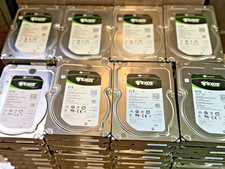
Seagate Exos 7E8 4TB SAS 12Gb ST4000NM0025 7200 512n 3.5 HDD
$48.99

Dell ST6000NM0034 1HT27Z-150 NWCCG 6TB SAS 3.5 7.2K ENTERPRISE SERVER DRIVE
$68.99

Seagate Barracuda ST1000DM003 1 TB SATA III 3.5 in Desktop Hard Drive
$23.99
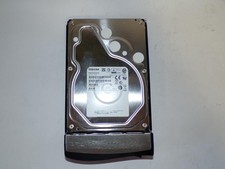
Toshiba MG03ACA400 4TB 7200 RPM SATA 6.0Gb/s 3.5" Enterprise HDD (V6313)
$61.56

Tested WD Ultrastar DC HC520 12TB 7.2K RPM SATA 6Gb/s 3.5" HDD HUH721212ALN600
$239.99

DELL 2TB Enterprise HDD (7200RPM, 3.5", SATA III, 128MB Cache) HUS722T2TALA600
$49.95



 Reply With Quote