

 Reply With Quote
it's me again. I checked this:
I suppose it should be something else than this ?Code:root@paula:/proc/asound# tail /proc/asound/cards --- no soundcards ---
\thomsen


I have trouble with my Yamaha soundcard (ymfpci, ym744, hoontech xg). I've connected it using an spdif to my reciever. All i have to do is to unmute some channels using alsamixer. But it won't work.
What can I check now? I have played around with self built driver from www.alsa-project.org and the apt-get port form testing.Code:root@paula:/etc/init.d# ./alsa-autoconfig Preparing modules for alsa... Building card database.. Configuring ymfpci... Running update-modules... Creating snddevices... Setting default volumes... root@paula:/etc/init.d# alsamixer alsamixer: function snd_ctl_open failed for default: No such file or directory
Well this make be feel dizzy.. I spent the whole day and can't start alsamixer. It suxxs.
\thomsen
it's me again. I checked this:
I suppose it should be something else than this ?Code:root@paula:/proc/asound# tail /proc/asound/cards --- no soundcards ---
\thomsen
ahja. Some good news:
I've found out that in
always the "ymfpci" was loaded. This probably wrong. Then when doing this:Code:/etc/modules
everything went fine. So my solution was: Removing the wrong entry and let the programs itself load the module when needed! So just comment out "ymfpci" and try it again.Code:% rmmod ymfpci % modprobe snd-ymfpci % alsamixer
But this brings a new problem to me: How can I store/configure the volume settings using knoppix only? The problem is:
won't work, since alsa-utils aren't installed. So any comments on this?Code:% amixer set bla bla
Please try add
to /etc/init.d/bootmisc.shCode:aumix -w 60 -v 60
thx for your suggestion. However, it did not solve the problem this way. But it brought some new ideas to me. I could remember, that the alsa-util "amixer" was able to activate the IEC958 (spdif) . However, all those simple mixer programs, including "aumix" were'nt able to activate this very unique sound channel form my Hoontech XG yamaha chipset.Originally Posted by NikiBob
The solution: download the alsa-util package using the "-d" option from apt-get, which will only download but NOT install the package. If downloaded, depack it your self and install "amixer" by hand. Then you put this in bootmisc.sh
and voila, everything is fine. But don't forget to add your local user to the audio group in /etc/groupCode:%amixer -q set IEC958 on
\thomsen
 Posting Permissions

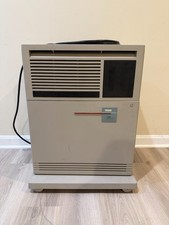
DEC VAX 4000-500 - Vintage - excellent condition - UPS shipping
$3999.00
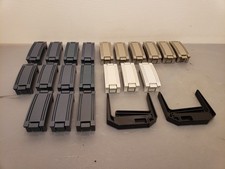
Vintage DEC Digital Equipment Corp HP Compaq Drive Pullers, Bay Slot Covers
$100.00

Vintage DEC Digital Starion 200 Desktop PC Powers On Boots To BIOS NO HDD - DW
$269.99

Vintage DEC/Mostek memory systems MK 8015 AA-00 6805-08015 1100 REV C(B7)
$279.99
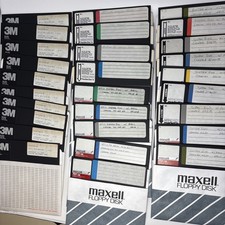
Vintage DEC RT-11 V5.0 8” Floppy Disks HT-11 System BASIC FORTRAN Software Lot
$199.95
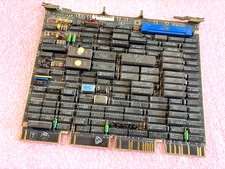
VINTAGE DIGITAL M8639 DEC RDRX Disk Controller Board 50-15649-02 A1
$69.99

DEC T2053-DE MS65A-DA 128MB VAX 6000 Memory Board Gold Scrap Vintage
$64.99

6 Vintage DEC Digital System Building Blocks - Flip Chips
$75.00

Vintage DEC Digital M8153 RH70 UNIBUS CONTROL-BCT (B15)
$139.99

Vintage DEC Digital VSXXX-AA.B03 Hawley 3-Button Mouse 1986 Tested Working
$111.00