-
Junior Member
registered user
sound config
hey guys, I was wondering if any body could help me with a problem that I have? I recently installed 3.3 on my hard disk now there are 2 problems, The first is that I dont know what the difference between file systems are exp. ext2, ext3, reiser... and does it matter what one I pick?
the other problem is the sound issue. My sound card is detected but I still have no sound the volumes are all up nothing is muted either. when I do sndconfig it finds my card then it says that my soundcard is not currently in your modules search path,please verify that your kernel modules are correctly installed. I would be ever so greatful if someone could tell me how to put my soundcard in my modules search path. thanks
-
Senior Member
registered user
Try
alsa_init
as root
and make sure you're in the audio group.
-
Junior Member
registered user
Sound server informational message:
Error while initializing the sound driver:
device: default can't be opened for playback (No such file or directory)
The sound server will continue, using the null output device.
This is what I get when I try to test the sound
I ran alsa_init as you suggested and still doesn't work?
-
Senior Member
registered user

Originally Posted by
jojo
Sound server informational message:
Error while initializing the sound driver:
device: default can't be opened for playback (No such file or directory)
The sound server will continue, using the null output device.
This is what I get when I try to test the sound
I ran alsa_init as you suggested and still doesn't work?
Try /etc/init.d/alsa-autoconfig to make the alsa devices. Then if it works open the file /etc/init.d/bootmisc.sh and put the line aumix -w 75 -v 75 near the bottom of the file to have the default volumes set on boot.
-
Junior Member
registered user
Thanks for the help guys, but niether way gets me any results which is odd because before I did the hd install the alsa cheatcode worked every time. Both of your suggestions seem to go off w/out a hitch but I still have no sound. On another note I did an apt-get crystalspace but I can't run it It went in to my /etc, I can see it and read all the files but cant run it like other games, even typing crystalspace at the command line doesn't work like it does with other programs. I am new to linux so if anyone has a solution to one of my problems keep that in mind.
Similar Threads
-
By Battousai in forum Hardware & Booting
Replies: 3
Last Post: 03-08-2004, 10:17 PM
-
By Cuddles in forum General Support
Replies: 40
Last Post: 03-01-2004, 04:45 PM
-
By jagaroth in forum Laptops
Replies: 1
Last Post: 01-09-2004, 01:47 PM
-
By bongski55 in forum Hdd Install / Debian / Apt
Replies: 6
Last Post: 09-06-2003, 05:58 AM
-
By Kapz in forum Hardware & Booting
Replies: 0
Last Post: 08-05-2003, 05:22 AM
 Posting Permissions
- You may not post new threads
- You may not post replies
- You may not post attachments
- You may not edit your posts
-
Forum Rules

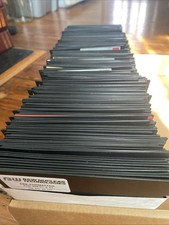
Vintage 1980s 1990s Lot of 175 Used PC Computer 5.25" Floppy Disks IBM
$175.00
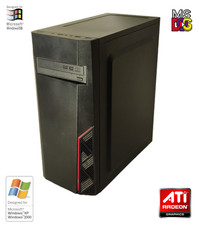
NEW* AMD Athlon 4850e 4GB ATI X1050 Win98 XP DOS Multiboot Retro PC w/ 50 Games
$389.00

Vintage HP 21MX 1000 M-Series Minicomputer Chassis Backplane Parts AS-IS
$228.19
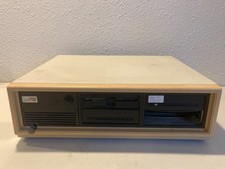
Vintage Compaq Deskpro 286 AT PC Computer Complete w/Drives Powers On
$189.99
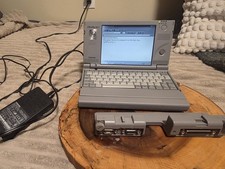
Vintage Toshiba Libretto 70CT Mini Notebook with Port Replicator and 32MB Memory
$320.00

Vintage Gray AC Power Cable Cord 3-Prong Plug to 3-Prong 3-Slot Connector
$50.00
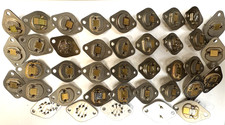
453 GRAMS / 1 LB REAL GOLD PLATED SCRAP VINTAGE ELECTRONIC PARTS THICK PLATING
$195.00
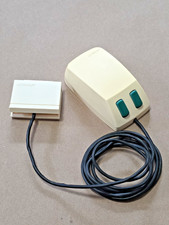
Vintage Microsoft Green-Eyed Mouse 1983 First Gen Bus connector Tested - Video
$350.00

Lot of 2 Vintage Plextor PX-43CS SCSI CD-ROM Caddy Drives + 4 Caddies Used
$55.99
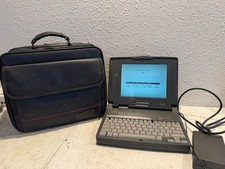
Vintage Compaq Contura 4/25c Laptop Computer With Power Adapter & Bag
$199.99



 Reply With Quote