

 Reply With Quote
It's problably because the default icon on the desktop is just a link to /floppy (or, at least it was last time I checked), which means the drive isn't being mounted.Originally Posted by A. Jorge Garcia


I've knoppix-installed all my PCs as Debian (20031119) and everything runs great! One question: my users still get an fdd icon on the desktop as with regular KNOPPIX, but they can't get it to work. What can I do?
TIA,
AJG
It's problably because the default icon on the desktop is just a link to /floppy (or, at least it was last time I checked), which means the drive isn't being mounted.
Well, is there anyway for my users to access the floppy, as in KNOPPIX /mnt/floppy or /mnt/auto/floppy, without my having to go in there with root access every single time they need a floppy???
TIA,
AJG
Delete the icon on the desktop as normal user and then recreate it pointing to the correct device (/floppy) and they should have access to it. And make sure they are all members of the floppy group.
 Posting Permissions


Intel Core i7-3770K 3.5 GHz Processor
$39.00

INTEL CORE I7-870 SLBJG 2.93GHZ LGA1156 4 CORE CPU PROCESSOR
$23.00

INTEL CORE I9-10940X X-SERIES PROCESSOR | 3.30GHZ | SRGSH
$179.99
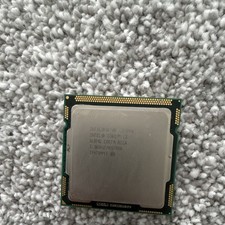
Intel Core I3-540 SLBTD 3.067GHz CPU Processor LGA1156
$13.00

AMD Ryzen 5 5500 Processor ( read Description)
$59.00

Intel Core i7-9700 Octa-Core 3 GHz Desktop Processor LGA 1151
$79.99

Intel Core i5-12500T SRL5W 2GHz 18MB 6 Core Socket LGA1700 Desktop CPU Processor
$114.99

Intel i7-8700 Coffee Lake 3.2GHz 6-Core Max Turbo 4.6GHz Processor
$67.99

INTEL CORE I9-10980XE PROCESSOR | 3.00GHZ | SRGSG
$299.99

PS5 Over Heating Problem Solver 1.5 Grams Liquid metal thermal paste CPU, GPU
$15.99